

1/3PCS UD11A03 USB Cable Tester DC5V Type-C Input Compatible DT3 Test MicroUSB Type-C Lightning Data Line Detector
1PCS
$781.20
Sale price
$781.20
Regular price
$0.00
Skip to product information


Description:
Working power: DC 5V(TYPE-C Input)
Working current: 10-20MA
Model : UD11A03 (compatible with DT3)
Weight: 12.7g
Size: 50*50*10MM
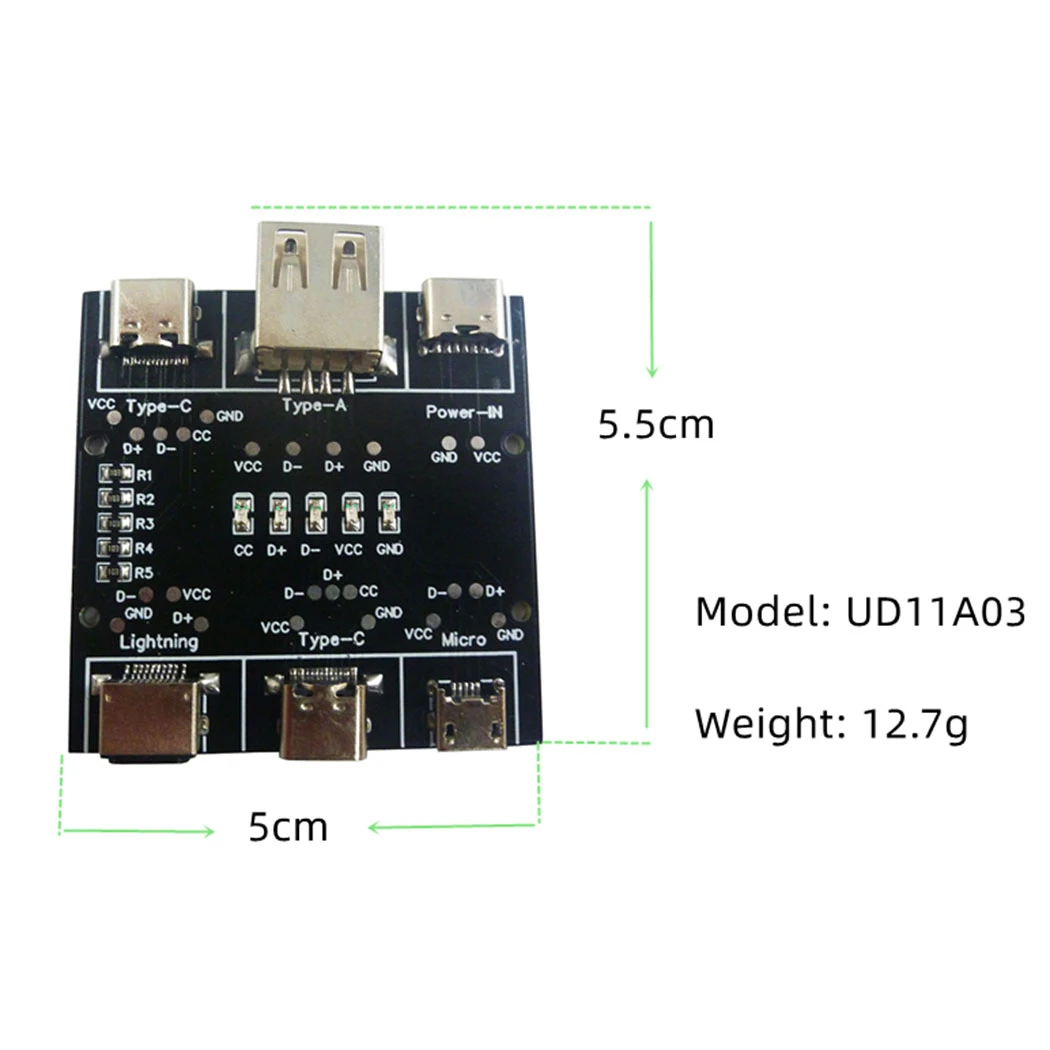
Testable data line port:
USB-A to Micro
USB-A to Type-c
USB-A to Lightning
Type-c to Type-c
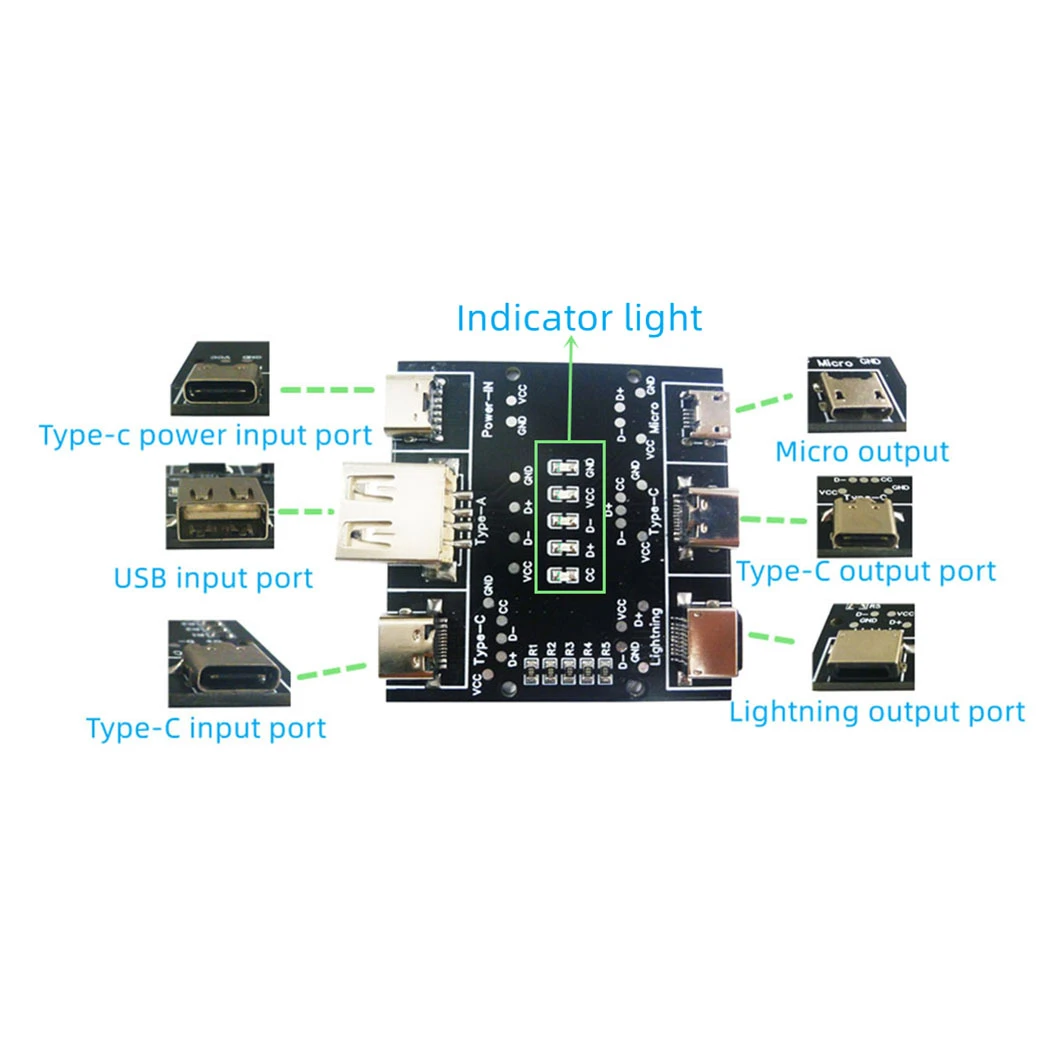
Instruction of The Tester:
1 Use the Type-c charging cable to plug into the Power-IN interface to supply power to the PCB board.
2 Insert one end of the data cable to be tested into the corresponding input port, and the other end into the corresponding output port.
3 Observe the indicator light.
Indicator light description:
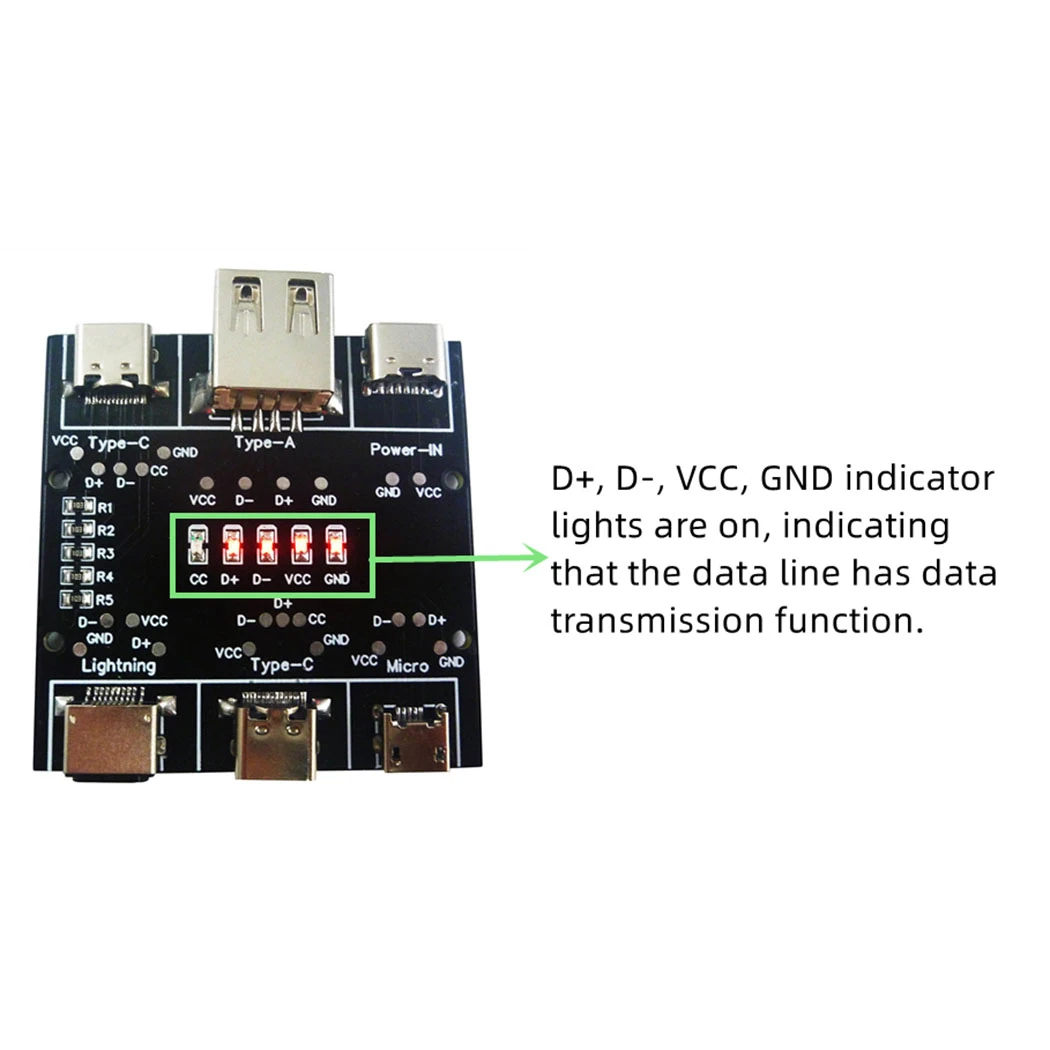
1 D+, D-, VCC, GND indicator lights are on, indicating that the data line has data transmission function.
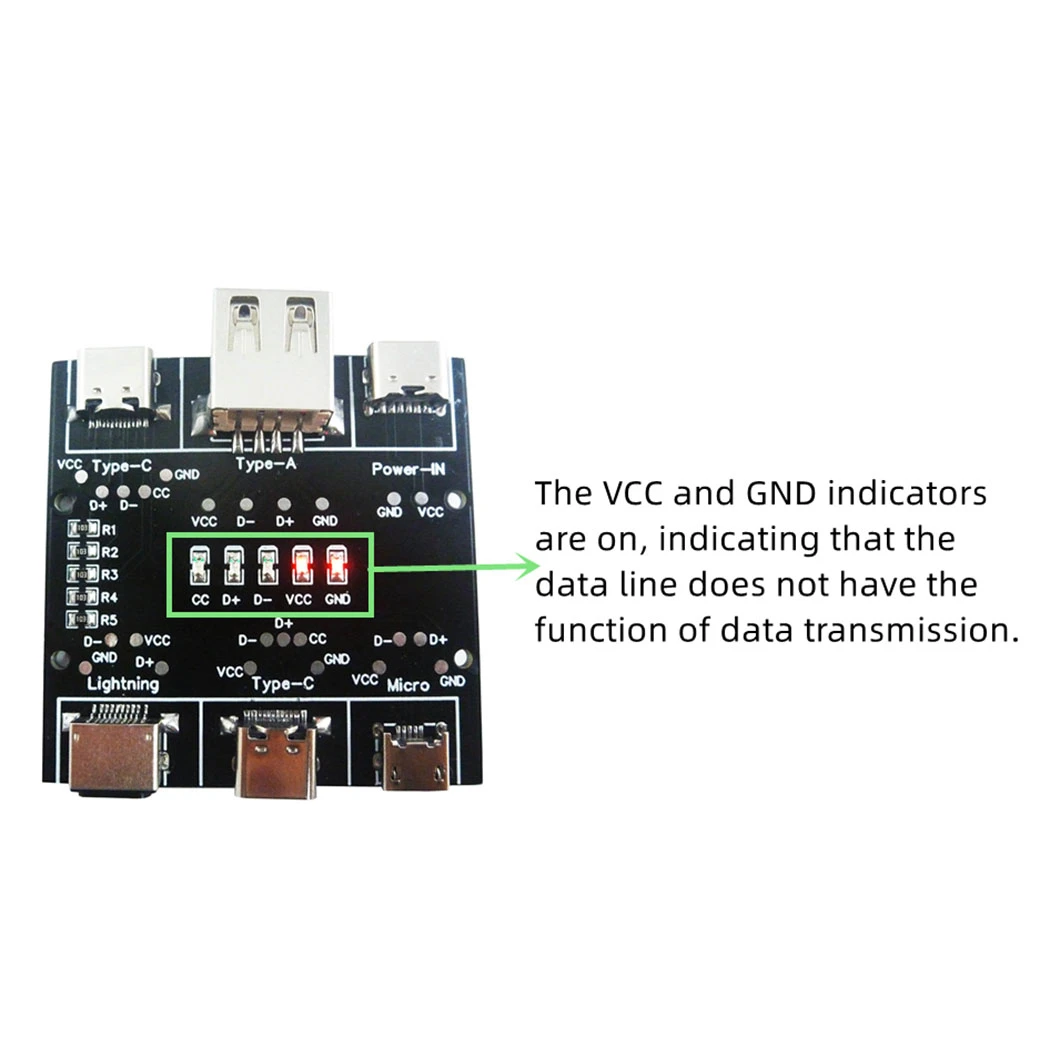
2 The VCC and GND indicators are on, indicating that the data line does not have the function of data transmission.
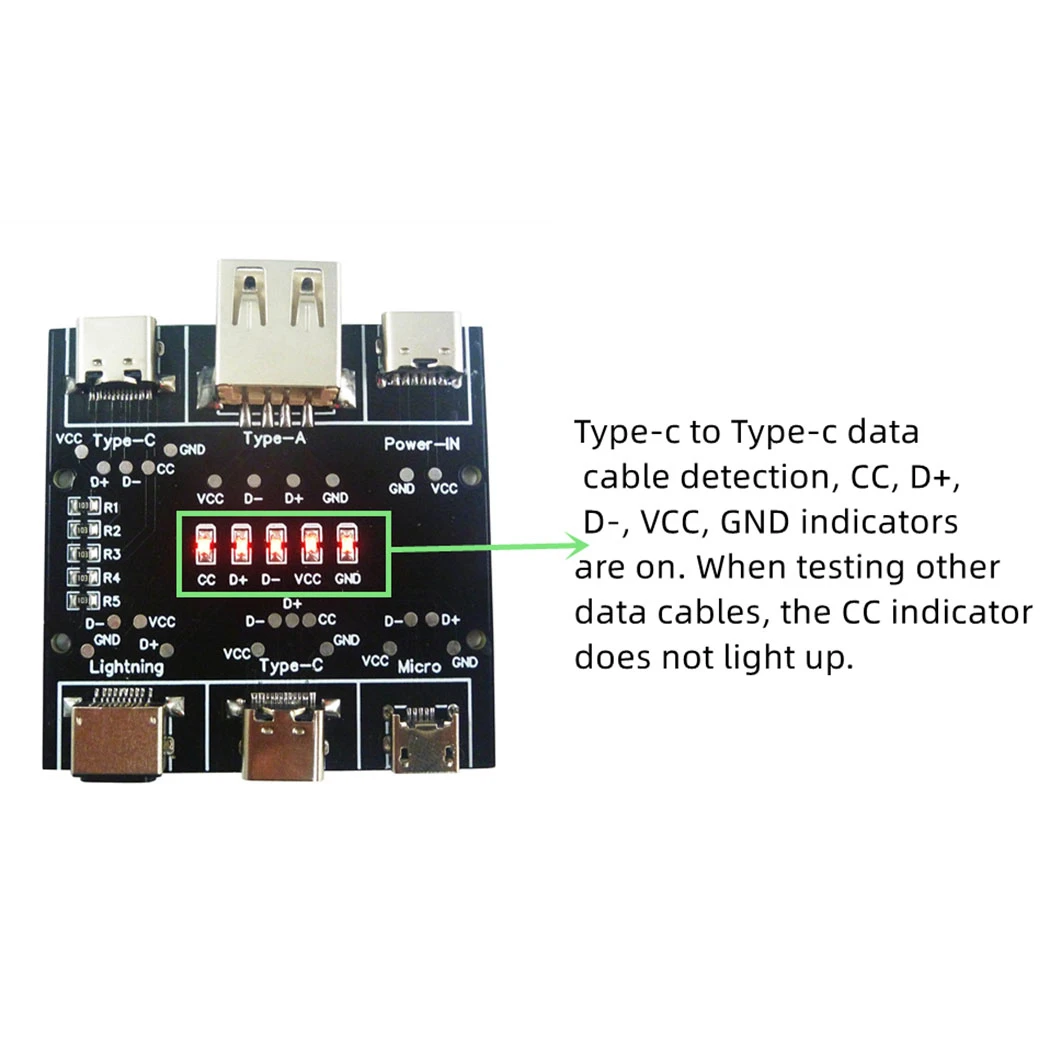
3 Type-c to Type-c data cable detection, CC, D+, D-, VCC, GND indicators are on. When testing other data cables, the CC indicator does not light up.
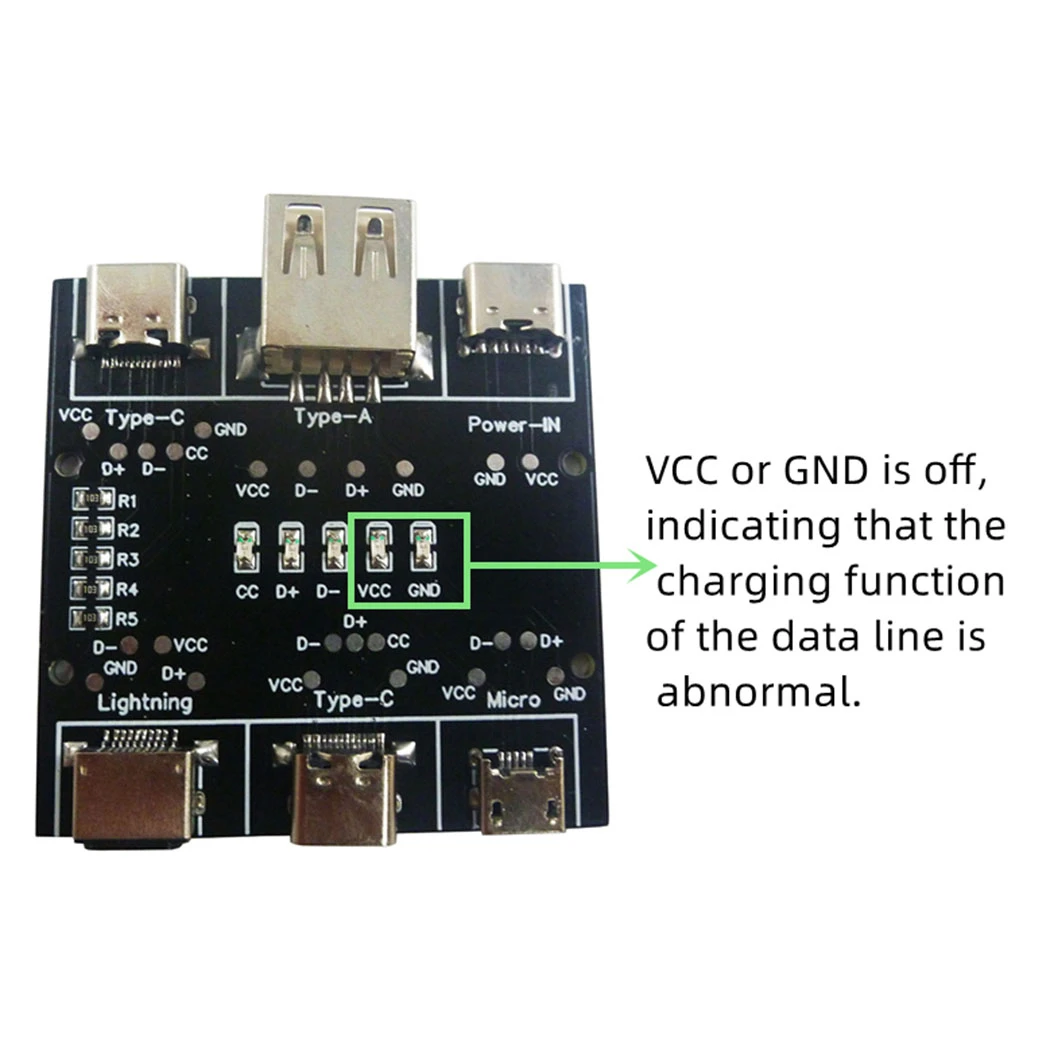
4 VCC or GND is off, indicating that the charging function of the data line is abnormal.
Notice:
During the test, except for the Power-IN port, the input and output ports of the test data line, other ports cannot be connected to the data line, otherwise the test result will be affected.


1/3PCS UD11A03 USB Cable Tester DC5V Type-C Input Compatible DT3 Test MicroUSB Type-C Lightning Data Line Detector
$781.20
Sale price
$781.20
Regular price
$0.00
Description
SPECIFICATIONS
Brand Name: eletechsup
Choice: yes
Condition: New
High-concerned chemical: none
Origin: Mainland China
Type: Module
is_customized: Yes
semi_Choice: yes
Product Name: 1/3PCSUD11A03 USB Cable Tester DC5V Type‑C Input Compatible DT3 Test MicroUSB Type‑C Lightning Data Line Detector
Packing list:
1 pcs USB A Type-C Cable Tester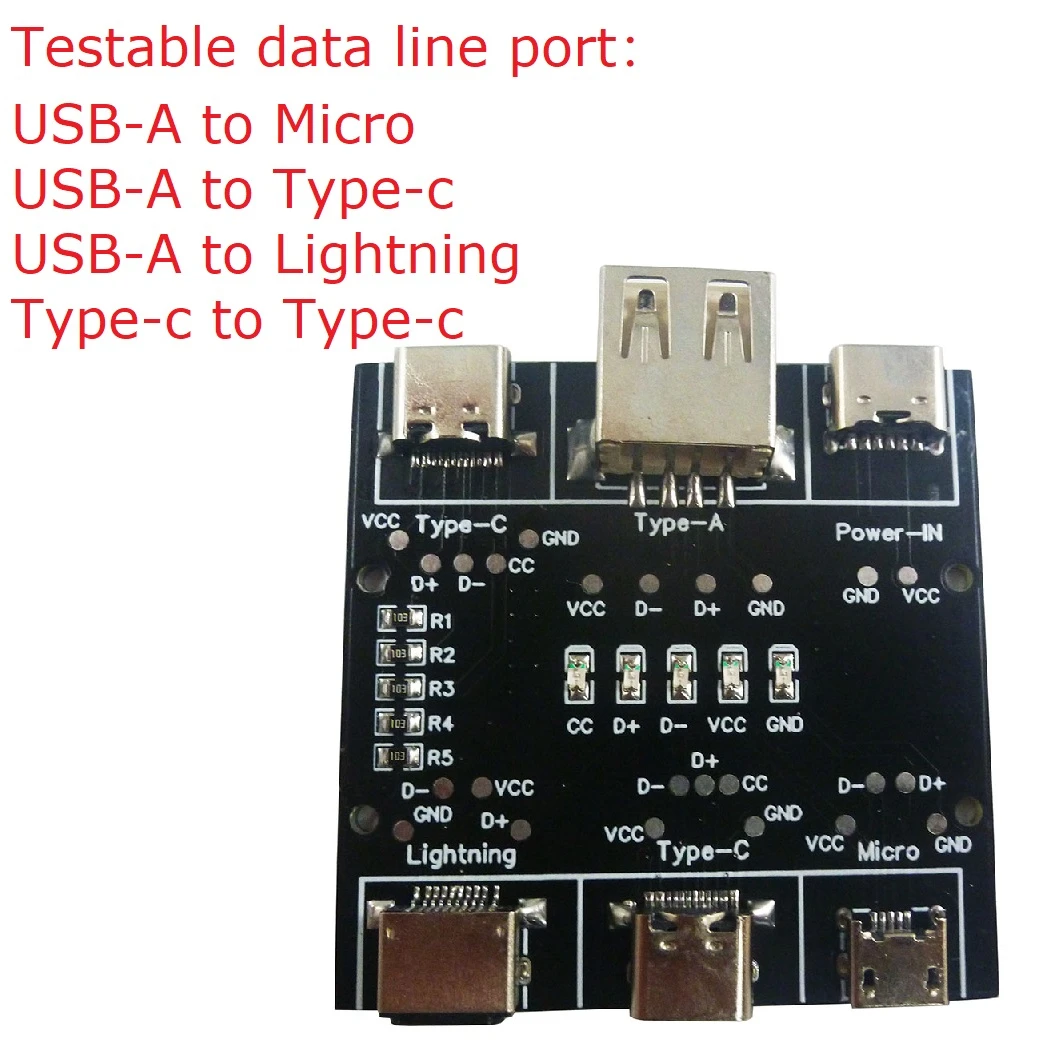
Description:
Working power: DC 5V(TYPE-C Input)
Working current: 10-20MA
Model : UD11A03 (compatible with DT3)
Weight: 12.7g
Size: 50*50*10MM
Testable data line port:
USB-A to Micro
USB-A to Type-c
USB-A to Lightning
Type-c to Type-c
Instruction of The Tester:
1 Use the Type-c charging cable to plug into the Power-IN interface to supply power to the PCB board.
2 Insert one end of the data cable to be tested into the corresponding input port, and the other end into the corresponding output port.
3 Observe the indicator light.
Indicator light description:
1 D+, D-, VCC, GND indicator lights are on, indicating that the data line has data transmission function.
2 The VCC and GND indicators are on, indicating that the data line does not have the function of data transmission.
3 Type-c to Type-c data cable detection, CC, D+, D-, VCC, GND indicators are on. When testing other data cables, the CC indicator does not light up.
4 VCC or GND is off, indicating that the charging function of the data line is abnormal.
Notice:
During the test, except for the Power-IN port, the input and output ports of the test data line, other ports cannot be connected to the data line, otherwise the test result will be affected.
Free Shipping Over $199
- Standard Shipping: Standard Shipping (12–18 Business Days)
- Express Shipping: Expedited Shipping (5–9 Business Days)
- Free Shipping: Orders over $199 qualify automatically
- Tracking: Full tracking number provided for all orders
30-Day Return Policy
- Returns: 30-day hassle-free return window
- Condition: Items must be unused and in original packaging
- Refund: Full refund processed within 3-5 business days
Why Choose Us?
- Factory Direct: ISO/TS 16949 certified manufacturer
- Quality: 100% electrical continuity tested before shipment
- Experience: 15+ years in automotive connector industry
- Support: Professional technical support available

You may also like
Blog posts
Title
An excerpt of your blog post's content
Title
Date|Author
Subscribe to our emails
Be the first to know about new collections and special offers.