

MAX6675 Temperature sensor acquisition module type K thermocouple module RS485 MODBUS communication
Type K thermocouple / China Mainland
$19.13
Sale price
$19.13
Regular price
$0.00
Skip to product information


MAX6675 Temperature sensor acquisition module type K thermocouple module RS485 MODBUS communication
$19.13
Sale price
$19.13
Regular price
$0.00
Description
SPECIFICATIONS
Application: Computer
Brand Name: NONE
Condition: New
Dissipation Power: standard
High-concerned chemical: none
Operating Temperature: standard
Origin: Mainland China
Package: SMD
Supply Voltage: standard
Type: Module
is_customized: Yes
Correlation parameter
Name: Thermocouple collector High temperature collector
Functional features:
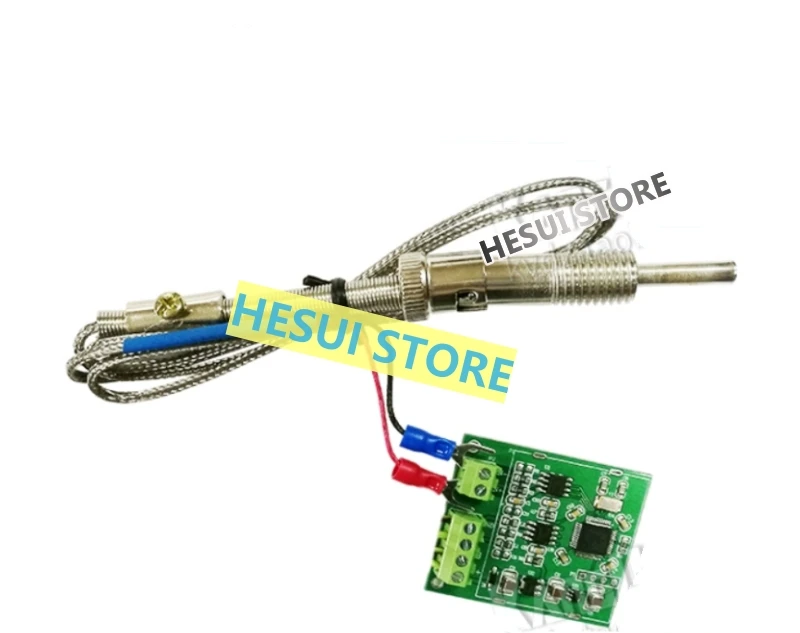
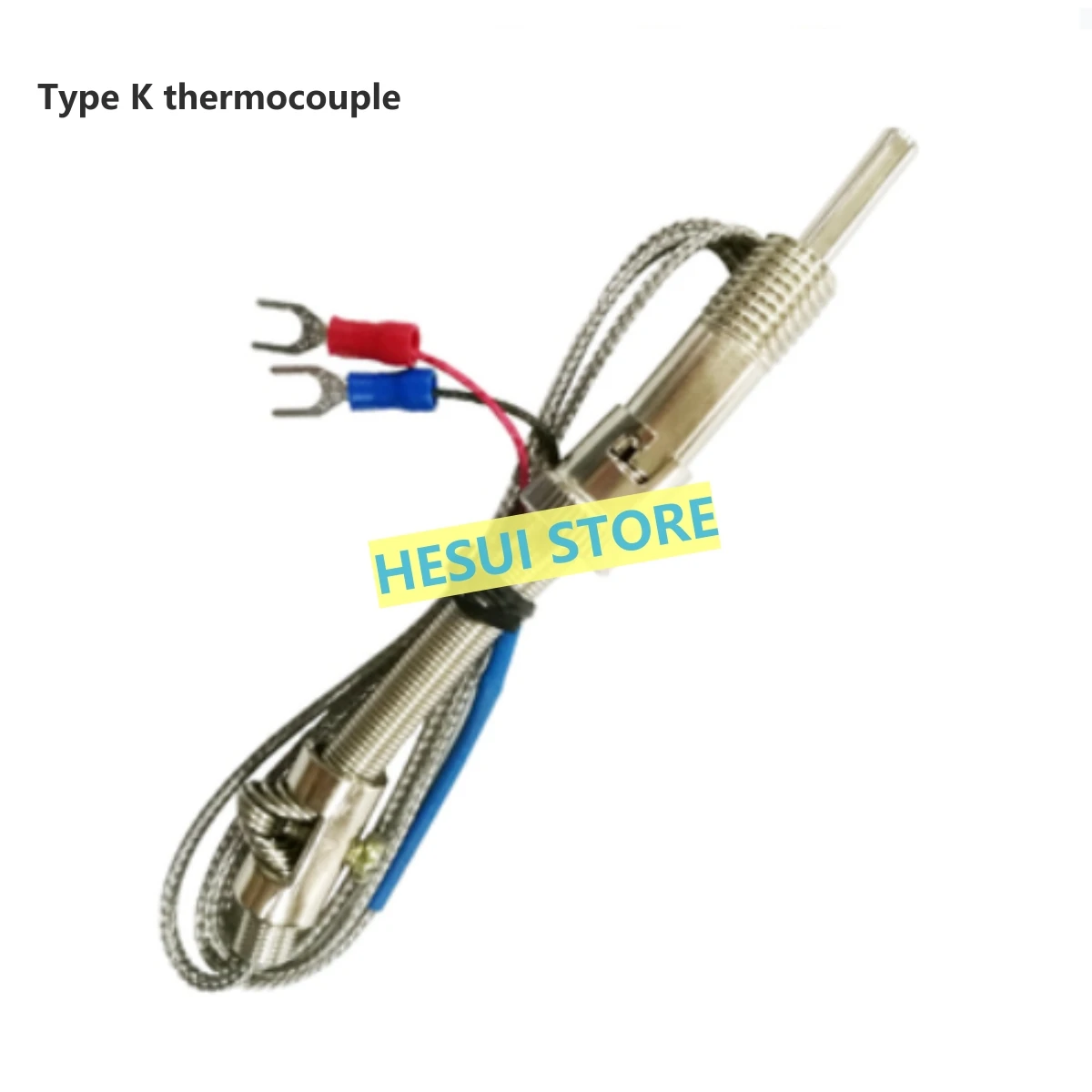
Direct access to K-type thermocouple, using 485 bus can directly measure the
temperature
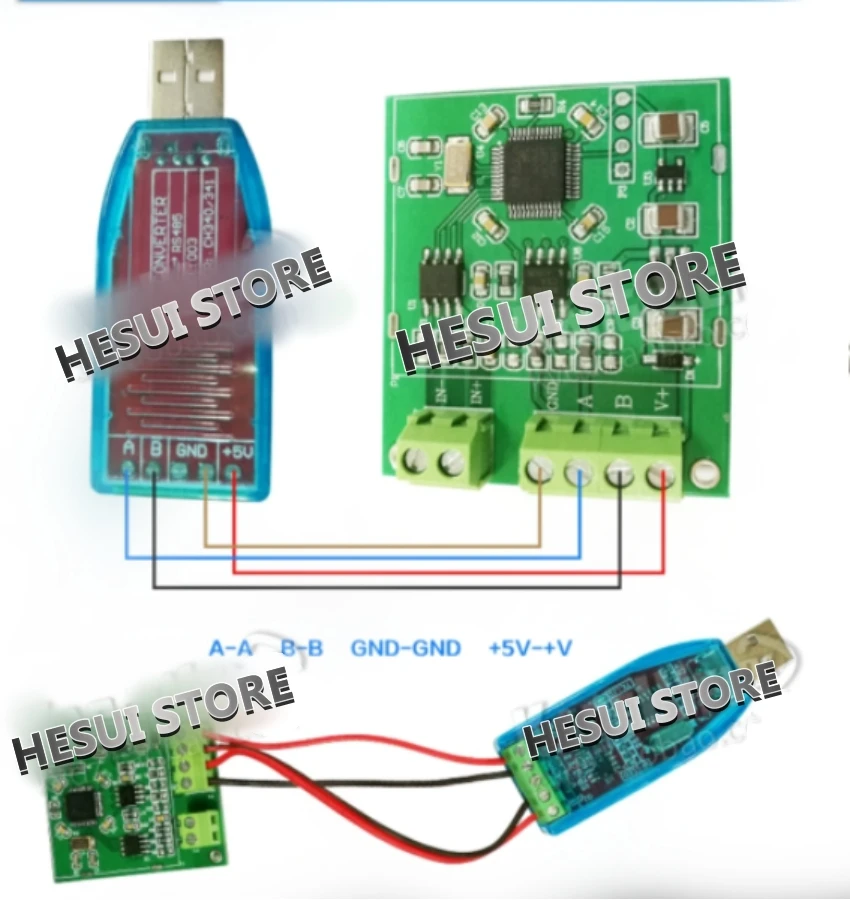
With RS485 to USB module, you can read directly from the computer through the
debugging assistant software
Communication mode :RS485
Measuring temperature range :0~1024 ° C
Resolution :0.5 degrees Celsius
Maximum collection rate :5Hz
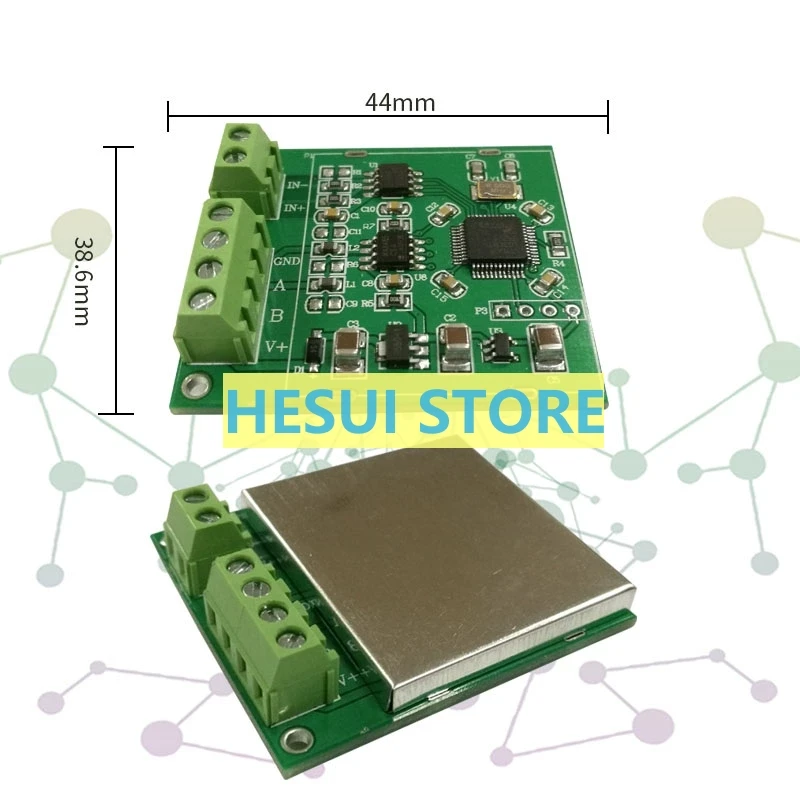
Size :44mm*38.6mm(L * W)
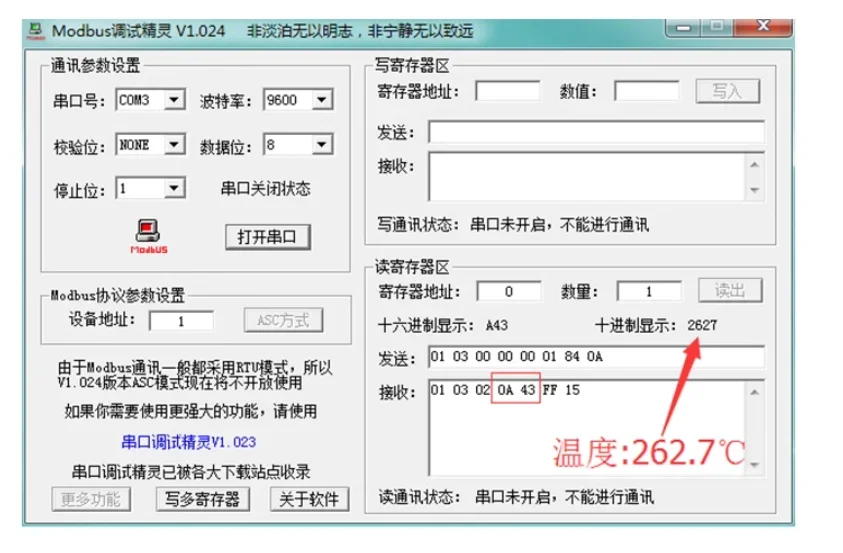
Data format; Real temperature *10 (for example, the read value of 2627 means
that the temperature is 262.7 ° C)
Operating voltage :5v

Test method for connecting type K thermocouples
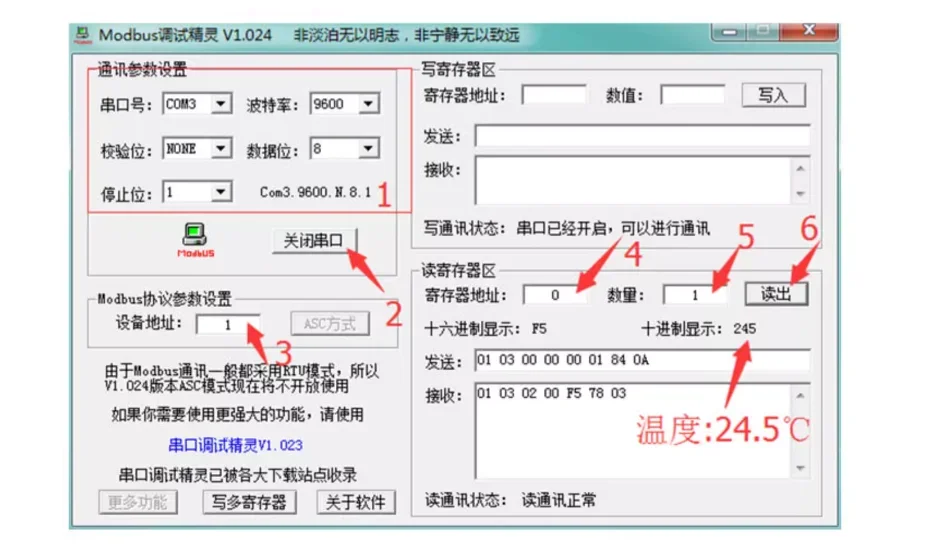
1. Set the communication parameters as shown in the figure (serial port number
is filled in according to the terminal number identified by your computer, and
other parameters are consistent with the figure).
The following communication data needs to be configured: Baud rate :9600
Check bit: none
Data bit :8 Stop bit :1
View COMO method: win7: Computer -> Right-click -> Management -> Device
Manager -> Ports (COM and LPT)
Windows 8/10: Desktop bottom left -> Right-click -> Device Manager -> Ports
(COM and LPT)
2 Enabling the Serial Port
3. Set the device address to 1
modbus protocol: Local address :0X01
Read instruction :0X03
Register address :0X0000
Number of reads :1
4. Set the register address to 0
5. Set the number to 1
6. Click the Read button to read the temperature value (245 in decimal, indicating
that the read value is 24.5 ° C)
Reading method by debugging assistant software
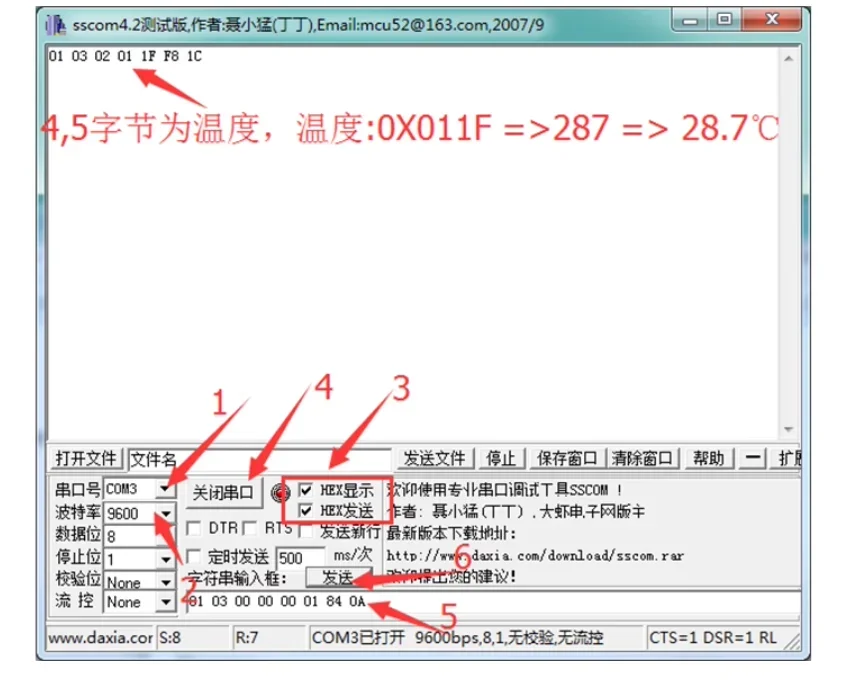
1. Set the serial port number
2. Configure the communication data as shown in the following figure: baud rate
:9600 Parity bit: None
Data bit :8 Stop bit :1
3. Select HEX Display and HEX Send
4. Open the serial port
5. Enter the character string 0103 00 00 00 01 84 0A
6. Click Send to get the temperature value
Query temperature, need to send serial port (modbus command, please check
related instructions)
01 03 00 0o 00 01 84 0A
The command is returned, for example, 010302 01 1A 38 1F
The fourth and fifth bytes are temperature data, which are 8 bits higher and 8 bits
lower respectively, in hexadecimal, that is, the current temperature 0X011A=
282(base 10), and the temperature =28.2 degrees Celsius
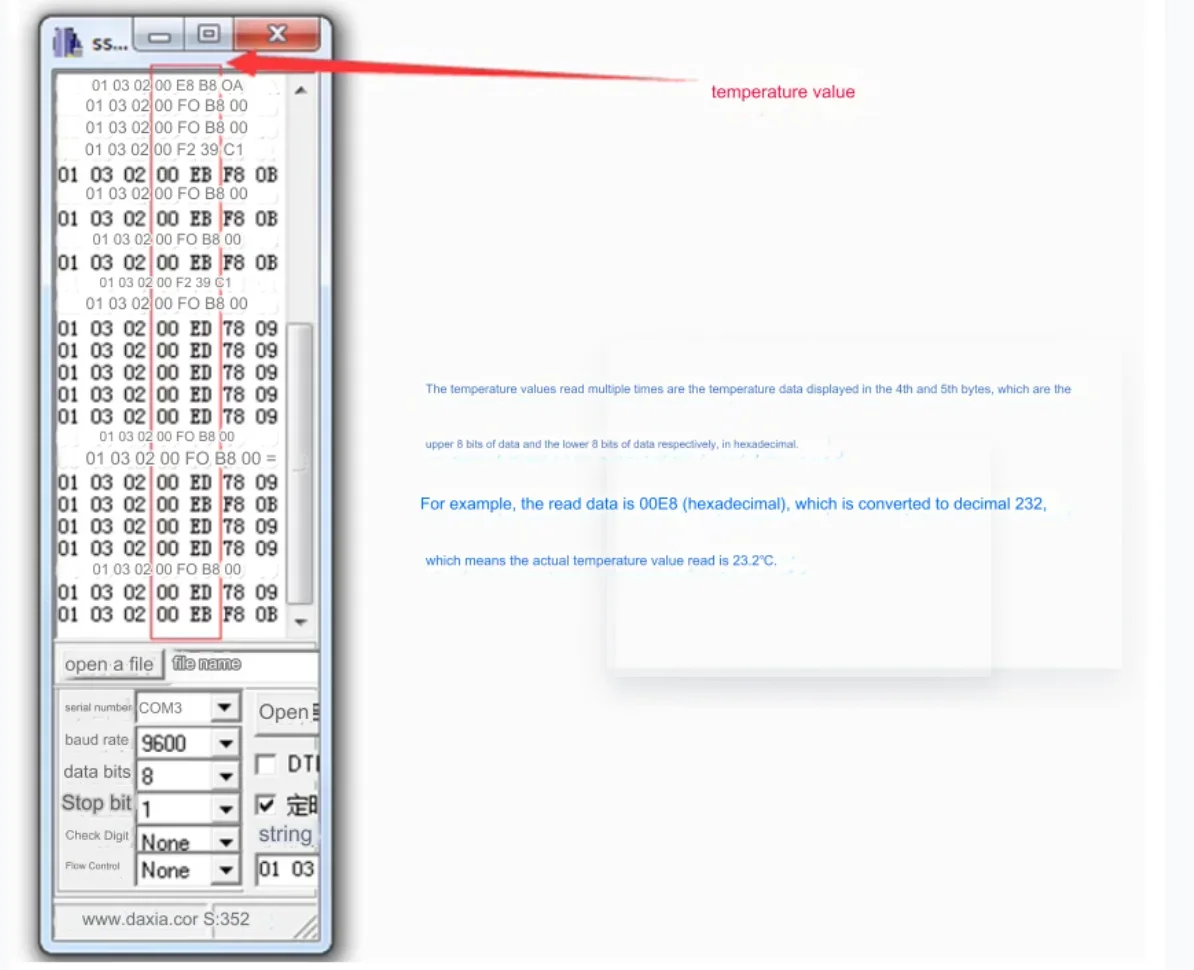
Read the temperature multiple times


Free Shipping Over $199
- Standard Shipping: Standard Shipping (12–18 Business Days)
- Express Shipping: Expedited Shipping (5–9 Business Days)
- Free Shipping: Orders over $199 qualify automatically
- Tracking: Full tracking number provided for all orders
30-Day Return Policy
- Returns: 30-day hassle-free return window
- Condition: Items must be unused and in original packaging
- Refund: Full refund processed within 3-5 business days
Why Choose Us?
- Factory Direct: ISO/TS 16949 certified manufacturer
- Quality: 100% electrical continuity tested before shipment
- Experience: 15+ years in automotive connector industry
- Support: Professional technical support available

You may also like
Blog posts
Title
An excerpt of your blog post's content
Title
Date|Author
Subscribe to our emails
Be the first to know about new collections and special offers.