

Mstar Burner Programmer Debug USB Driver Board Upgrade Debugging ISP Tool Tool
Mstar Burner
$106.00
Sale price
$106.00
Regular price
$0.00
Skip to product information


Mstar Burner Programmer Debug USB Driver Board Upgrade Debugging ISP Tool Tool
$106.00
Sale price
$106.00
Regular price
$0.00
Description
SPECIFICATIONS
Brand Name: NONE
Condition: New
High-concerned chemical: none
Origin: Mainland China
Type: Module
Difference from Mini Burner: Same function, different interface
Check settings, USB connection:
Open the MSTAR ISP TOOL burning tool, click on the CONFIG option, and check if the USE USB option is checked. If it is gray, it means that the burning tool is not plugged in or the driver is not installed properly.
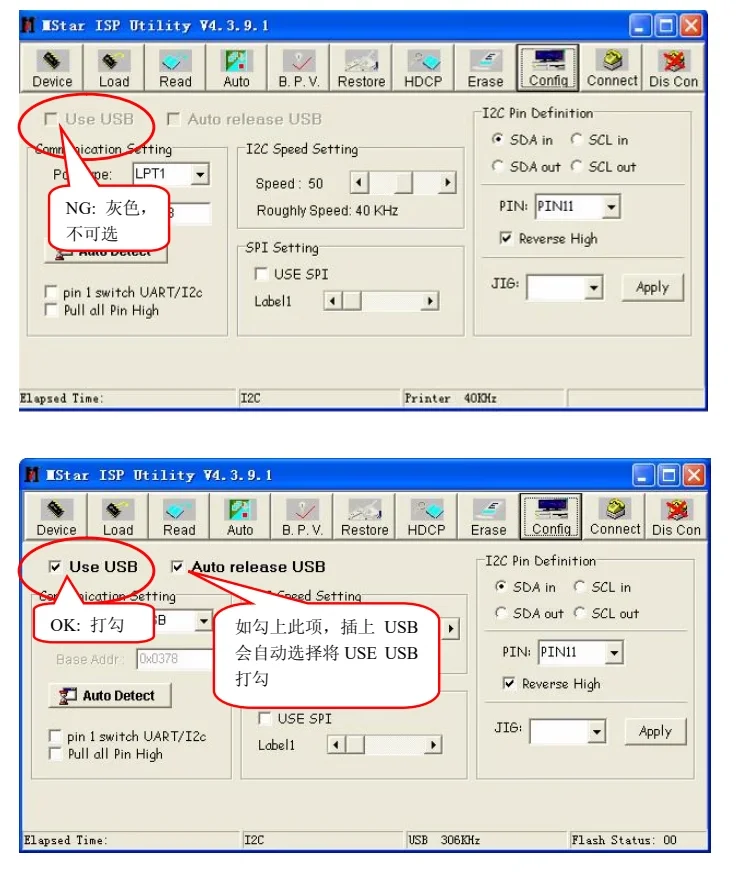
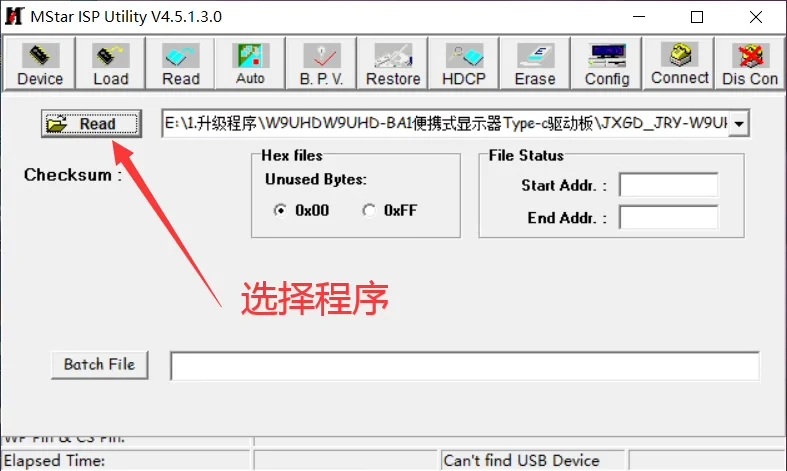
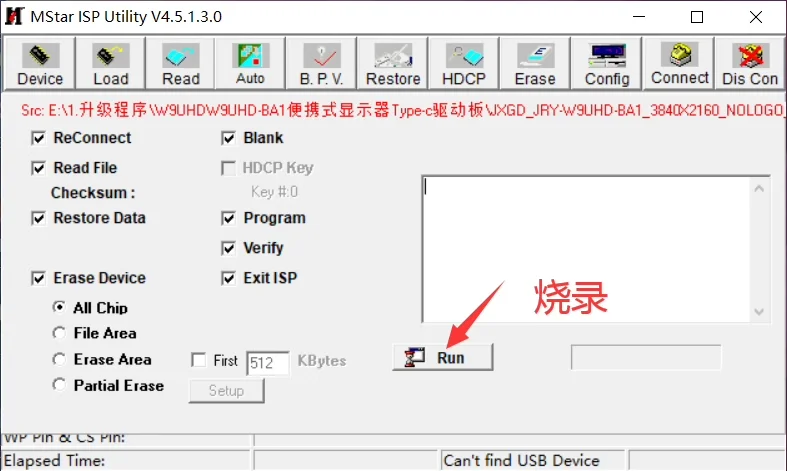
MSTAR burning problem easily eliminated
When clicking CONNECT, if the connection is unsuccessful, the following dialog box usually appears
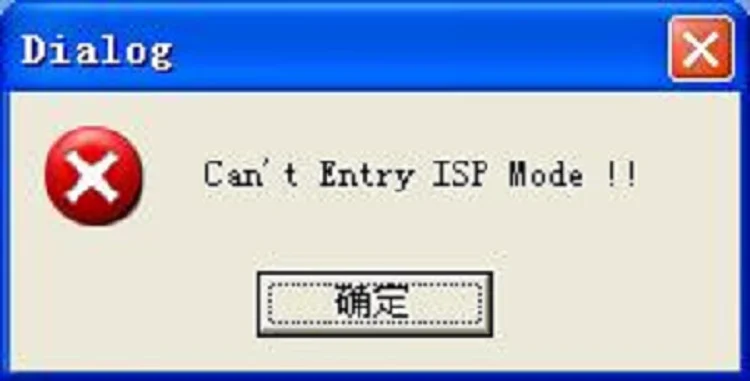
1. Hardware connection:
1) Is the burning tool plugged into the USB port of the computer, and is the 4PIN socket of the burning tool properly connected to the driver board, including RXD, TXD, GND, while+5V can be disconnected
2) Whether the motherboard is powered on normally, mainly testing the 5VST voltage
2. Software configuration:
1) Check my computer/properties/hardware/device manager/ports (CMO and LPT)/check for MSTAR USB Serial PORT items, or follow the MSTAR burning tool installation steps point 5 to check.
2) Check if the I2C SPEED Setting is within the appropriate range, pull the slider left and right during the connection process to see if the connection is successful. Note: This speed setting will affect the burning time.
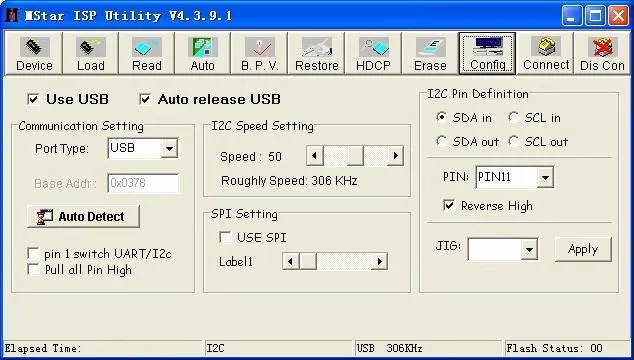
3) If the verification fails or the erasure is unsuccessful, you can click "Dis con" and then "Connect" for more than 3 seconds before reconnecting and then "RUN". If multiple attempts to burn fail, it may be due to a problem with the board or unreliable connection of the cable. You can try slowing down the burning speed in the "config" page to see if it helps.
4) The burning program should be placed in a fully English path, otherwise it may not be possible to read the program in some versions of the operating system.
About Us

As a gloal distributor of electronic components,we stocking the world's widest range products of semiconductor and electronic components.
You can get one stop service here include BOM purchasing,testing,design for your project.
Our experienced team is providing the most excellent service to meet your needs and satisfaction.
Shipping

01.No handing fee, and no minimum order.
02.All shipping charge, duties,insurance and taxes fee will be paid by the customer.
03.Free shipping service available, depends on destination country,order amount, or package sizeandweight.
04.All products are packing under good condition with suitable size.

Pls contact oursales representativefor more courier information about shipping.
We haveSmart logisticssupporting,Save Time, Save Money.
Warranty
1.All products with 1year warranty from the date received.
2.Full amount refund or replacement for defective merchandise within warranty period.
Shop here with confidence!! (We provide excellent after-sales service and supporting)
Return Policy
1.Please contact our sales representative to obtain an RMA number before returning the products back.
2.Return freight charge will paid by the customer.
3.We will not taking any charge that effect during return back due to customer's error.
Payment
Smart Payment Options


Free Shipping Over $199
- Standard Shipping: Standard Shipping (12–18 Business Days)
- Express Shipping: Expedited Shipping (5–9 Business Days)
- Free Shipping: Orders over $199 qualify automatically
- Tracking: Full tracking number provided for all orders
30-Day Return Policy
- Returns: 30-day hassle-free return window
- Condition: Items must be unused and in original packaging
- Refund: Full refund processed within 3-5 business days
Why Choose Us?
- Factory Direct: ISO/TS 16949 certified manufacturer
- Quality: 100% electrical continuity tested before shipment
- Experience: 15+ years in automotive connector industry
- Support: Professional technical support available

You may also like
Blog posts
Title
An excerpt of your blog post's content
Title
Date|Author
Subscribe to our emails
Be the first to know about new collections and special offers.