

NanoDLA Logic Analyzer TYPE-C SCM ARM FPGA Debugging Protocol Analysis 24MHz SampleRate 8 Channels Open Source Sigrok PulseView
Default Title
$24.68
Sale price
$24.68
Regular price
$0.00
Skip to product information




NanoDLA Logic Analyzer TYPE-C SCM ARM FPGA Debugging Protocol Analysis 24MHz SampleRate 8 Channels Open Source Sigrok PulseView
$24.68
Sale price
$24.68
Regular price
$0.00
Description
SPECIFICATIONS
Brand Name: Your Cee
Certification: NONE
DIY Supplies: Electrical
Electronic: No
High-concerned chemical: none
Model Number: Mini NanoDLA Logic analyzer
Origin: Mainland China
Output Voltage: Type-C interface
Semi-finishedproduct: Yes
Size: Type-C interface
Style: Debugging Tool Protocol
Type: Debugging Tool Protocol
Introduction:
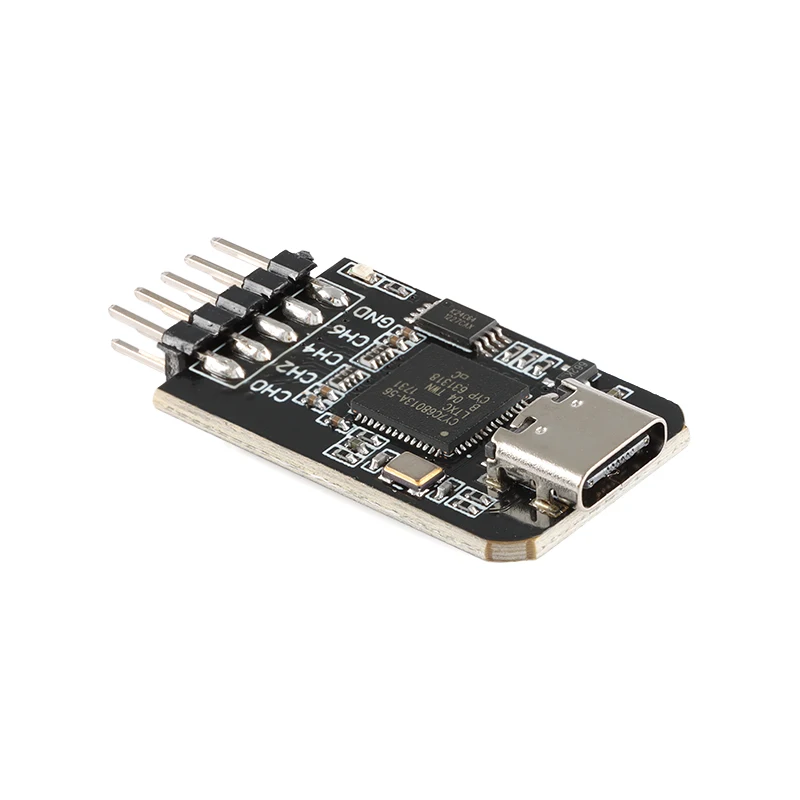
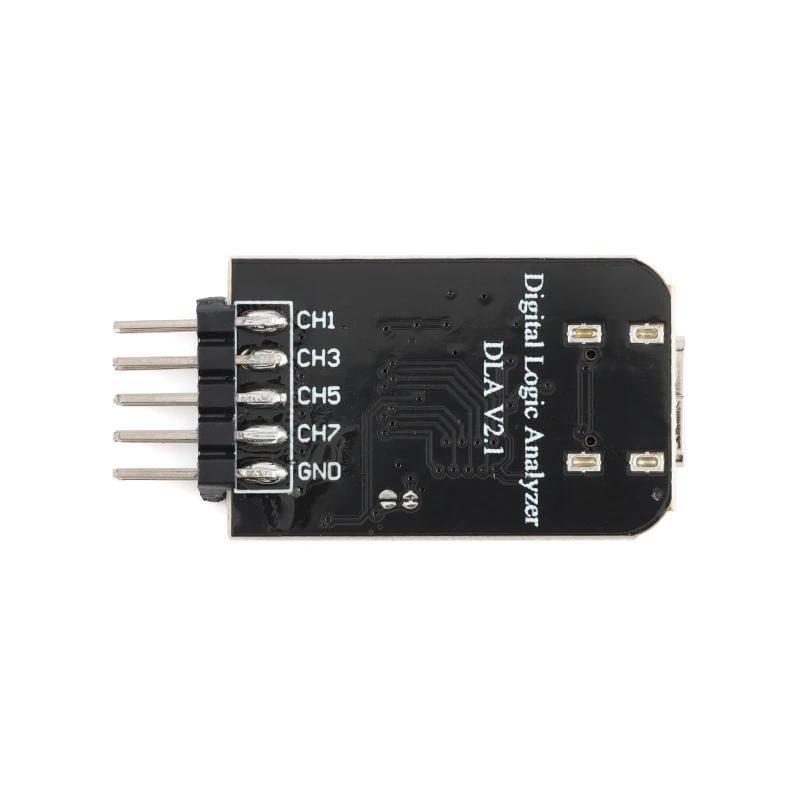
TYPE-C nanoDLA is a hardware and software open source logic analyzer developed and produced by Muse Lab. It is exquisite and compact in appearance with rich functions. It supports up to 24Mhz sampling rate and more than 100 kinds of protocol analysis. 8 channels can sample data simultaneously. Efficiency could be greatly improved in scenarios such as problem location, complex systems with multiple components, timing analysis and performance analysis.
Features&Specification:
● Support up to 24Mhz sampling rate and 8 channels can sample data simultaneously
● Support input logic level [-0.5v,5.25v]. low level is [-0.5v, 0.8v], high level is[2v, 5.25v]
● Support operating system like Windows, Linux, Mac, Android
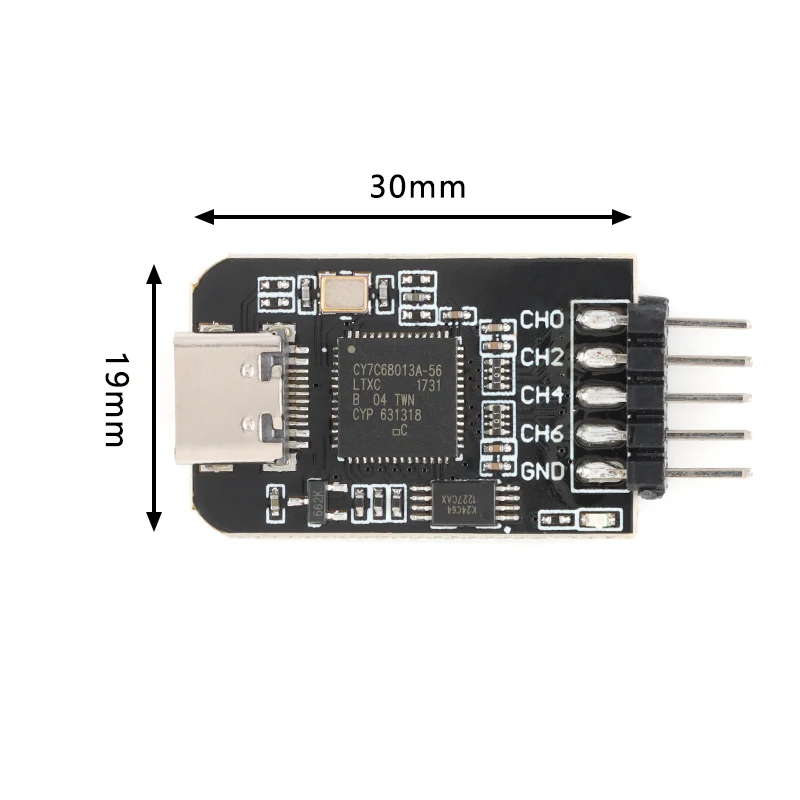
● Small Size: 3.9cm * 2.0cm
Software Installation
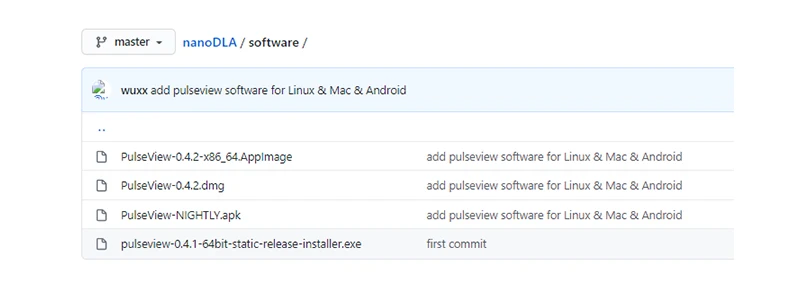
●Install PulseView
Download installation package from https://github.com/wuxx/nanoDLA/tree/master/software and double click the installation package to install
●Install Driver
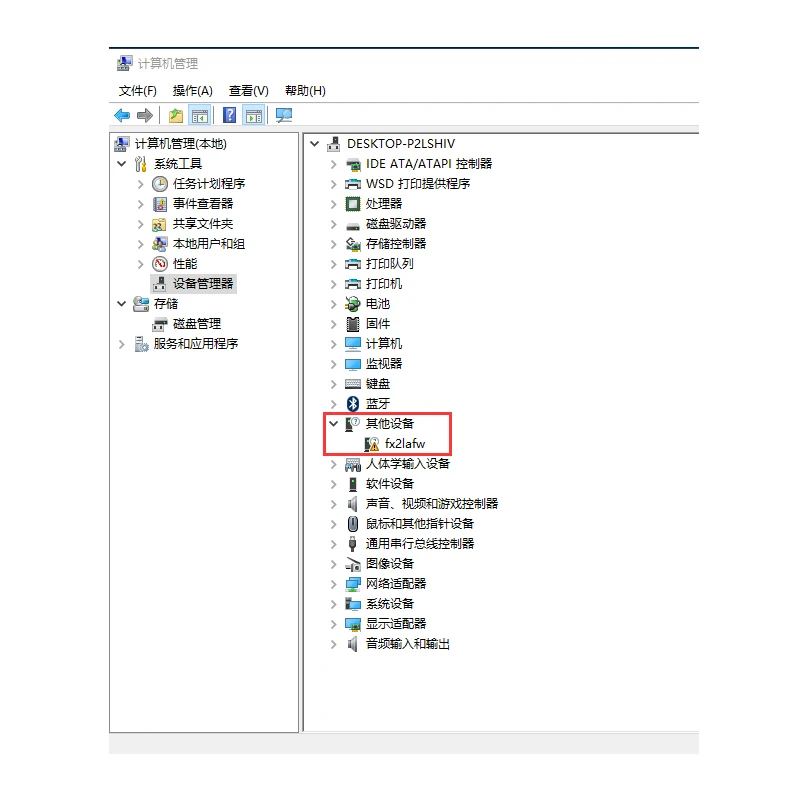
1.Plug nanoDLA to PC USB port. nanoDLA will be recognized as other device in device manager
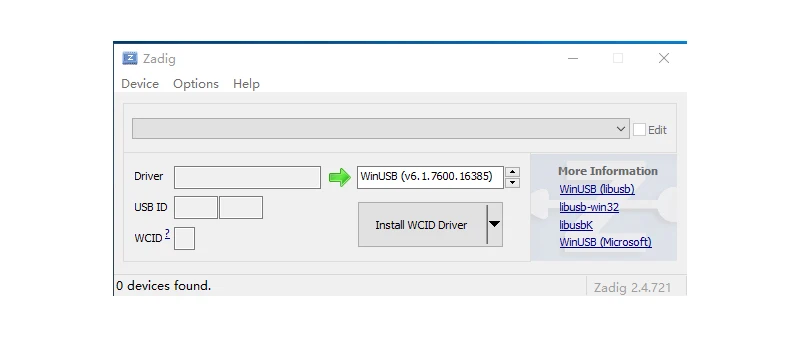
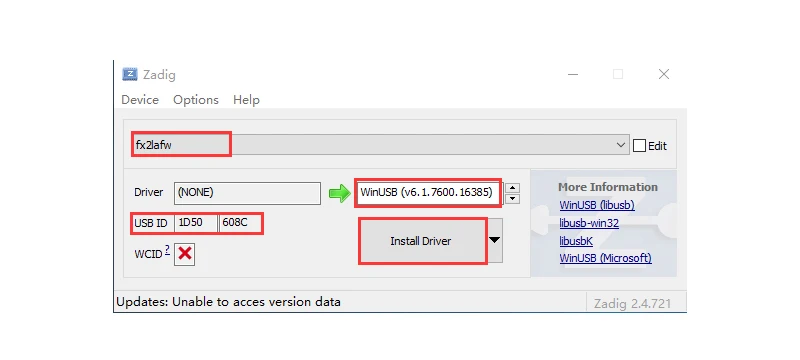
2.Search “Zadig” in the the start menu of PC, then open it
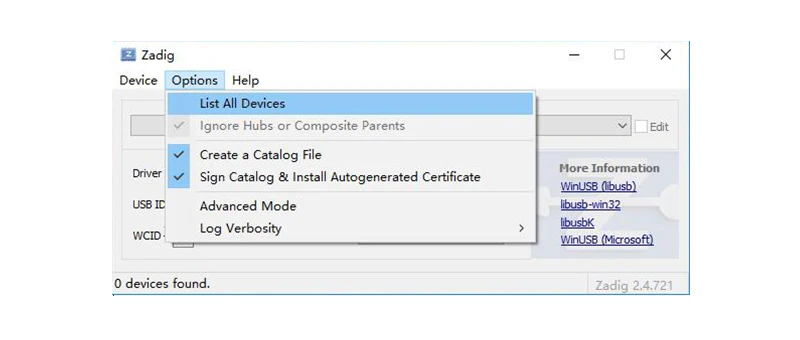
3.Click “Options” and toggle on “List All Devices”. Choose device named “fx2lafw”, whose USB ID is 1D50:608C and select “WinUSB” in the driver blanket. Then click “Install Driver” button.
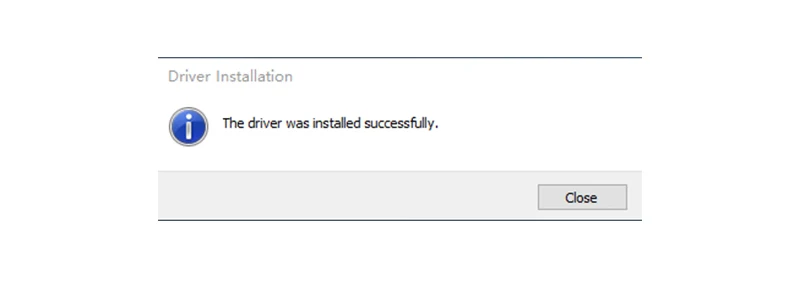
When the driver is installed successfully, there would be a alert as below,
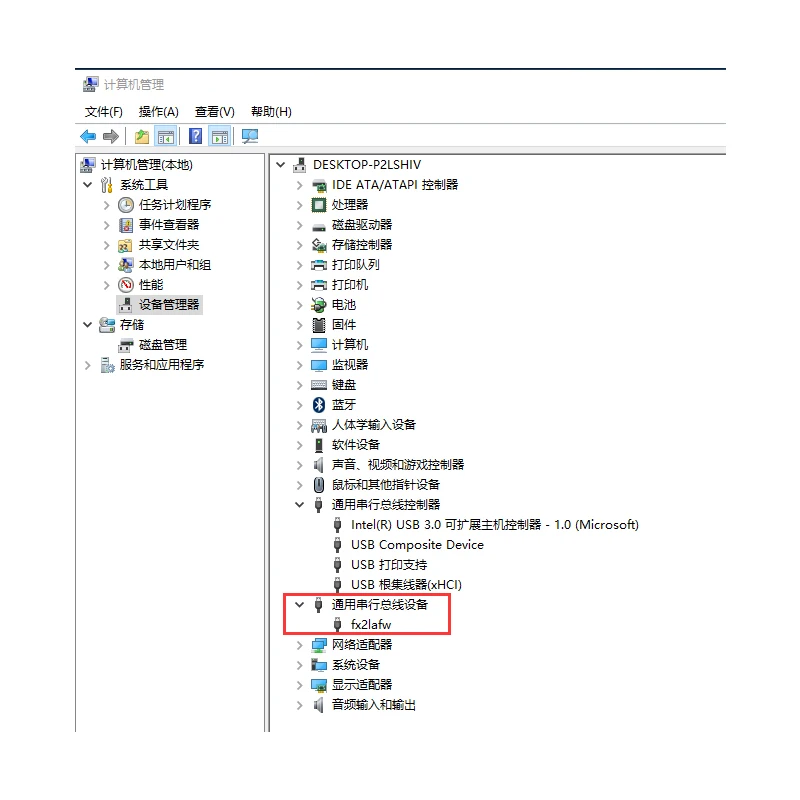
4.After finishing installation of driver, nanoDLA would be recognized as a USB device in device manager
How to Use
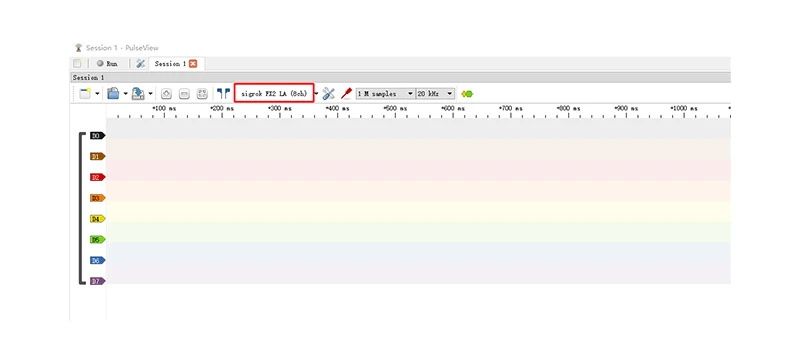
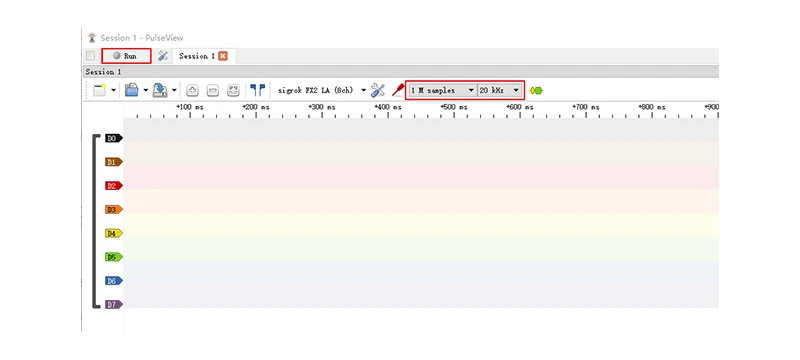
1.Plug nanoDLA to PC USB port and open PulseView software
2.Configure channels and sampling rate, the click “Run” button in the top left corner to sample data
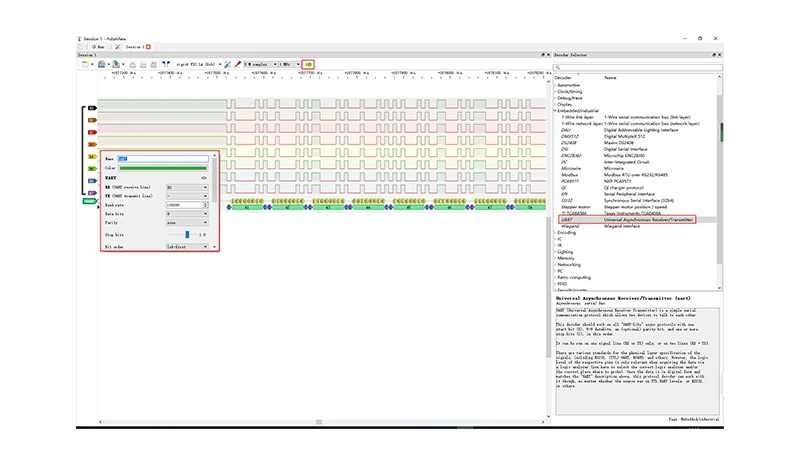
3.After signals are sampled, you can use decoder to decode them. Let’s take UART sampled data as an example. Click the decoder menu and select UART protocol, then configure UART parameters such as channels, baud rate, data bits, parity type. Afterwards, the data sampled will be decoded.
Documentation
● User manual: https://github.com/wuxx/nanoDLA/blob/master/README.md
● Software:https://github.com/wuxx/nanoDLA/tree/master/software
Free Shipping Over $199
- Standard Shipping: Standard Shipping (12–18 Business Days)
- Express Shipping: Expedited Shipping (5–9 Business Days)
- Free Shipping: Orders over $199 qualify automatically
- Tracking: Full tracking number provided for all orders
30-Day Return Policy
- Returns: 30-day hassle-free return window
- Condition: Items must be unused and in original packaging
- Refund: Full refund processed within 3-5 business days
Why Choose Us?
- Factory Direct: ISO/TS 16949 certified manufacturer
- Quality: 100% electrical continuity tested before shipment
- Experience: 15+ years in automotive connector industry
- Support: Professional technical support available

You may also like
Blog posts
Title
An excerpt of your blog post's content
Title
Date|Author
Subscribe to our emails
Be the first to know about new collections and special offers.