

RJ45 Pass Through Crimp Tool, RJ45 Cat5 Cat6 Cat7 Crimping Tool, RJ11 Crimping Tool, Ethernet Network Cable Crimper Stripper
green
$43.04
Sale price
$43.04
Regular price
$0.00
Skip to product information




RJ45 Pass Through Crimp Tool, RJ45 Cat5 Cat6 Cat7 Crimping Tool, RJ11 Crimping Tool, Ethernet Network Cable Crimper Stripper
$43.04
Sale price
$43.04
Regular price
$0.00
Description
SPECIFICATIONS
Application: Multi Functional
Brand Name: NONE
Choice: yes
DIY Supplies: Electrical
Features: Multifunctional
Hand Orientation: Ambidextrous
Handle Style: Bent
High-concerned chemical: none
Material: Stainless Steel
Model Number: KM001
Origin: Mainland China
Plier Style: European
Type: Combination Pliers
is_customized: No
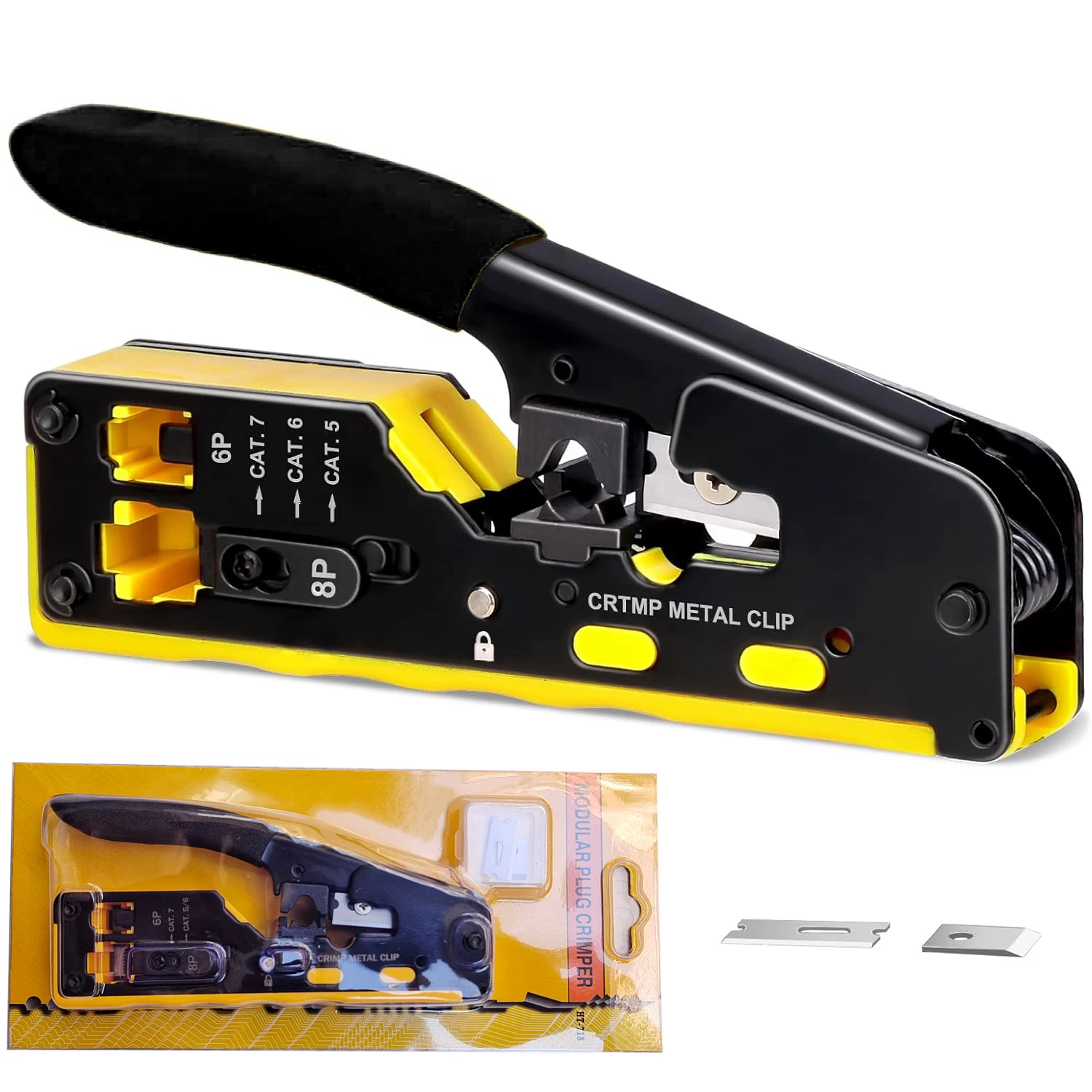
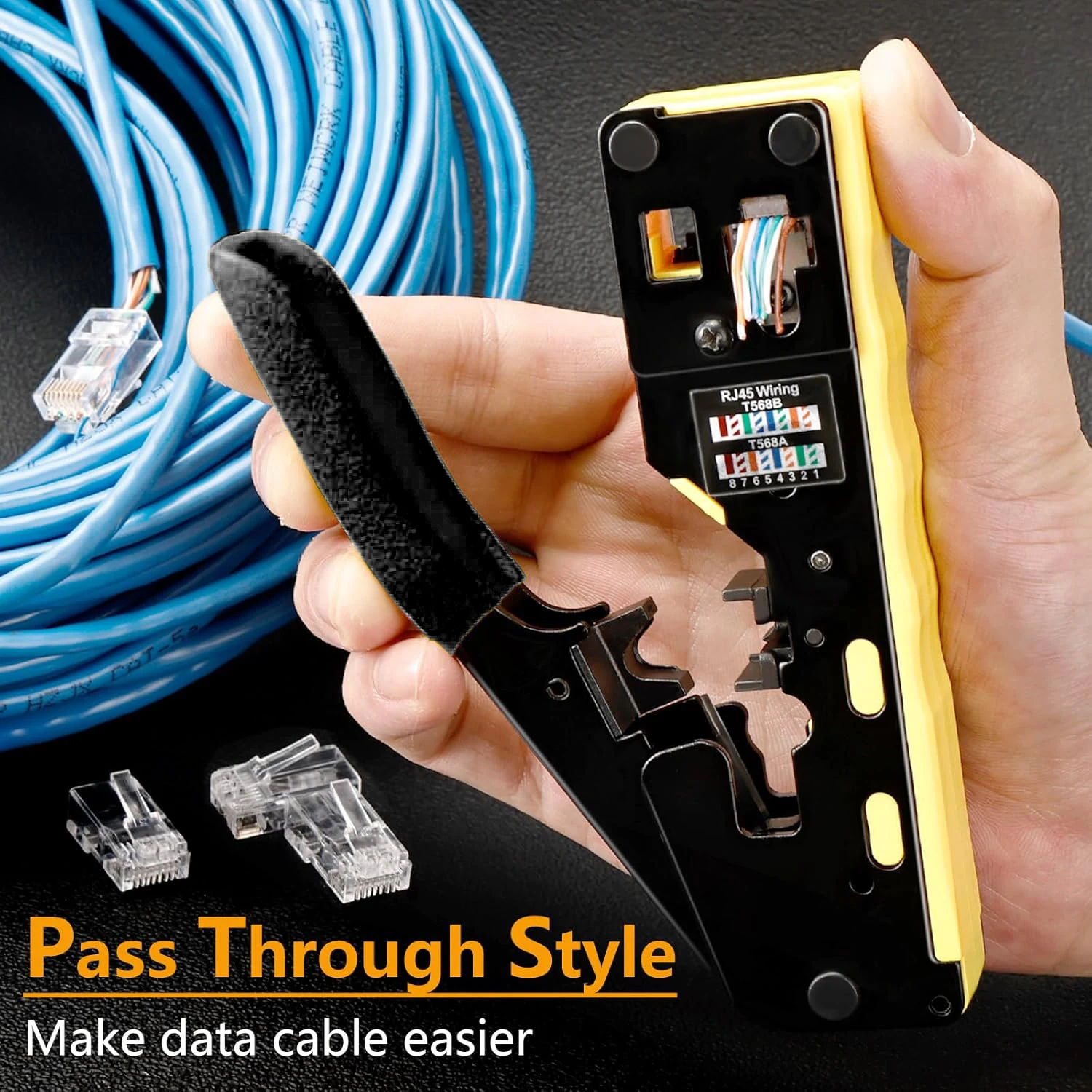
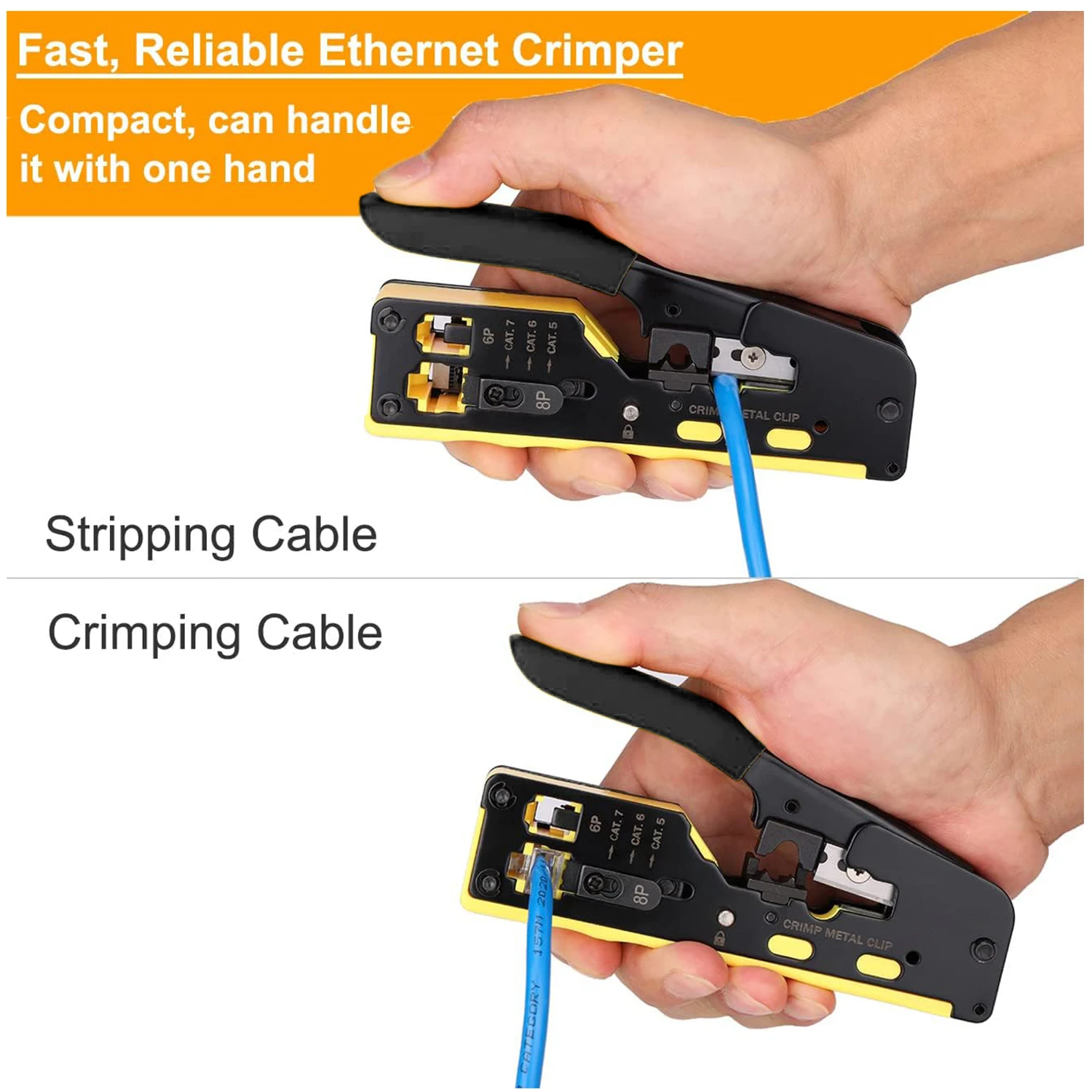
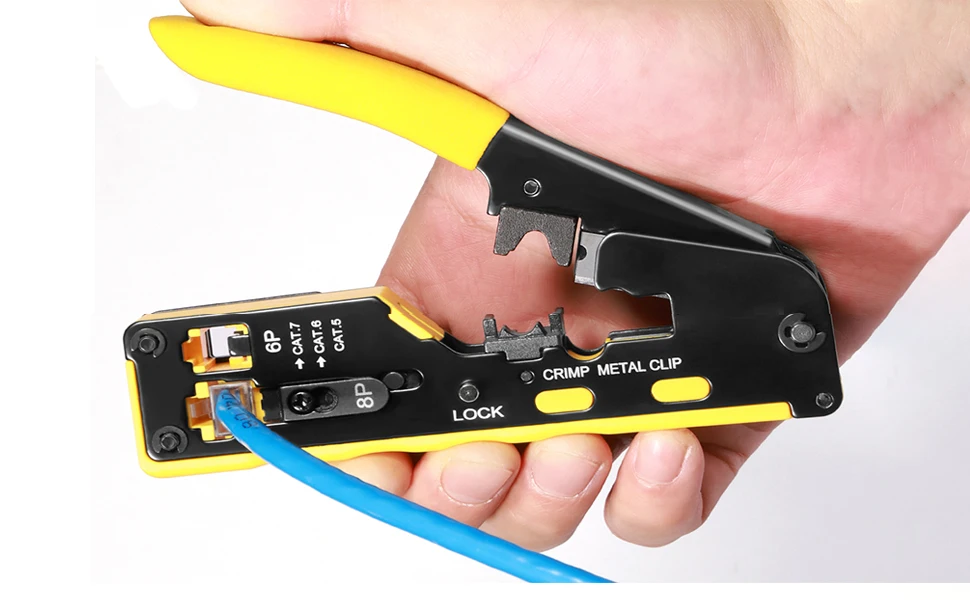
RJ45 Pass Through crimper is a premium Ethernet crimper kit that works for cuts, strips and crimps CAT5, CAT5e and CAT6/6A cable
Fast, reliable modular crimp-connector install tool for voice and data applications.
Premium, long lasting tool cuts, strips and crimps CAT5e and CAT6/6A cable using RJ45 Pass Through connectors.
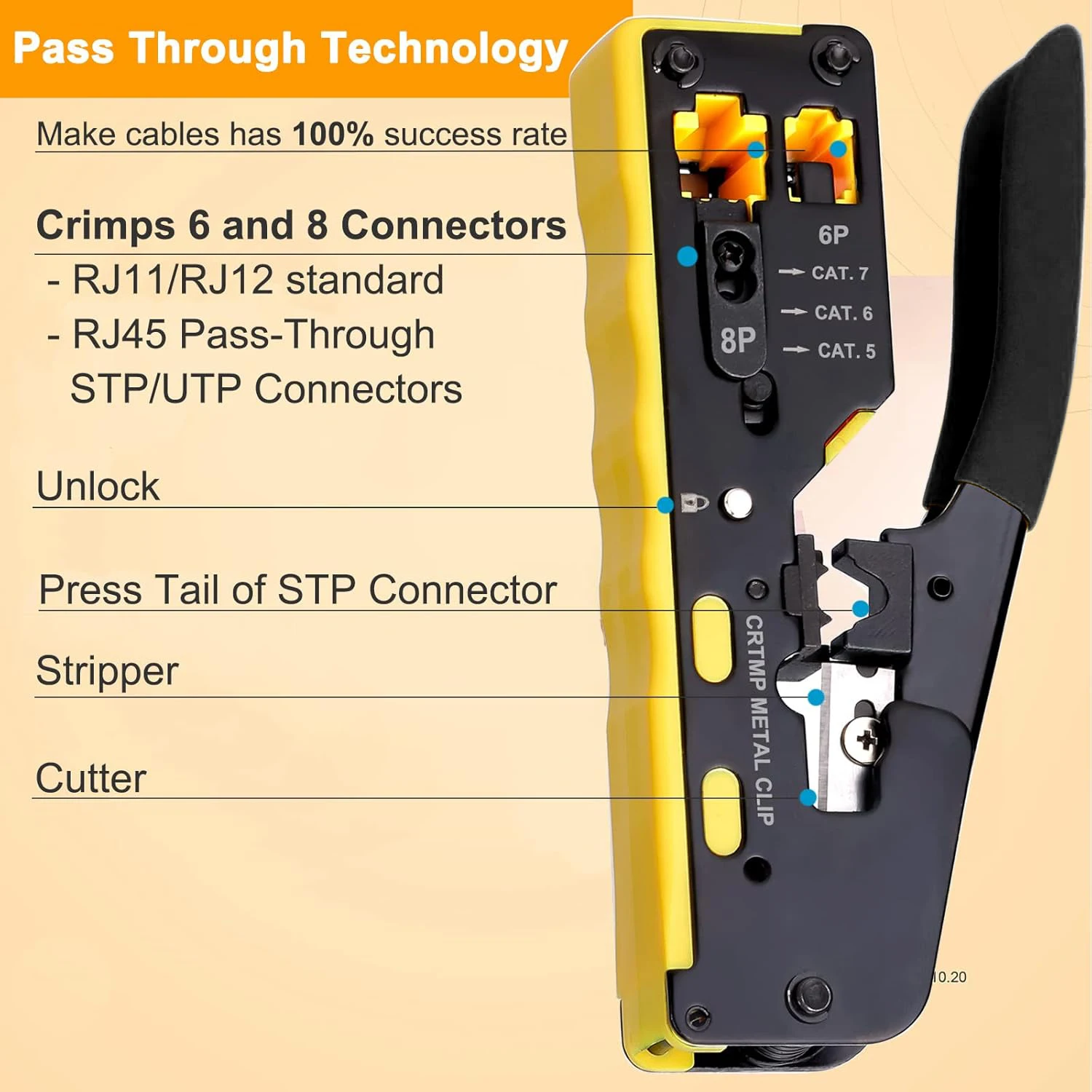
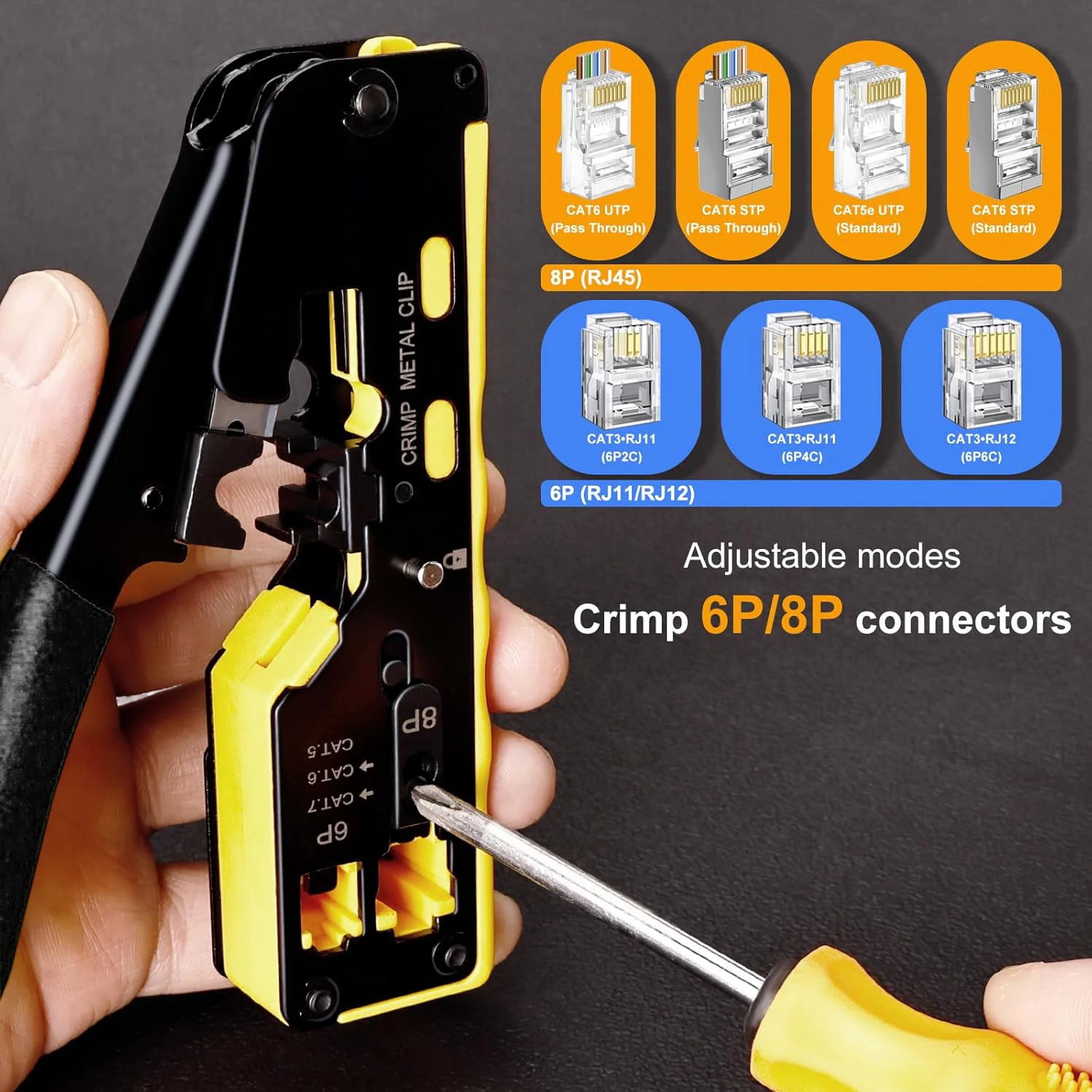
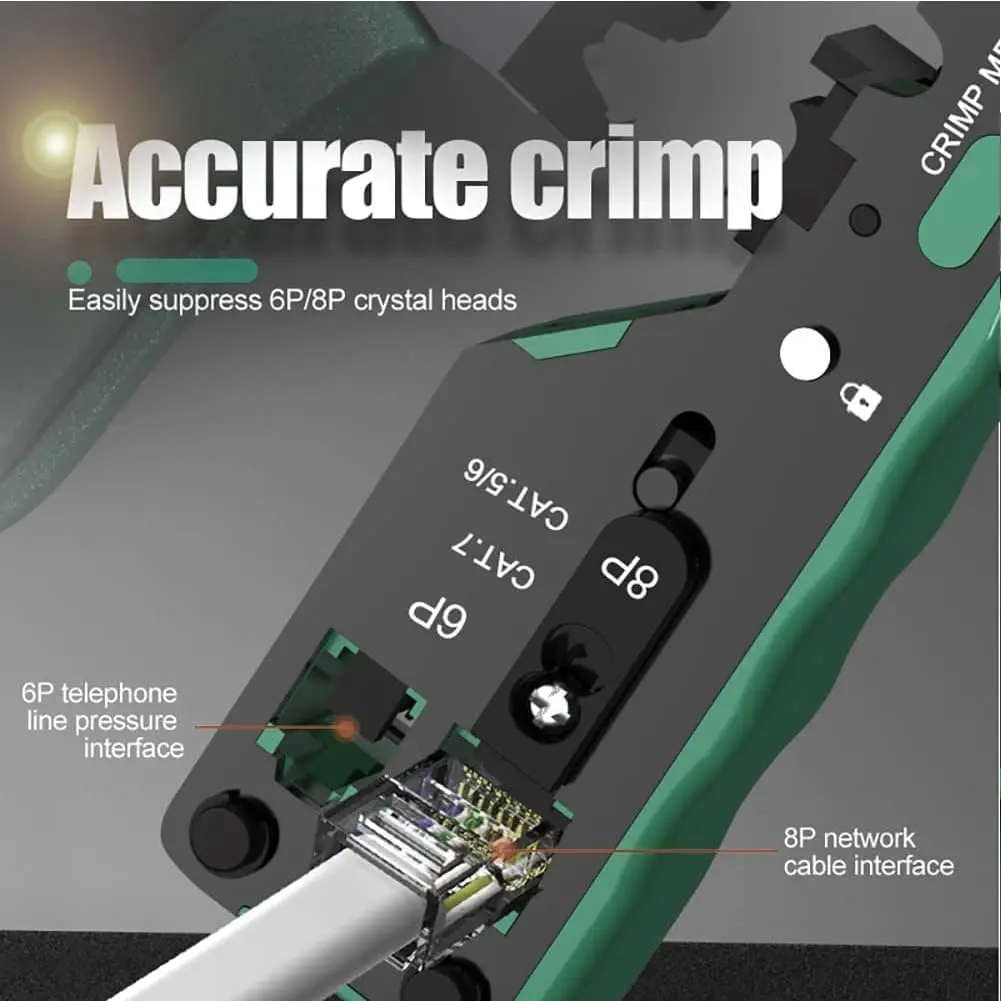
Crimps 8 position modular connectors - RJ45 Connector Pass Through.
Pass Through technology significantly reduces prep work time.
Durably made from steel and finished in black oxide for high performance.
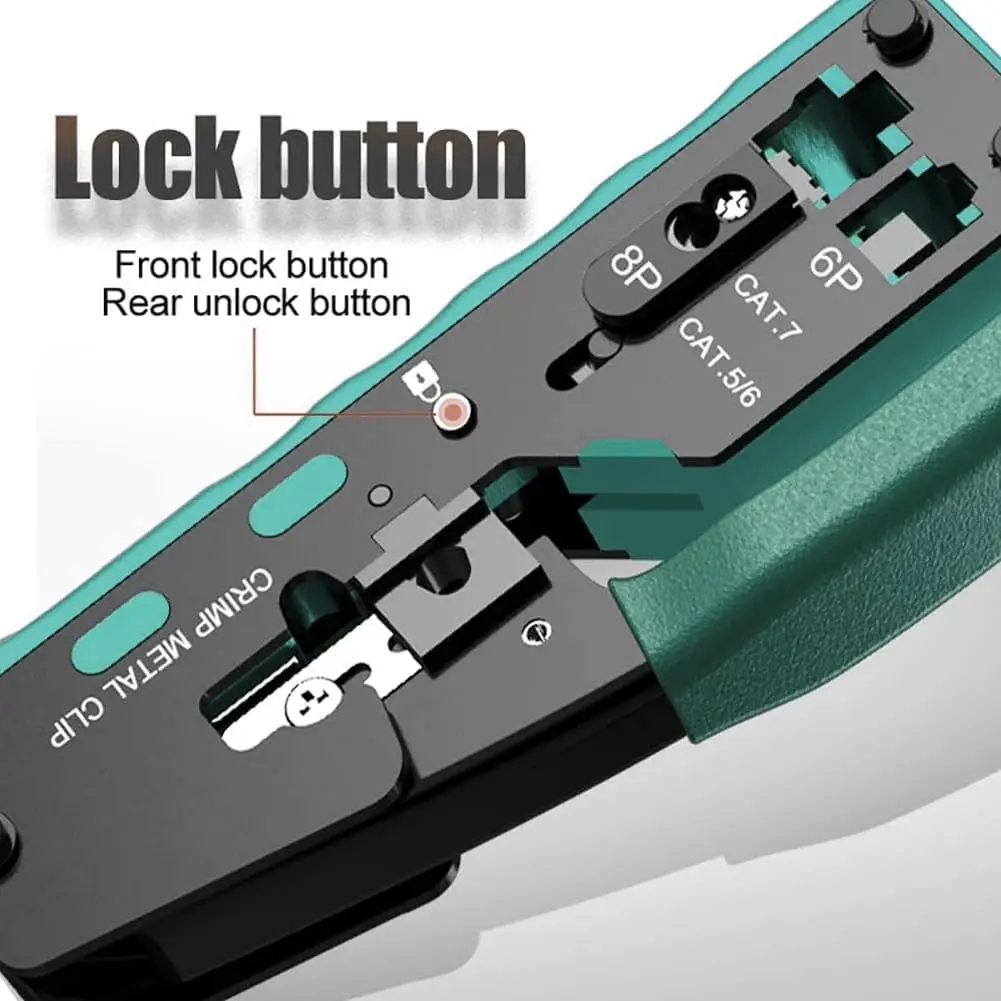
Compact, non-slip comfort grip reduces hand strain and stores easily.
The Pass Through technology significantly improves work efficiency, reduces prep time, making the crimping work fast, accurate and eliable
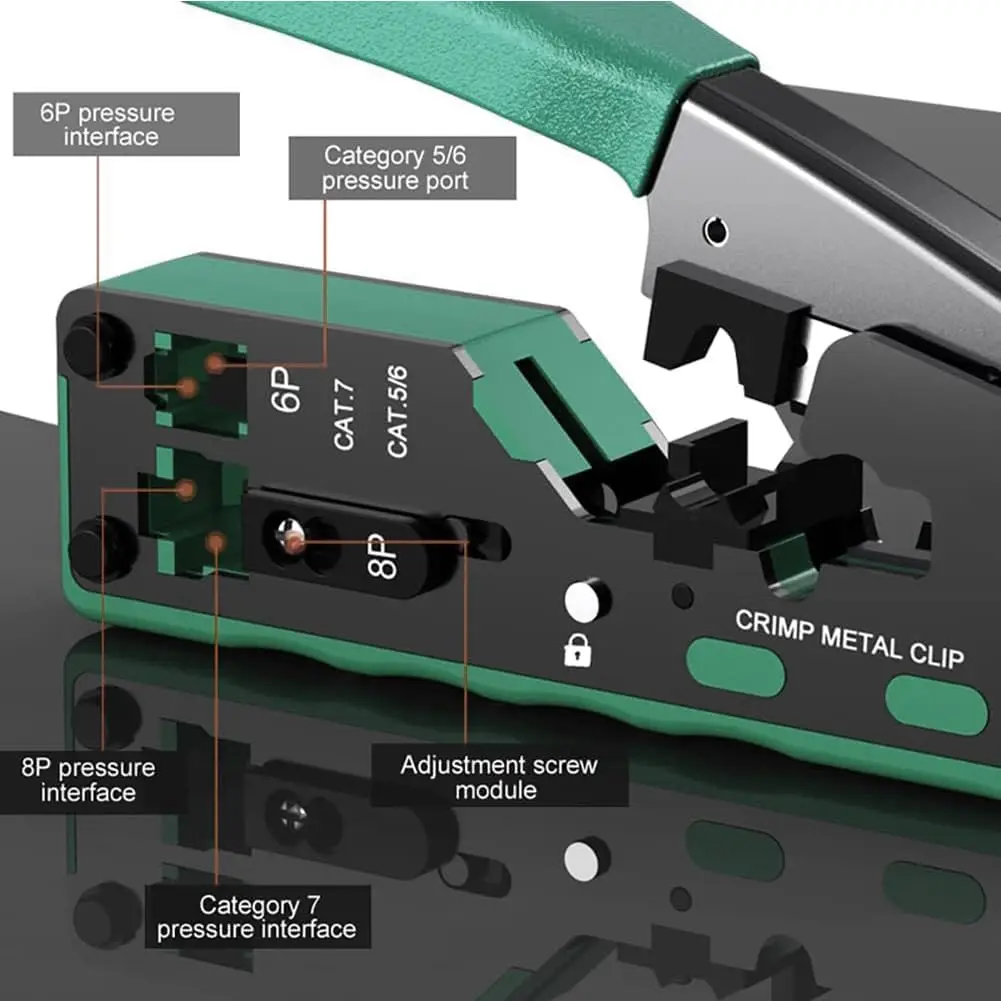
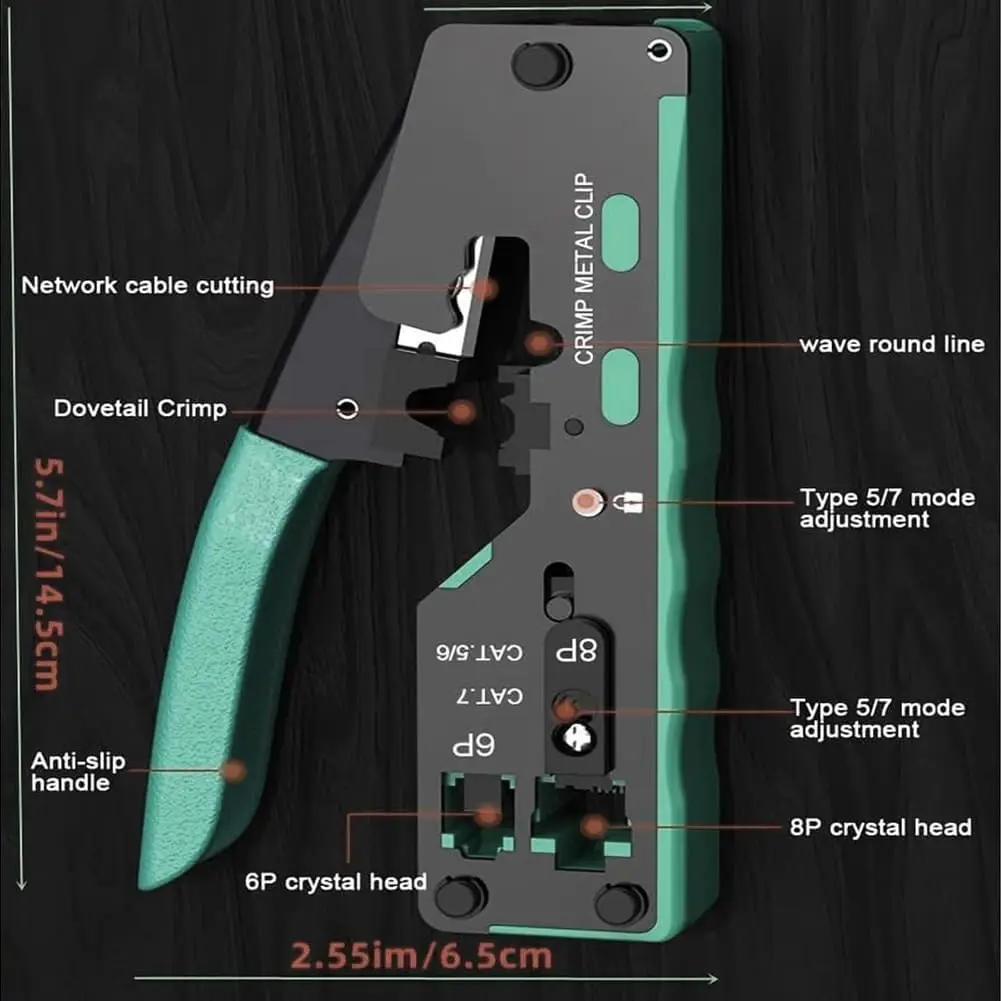
All in one RJ45 Pass Through crimper 8P modular to crimp/cut/strip CAT5/5e and CAT6/6A cable, meet your variety of Network needs.
All steel construction for long-term durability, blade made of High-quality SK-5 manganese steel.
Wiring diagram on the rj45 crimper tool helps eliminate to rework and wasted materials.
The ergonomic texture handle grips design can reduce hand fatigue.
Cable parameters: 28-23 AWG round cable.
Our RJ45 Cat6 connector parameters: 24 AWG / Hole diameter: 1.0-1.1mm.
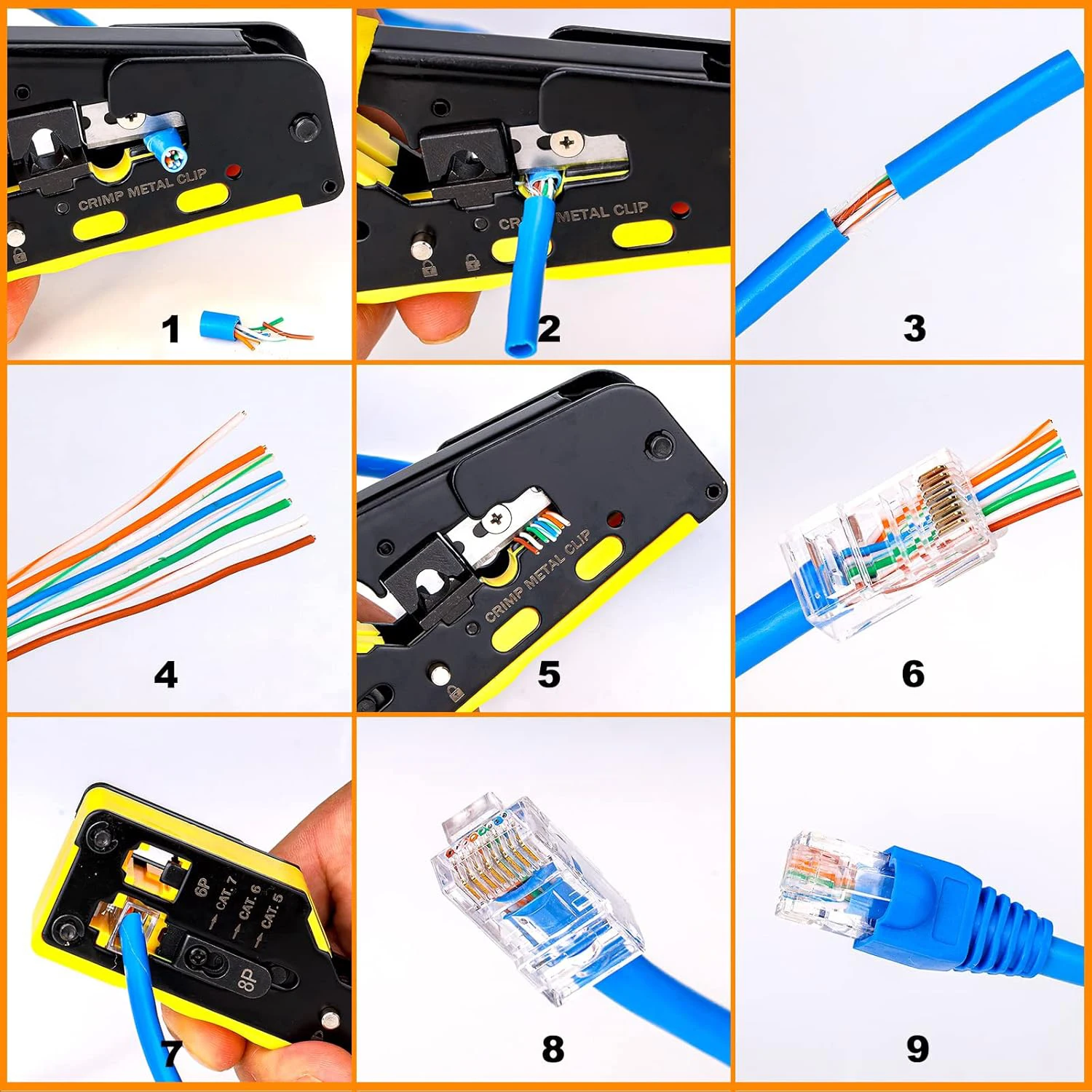
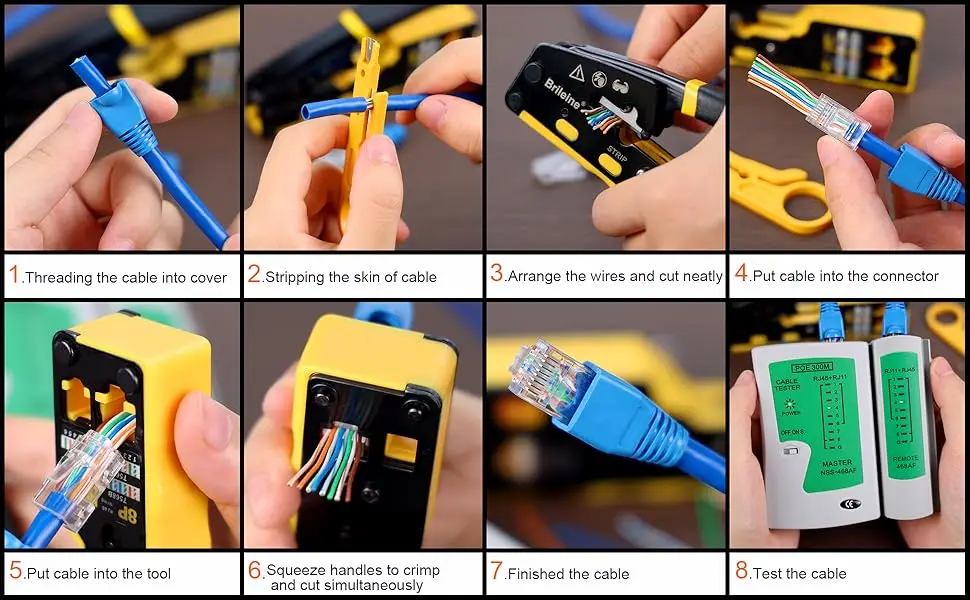
How To Make a RJ45 Ethernet Cable Connector
Putting the Blue Cover Boots into the cable inadvace.
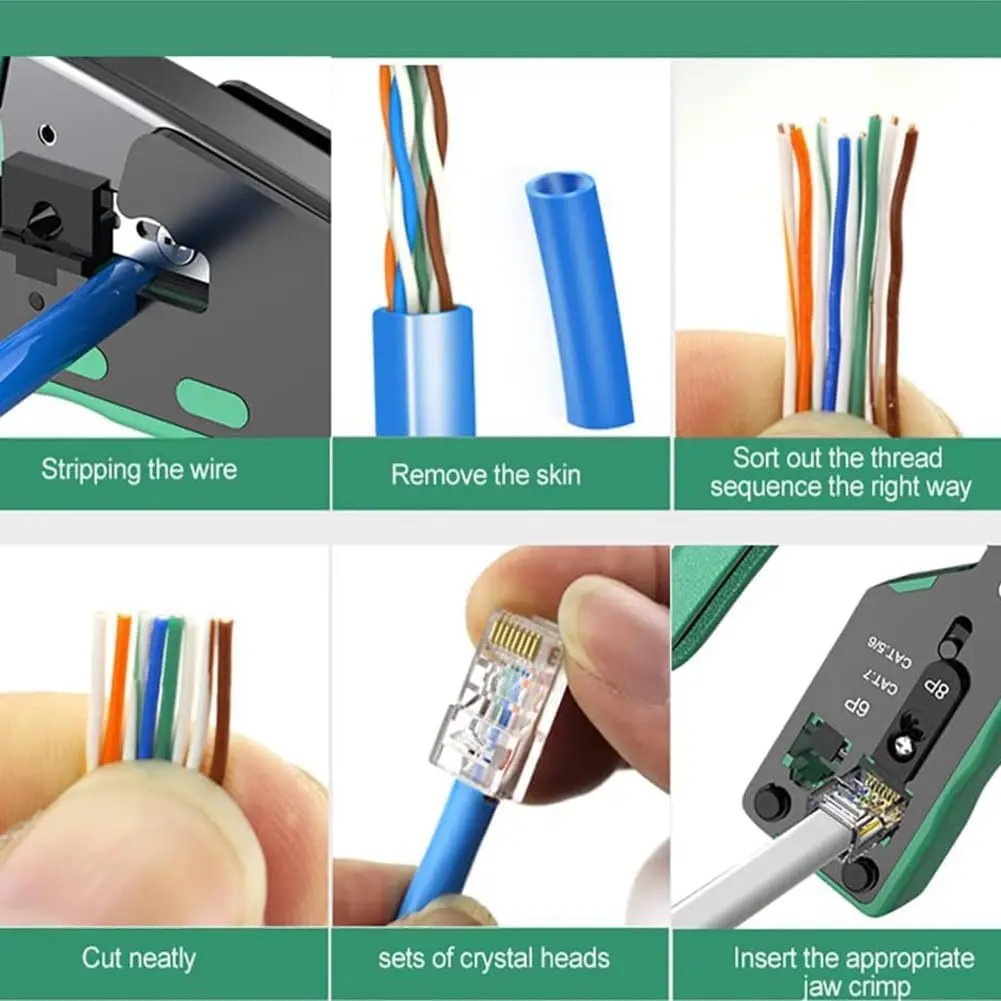
Put the cable into the stripping port of the pass through rj45 crimper.
Hold the RJ45 ethernet crimper or use mini wire stripper and rotate the cable on 360 degrees to strip the cable. (Note: Don't crimp too much tightly to avoid damaging the internal cable).
Line up the eight colors of the cable according to T568A standard or T568B- (T568B Standard used in home more widely).
After line up the eight colors of the cable, you should cut the wires neatly through the cutting port blade of the RJ45 ethernet crimper.
Please insert the sequential cable into the end of the crystal connector. When inserting the cable into the crystal connector, hold the cable tightly to avoid the wrong sequence.
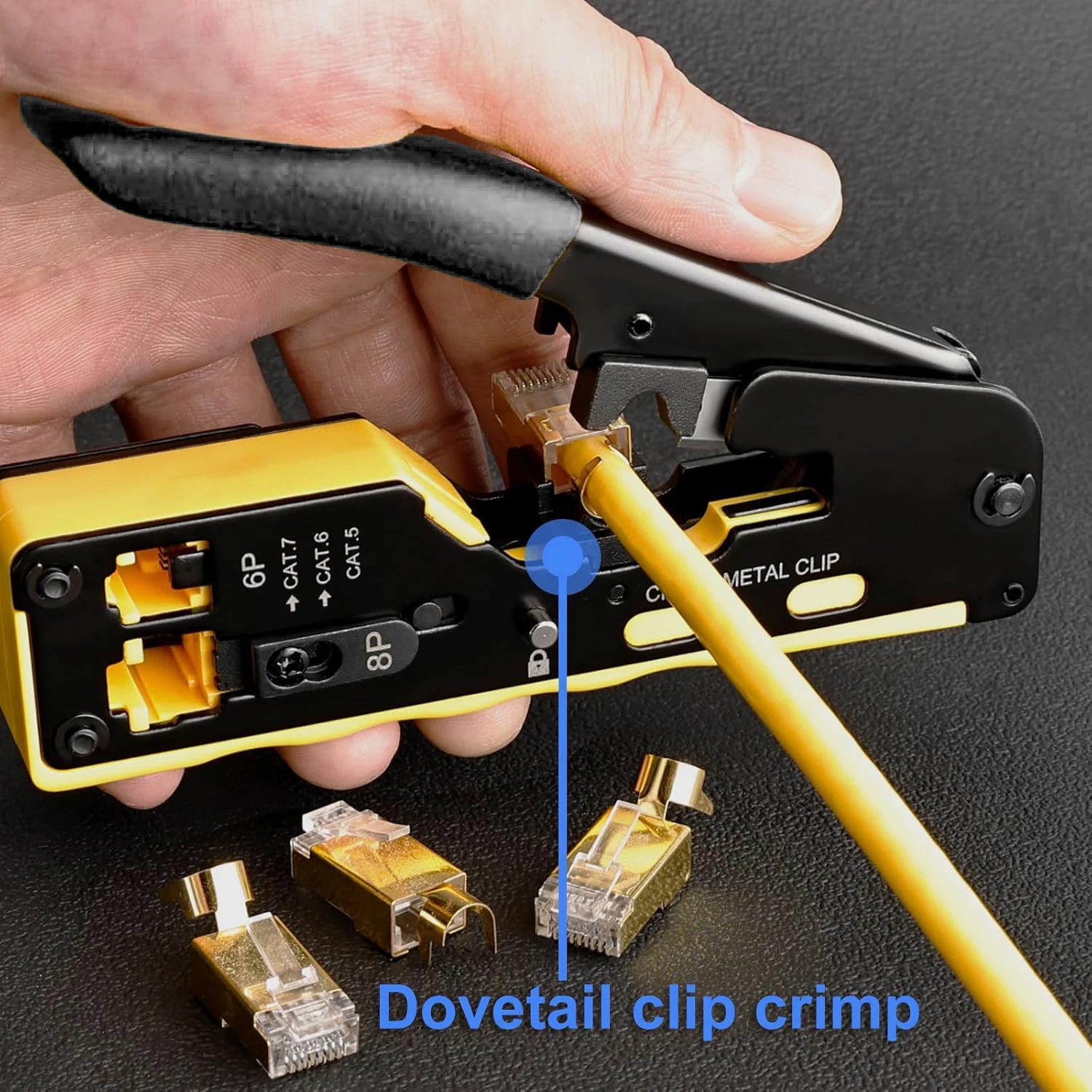
Insert the network cable with crystal connector into the 8P crimping port.
Squeeze the handle hard and release then, pull out the crystal connector.
The RJ45 Ethernet Cable connector is completed.
Free Shipping Over $199
- Standard Shipping: Standard Shipping (12–18 Business Days)
- Express Shipping: Expedited Shipping (5–9 Business Days)
- Free Shipping: Orders over $199 qualify automatically
- Tracking: Full tracking number provided for all orders
30-Day Return Policy
- Returns: 30-day hassle-free return window
- Condition: Items must be unused and in original packaging
- Refund: Full refund processed within 3-5 business days
Why Choose Us?
- Factory Direct: ISO/TS 16949 certified manufacturer
- Quality: 100% electrical continuity tested before shipment
- Experience: 15+ years in automotive connector industry
- Support: Professional technical support available

You may also like
Blog posts
Title
An excerpt of your blog post's content
Title
Date|Author
Subscribe to our emails
Be the first to know about new collections and special offers.