

3PCS UD11A03 USB Cable Tester DC5V Type C Input Compatible DT3 Test 4 Kinds Data Line USB A Lightning Type C
Model 2
$43.74
Sale price
$43.74
Regular price
$0.00
Skip to product information


Description:
Working power: DC 5V(TYPE-C Input)
Working current: 10-20MA
Model : UD11A03 (compatible with DT3)
Weight: 12.7g
Size: 50*50*10MM
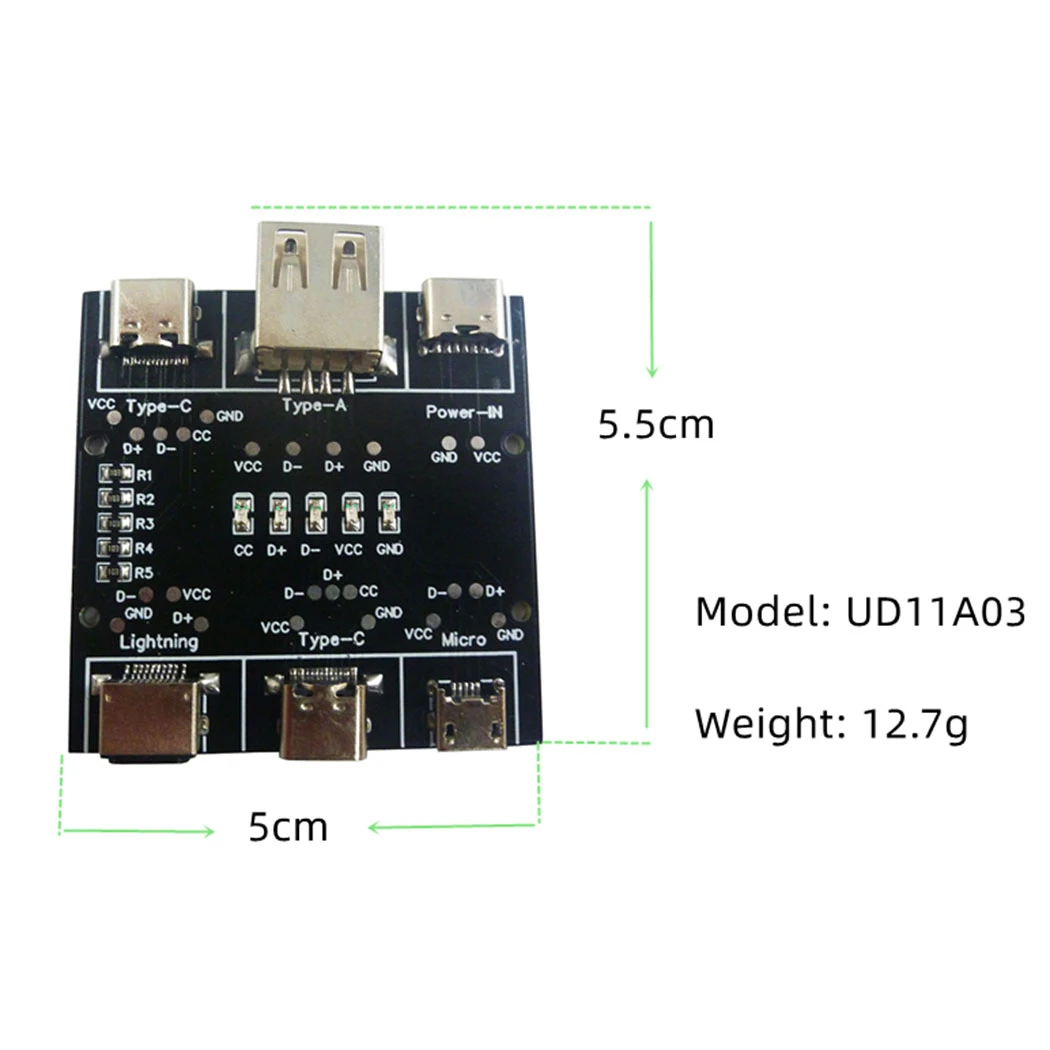
Testable data line port:
USB-A to Micro
USB-A to Type-c
USB-A to Lightning
Type-c to Type-c
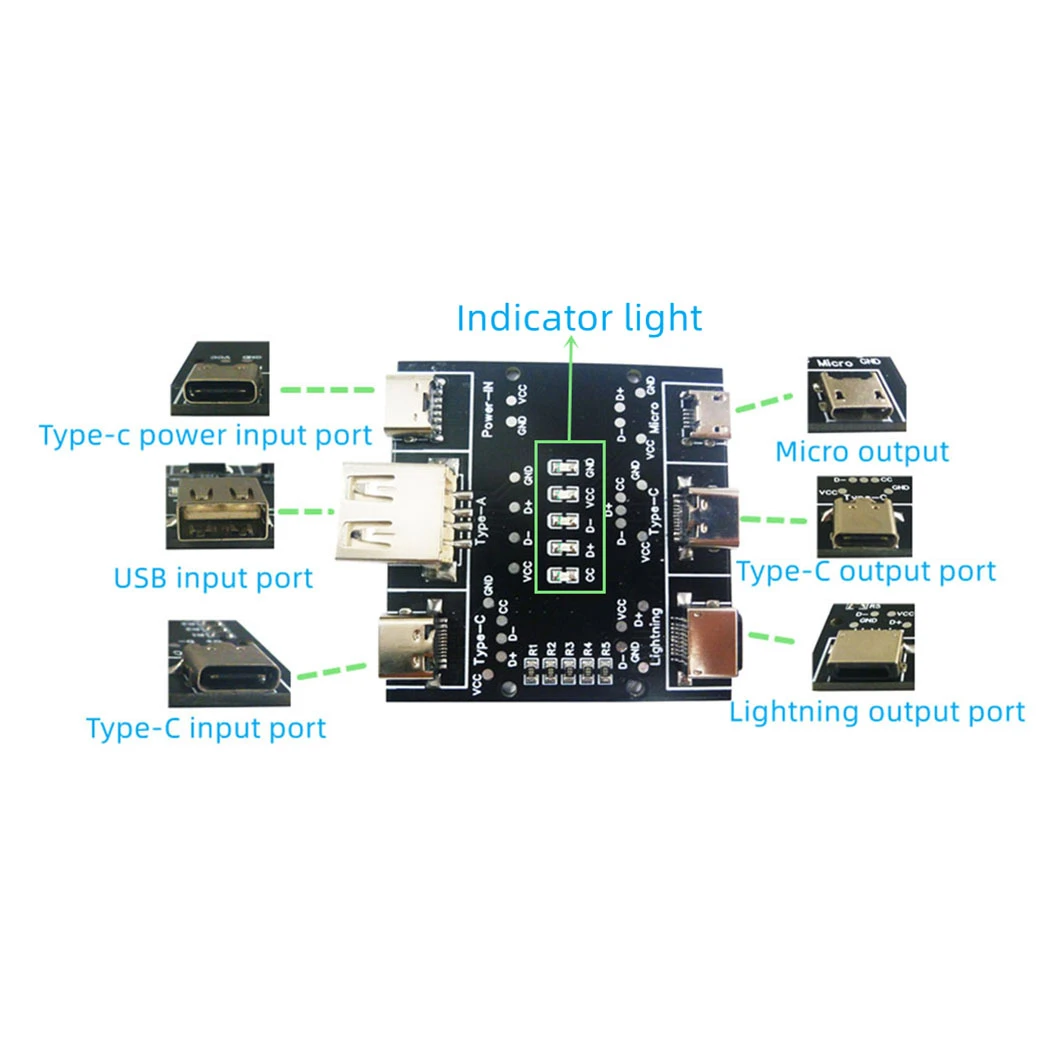
Instruction of The Tester:
1 Use the Type-c charging cable to plug into the Power-IN interface to supply power to the PCB board.
2 Insert one end of the data cable to be tested into the corresponding input port, and the other end into the corresponding output port.
3 Observe the indicator light.
Indicator light description:
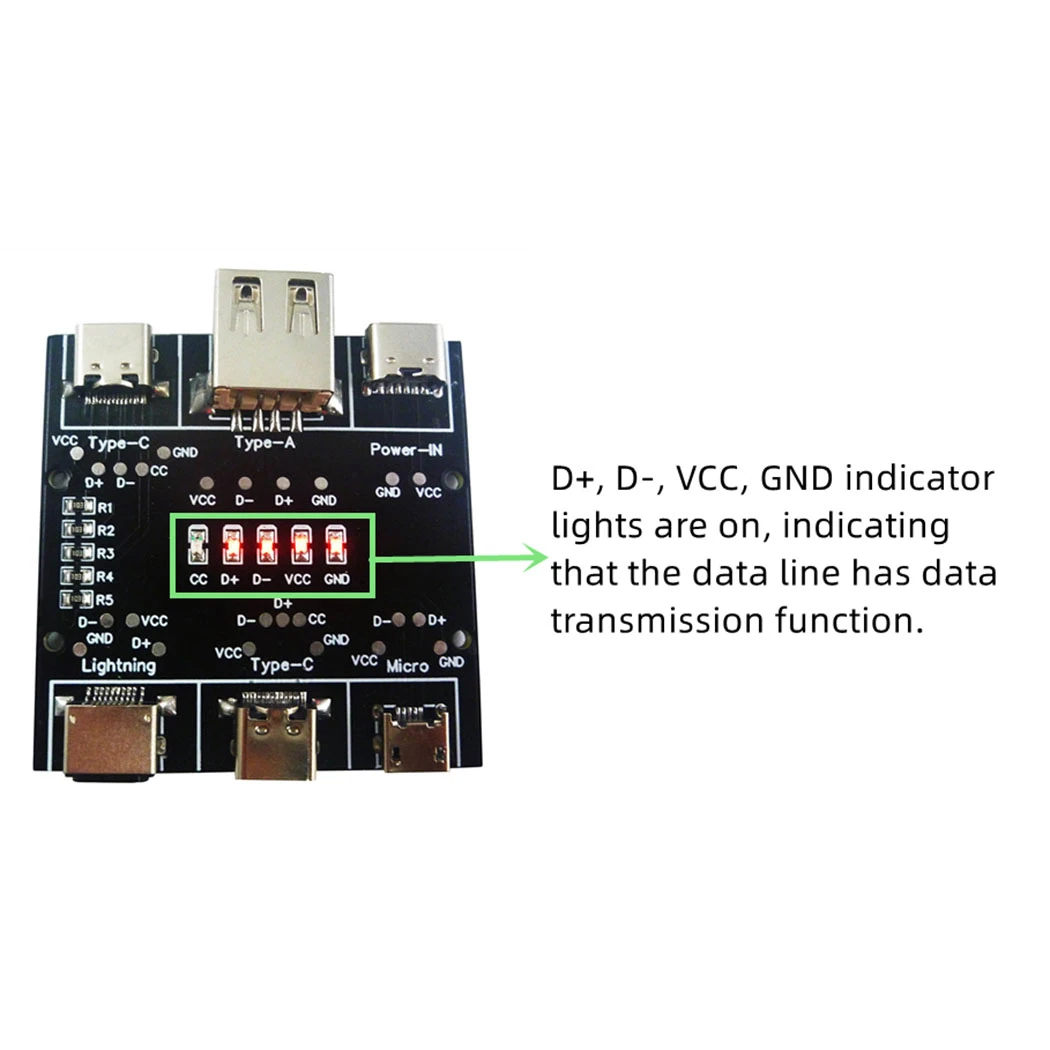
1 D+, D-, VCC, GND indicator lights are on, indicating that the data line has data transmission function.
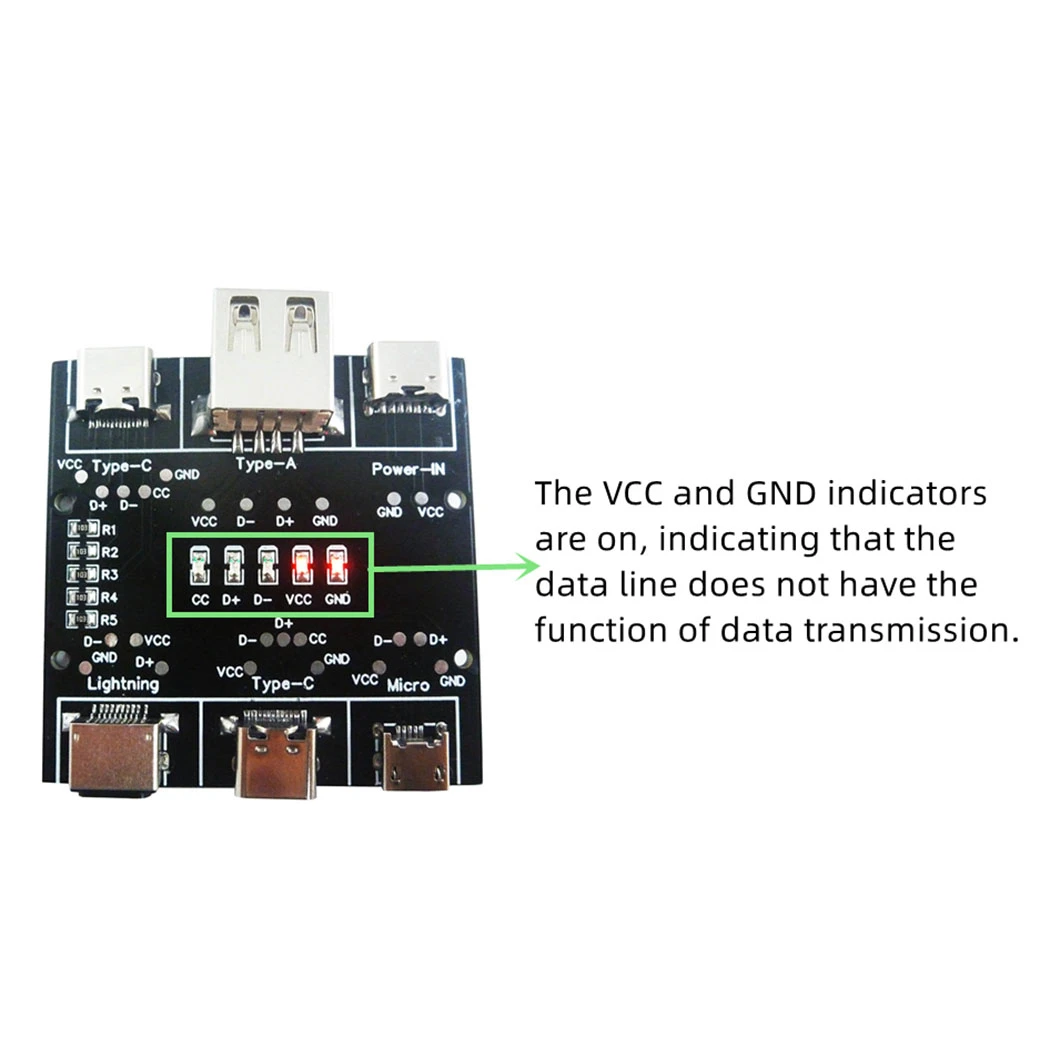
2 The VCC and GND indicators are on, indicating that the data line does not have the function of data transmission.
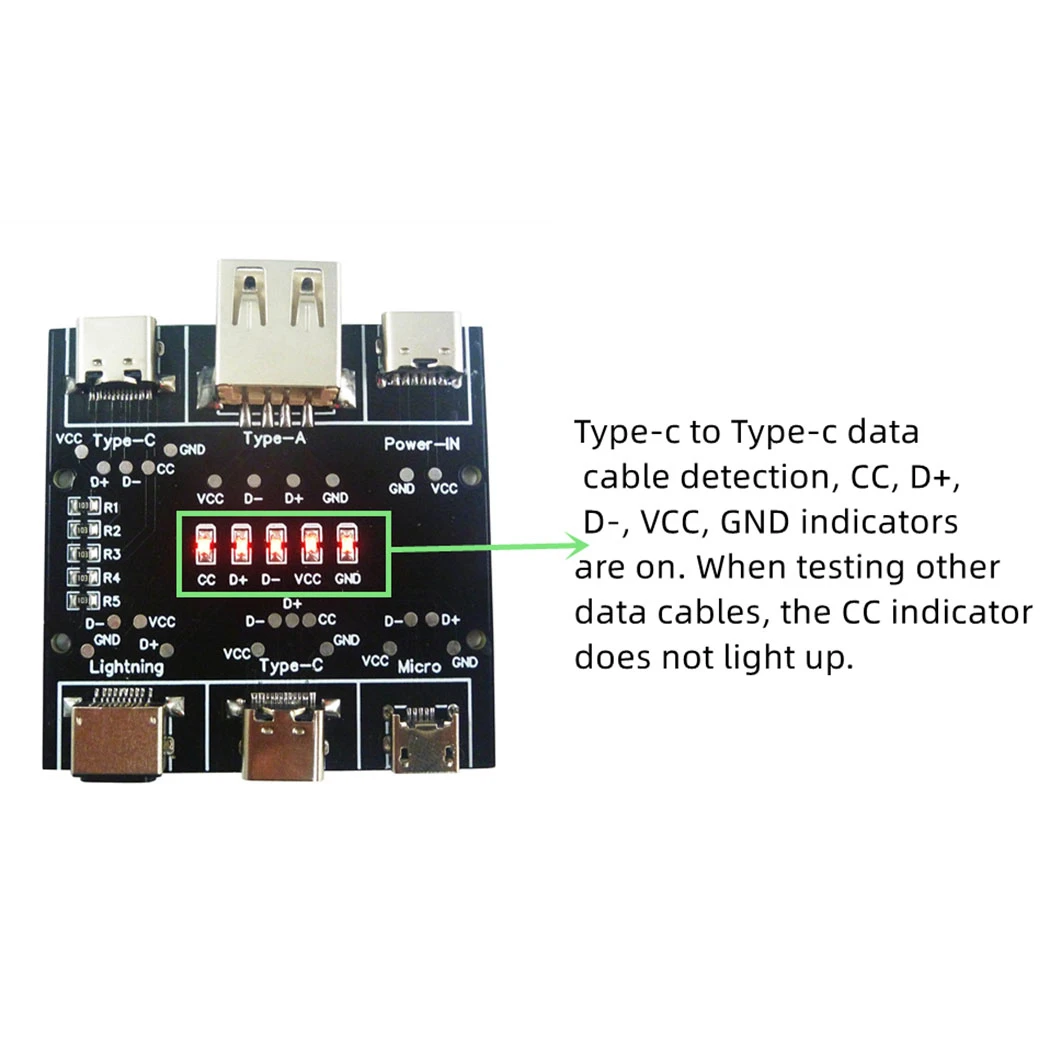
3 Type-c to Type-c data cable detection, CC, D+, D-, VCC, GND indicators are on. When testing other data cables, the CC indicator does not light up.
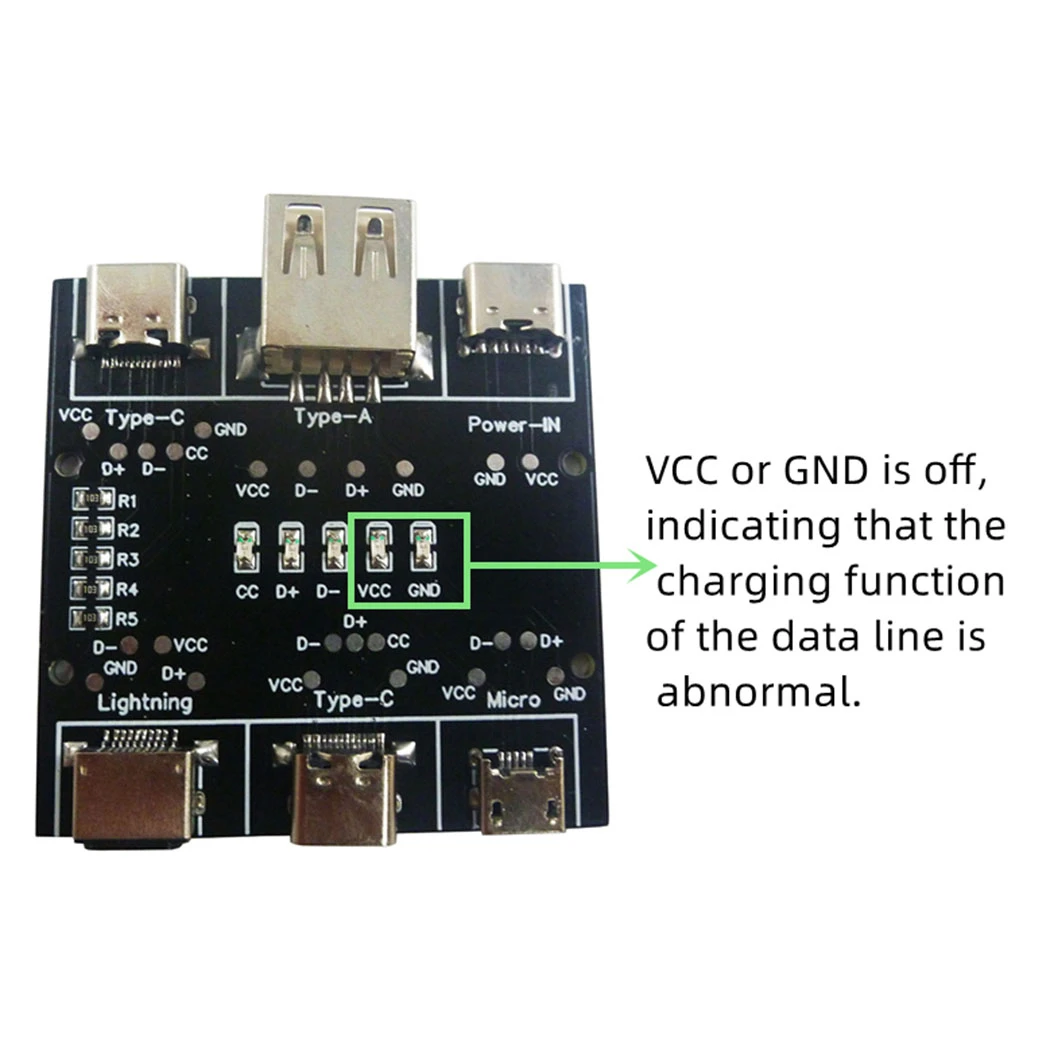
4 VCC or GND is off, indicating that the charging function of the data line is abnormal.
Notice:
During the test, except for the Power-IN port, the input and output ports of the test data line, other ports cannot be connected to the data line, otherwise the test result will be affected.


3PCS UD11A03 USB Cable Tester DC5V Type C Input Compatible DT3 Test 4 Kinds Data Line USB A Lightning Type C
$43.74
Sale price
$43.74
Regular price
$0.00
Description
SPECIFICATIONS
Brand Name: eletechsup
Choice: yes
Condition: New
High-concerned chemical: none
Origin: Mainland China
Type: Module
is_customized: Yes
semi_Choice: yes
Product Name: 3PCSUD11A03 USB Cable Tester DC5V Type C Input Compatible DT3 Test 4 Kinds Data Line USB A Lightning Type C
Packing list:
1 pcs USB A Type-C Cable Tester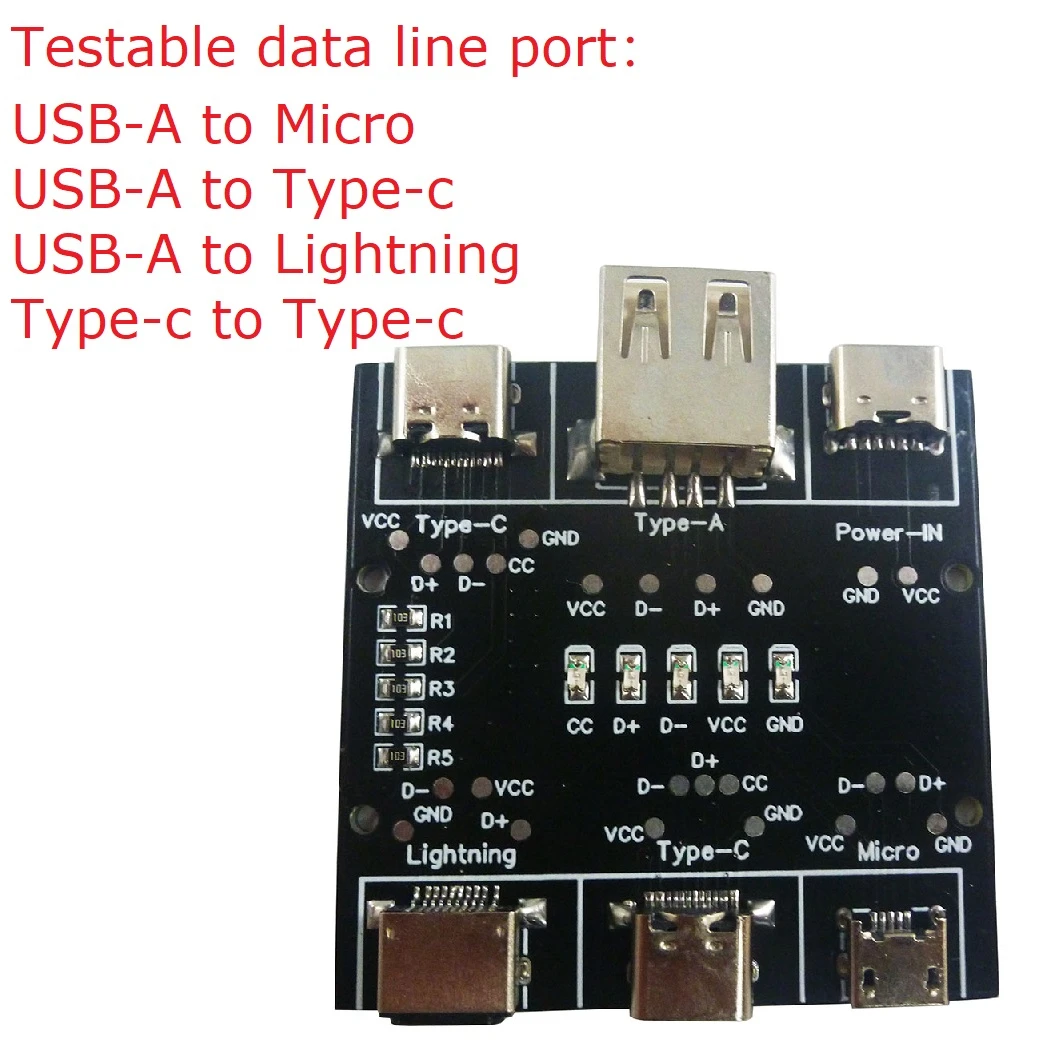
Description:
Working power: DC 5V(TYPE-C Input)
Working current: 10-20MA
Model : UD11A03 (compatible with DT3)
Weight: 12.7g
Size: 50*50*10MM
Testable data line port:
USB-A to Micro
USB-A to Type-c
USB-A to Lightning
Type-c to Type-c
Instruction of The Tester:
1 Use the Type-c charging cable to plug into the Power-IN interface to supply power to the PCB board.
2 Insert one end of the data cable to be tested into the corresponding input port, and the other end into the corresponding output port.
3 Observe the indicator light.
Indicator light description:
1 D+, D-, VCC, GND indicator lights are on, indicating that the data line has data transmission function.
2 The VCC and GND indicators are on, indicating that the data line does not have the function of data transmission.
3 Type-c to Type-c data cable detection, CC, D+, D-, VCC, GND indicators are on. When testing other data cables, the CC indicator does not light up.
4 VCC or GND is off, indicating that the charging function of the data line is abnormal.
Notice:
During the test, except for the Power-IN port, the input and output ports of the test data line, other ports cannot be connected to the data line, otherwise the test result will be affected.
Free Shipping Over $199
- Standard Shipping: Standard Shipping (12–18 Business Days)
- Express Shipping: Expedited Shipping (5–9 Business Days)
- Free Shipping: Orders over $199 qualify automatically
- Tracking: Full tracking number provided for all orders
30-Day Return Policy
- Returns: 30-day hassle-free return window
- Condition: Items must be unused and in original packaging
- Refund: Full refund processed within 3-5 business days
Why Choose Us?
- Factory Direct: ISO/TS 16949 certified manufacturer
- Quality: 100% electrical continuity tested before shipment
- Experience: 15+ years in automotive connector industry
- Support: Professional technical support available

You may also like
Blog posts
Title
An excerpt of your blog post's content
Title
Date|Author
Subscribe to our emails
Be the first to know about new collections and special offers.