

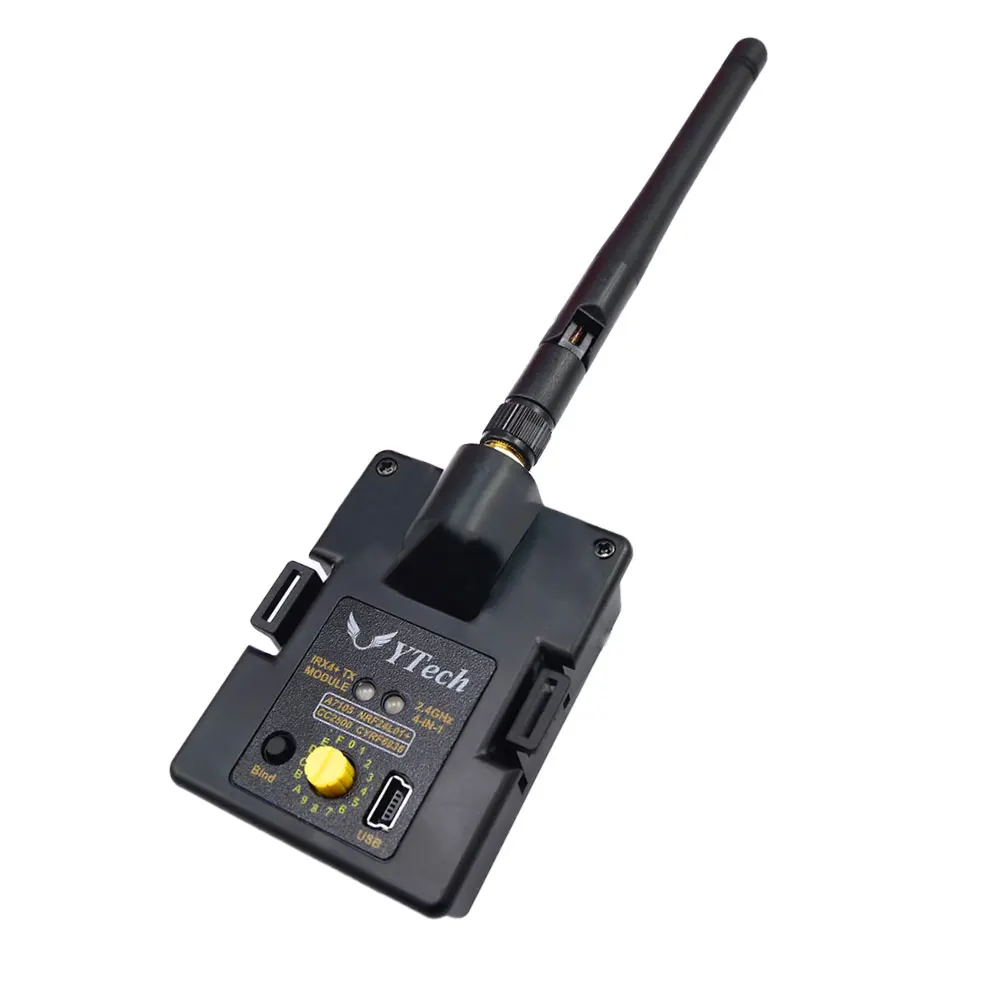
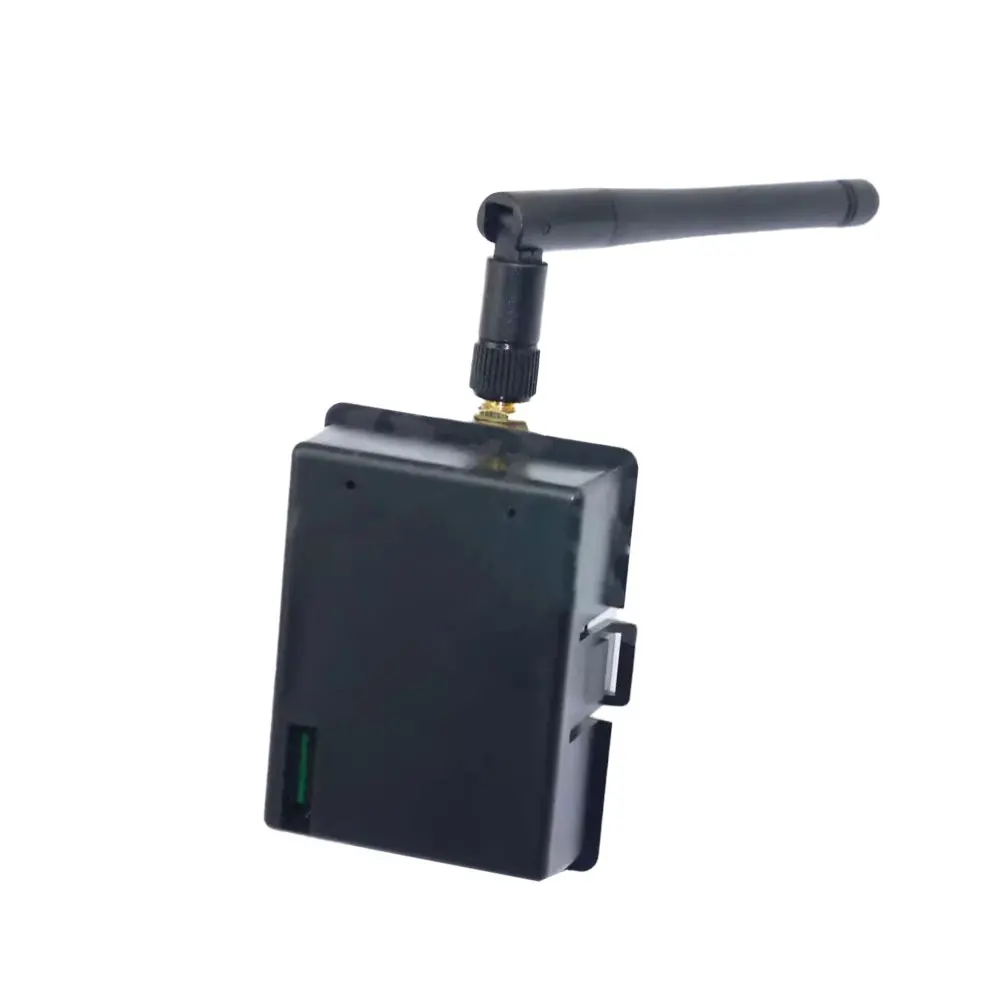
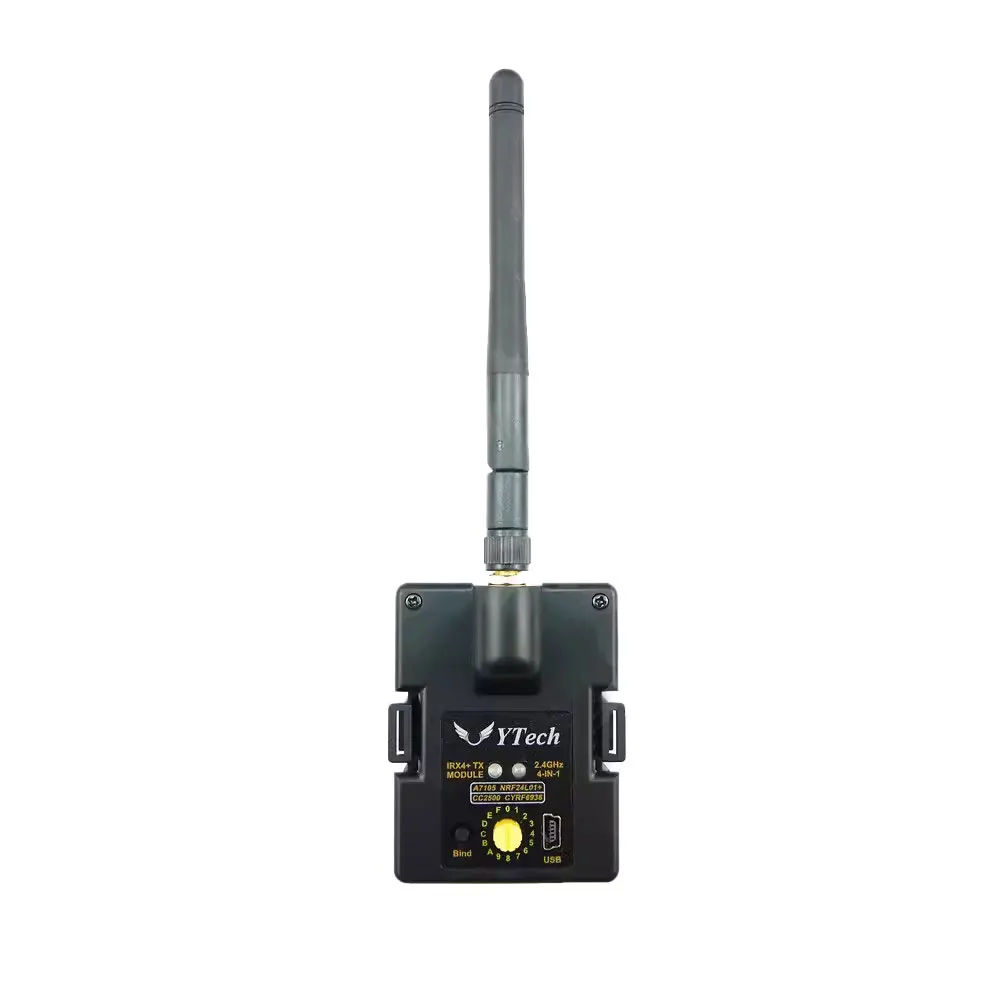
CC2500 NRF24L01 A7105 CYRF6936 4in1 Multiprotocol TX Module STM32 Version With Antenna for Frsky/Flysky/JR Transmitter TX
For FRSKY TX
$219.92
Sale price
$219.92
Regular price
$0.00
Skip to product information


CC2500 NRF24L01 A7105 CYRF6936 4in1 Multiprotocol TX Module STM32 Version With Antenna for Frsky/Flysky/JR Transmitter TX
$219.92
Sale price
$219.92
Regular price
$0.00
Description
SPECIFICATIONS
Brand Name: RCMOY
For Vehicle Type: Airplanes
High-concerned chemical: none
Is Batteries Included: No
Is Electric: No battery
Is it battery/power supply: N
Is it charger/adapter: N
Material: Composite Material
Origin: Mainland China
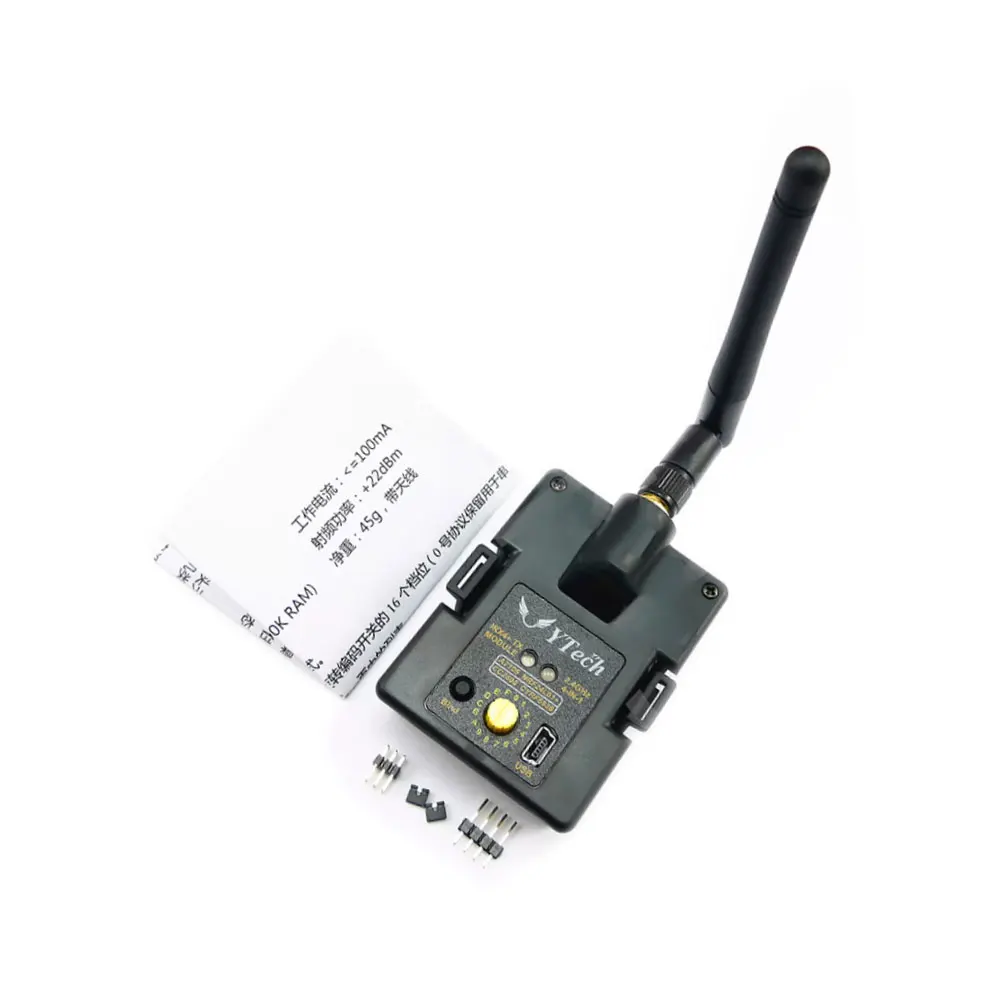
Quantity: 1 pcs
Recommend Age: 14+y
Use: Vehicles & Remote Control Toys
Four in one multi protocol high-frequency head STM32 upgraded version
The main difference from the original ATemga328P version is the space upgrade, which can store more protocols.
Download of instructions and materials:
http://pan.baidu.com/s/1bokfOjt
Attention:
Our store only sells high-frequency hardware. The software is based on open-source firmware and is burned by the store. Please bear the risk of use.
Overview:
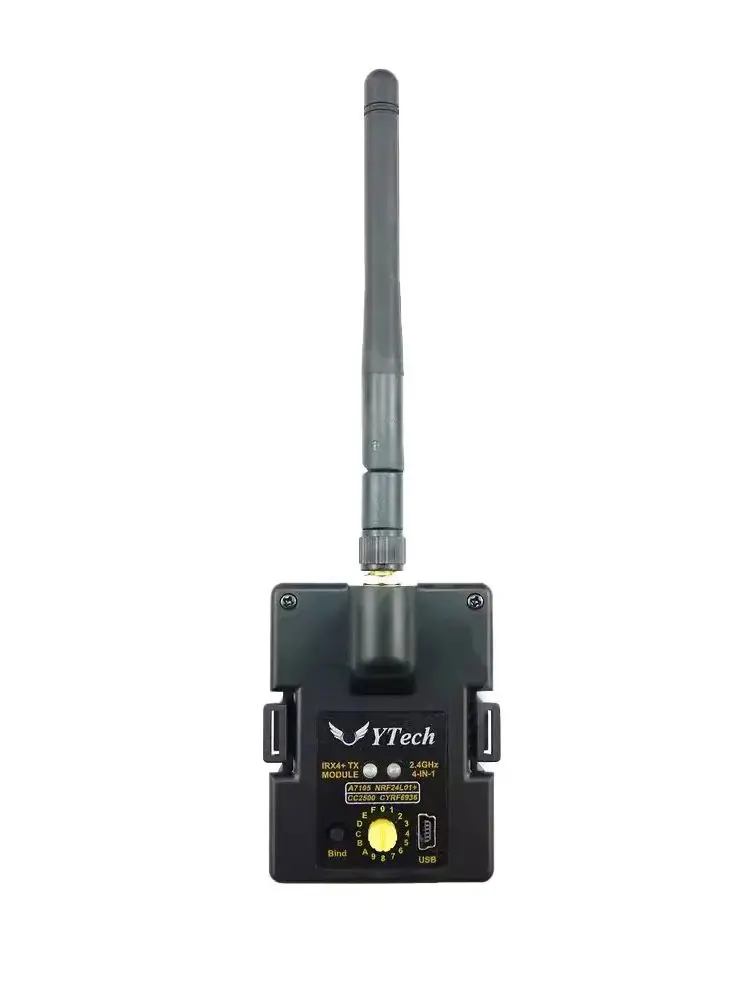
This four in one high-frequency module integrates four RF chips, CC2500, NRF24L01, A7105, and CYRF6936, into one circuit board. It can recognize the PPM signal output by remote control and convert it into the corresponding remote control protocol to achieve control over the receiver or aircraft. The current supported protocols include: Huakor DEVO, Horizon DSM2, Fosun, Yisikai, Ruisikai, Weili, Hobson, Chiyuan, Futaba SFHSS Assan, and other protocols.
This high-frequency converter allows for more flexible and convenient control of multiple different brands of quadcopters, helicopters, and fixed wings. By continuing to use the familiar remote control, the operating feel and flight experience are also better
Working parameters:
Working voltage: 5-14 volts Working current:<=100mA
Working frequency: 2.4G ISM band RF power:+22dBm
Main control chip: ARM Cortex-M3 (128K ROM, 20K RAM) Net weight: 45g, with antenna
There are two working modes for the high-frequency head: PPM mode and serial port mode.
When the knob on the high-frequency head is turned to 0, the high-frequency head will enter serial port mode. In serial port mode, all existing protocols can be used, and protocols and frequency can be switched through the remote control menu. However, only remote controls using open source firmware such as er9X/erSky9X, OpenTX, EdgeTX can use serial port mode. In addition, your remote control firmware needs to be upgraded to the latest version.
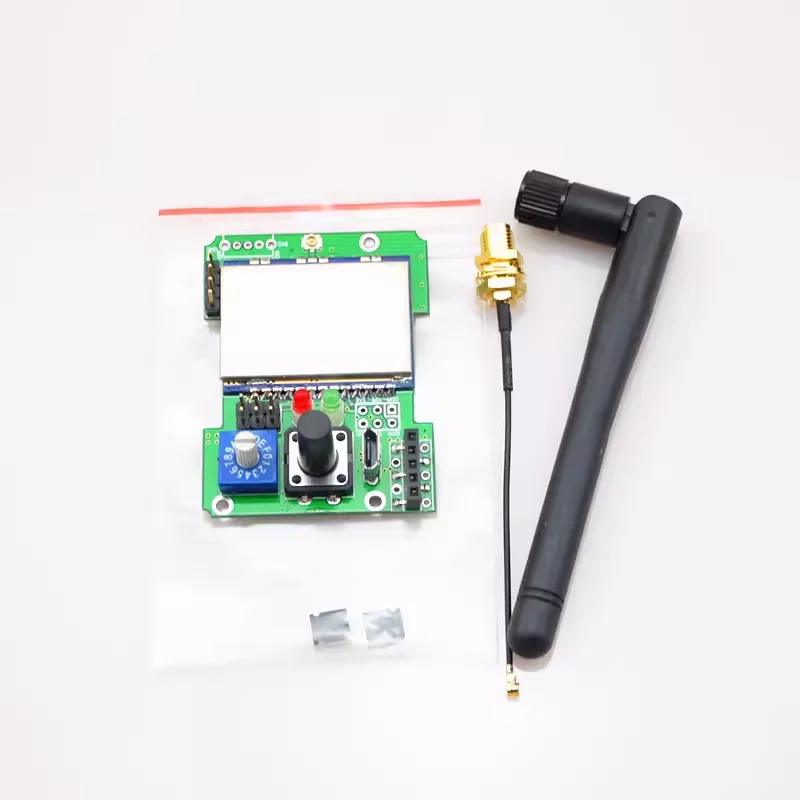
When the knob on the high-frequency head points to the F position, the red light on the high-frequency head will be used to indicate the protocol group. The red light will flash several times and then pause for two seconds. The number of times the red light flashes corresponds to the current group. For example, pausing after flashing once indicates that the first group of protocols can be selected, pausing after flashing twice corresponds to the second group of protocols, and so on. Press the Bind button to switch between different groups.
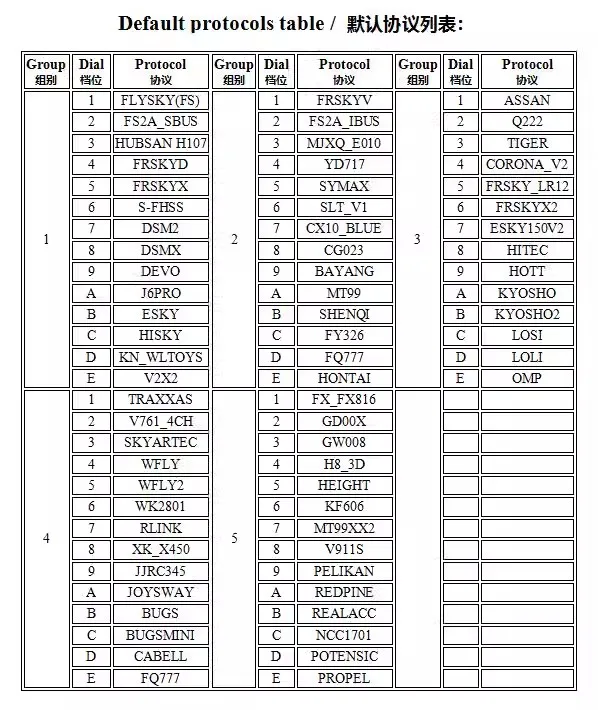
When the knob points to other gears except for 0 and F, the high-frequency head is in PPM mode. In this mode, there are default five combinations of 70 protocols to choose from, with 14 protocols in each group. These 14 protocols correspond to the 14 gears (1 to E) of the knob. Please refer to the list on the previous page of the manual for the corresponding relationship.
Operation in serial port mode:
Turn the knob on the high-frequency head to position 0, install the high-frequency head, and then turn on the remote control. The high-frequency head will enter serial port mode. Enter the external high-frequency head menu of the remote control, enable the external high-frequency head option, and then set the mode to "MULTI" or "MULT". After that, a new menu will appear on the remote control, from which you can select the desired protocol frequency pairing.
Normal operation in PPM mode:
Turn on the PPM signal output of the remote control, tighten the high-frequency antenna, and install the high-frequency head in the corresponding compartment on the back of the remote control.
According to the default protocol list below and your receiver type, point the high-frequency knob (the end with a vertical slot on the handle) to the corresponding gear.
After completing the frequency matching, turn on the power switch of the remote control. The red indicator light on the high-frequency head will remain on, and then the high-frequency head will start working normally. Then, turn on your receiver (or aircraft).
The high-frequency head cannot switch protocols during normal use. If you need to switch protocols, please power off first, adjust the knob, select the desired protocol, and then power on again.
If there is no valid PPM signal input, the red light will flash slowly.
In PPM mode, frequency operation:
Turn on your receiver (or aircraft) and follow the receiver manual to put the receiver into frequency matching mode
According to the protocol list, turn the encoding switch to select the desired protocol, hold down the black frequency matching button on the high-frequency head, turn on the remote control, wait for the remote control to enter the system interface, and after 5 seconds, release the frequency matching button. At this time, you can see the red indicator light flashing quickly, indicating that the high-frequency head has entered the frequency matching mode. When the frequency matching is completed, the red light will remain on.
Some protocols (such as S-FHSS) do not require frequency synchronization on the high-frequency head, while others (such as hubsan, e010) automatically synchronize when the high-frequency head is turned on. Therefore, do not press the synchronization key when using these protocols
For more relevant information, please refer to:
https://github.com/pascallanger/DIY-Multiprotocol-TX-Module
Regarding the firmware upgrade of the high-frequency head:
Now that the high-frequency transmitter has been shipped with the latest firmware, there is generally no need to upgrade it yourself,
Comes with a jumper cap and pin, only used for upgrading firmware from USB to serial port. It needs to be short circuited according to the situation, and should not be short circuited during normal use.
The high-frequency head can upgrade firmware in three ways:
1. USB port, which is the interface marked with USB on the front of the high-frequency head, requires a built-in MINI USB data cable. It is generally recommended to upgrade using this method
2. Upgrading through remote control requires remote control support, limited to open-source system remote controls such as OpenTX and EdgeTX
3. USB to serial port, you need to bring your own USB to serial port cable, and you also need to disassemble the high-frequency head
Please refer to the online storage materials for the corresponding upgrade steps:
http://pan.baidu.com/s/1bokfOjt
Comparison table between knob gear and protocol in PPM mode
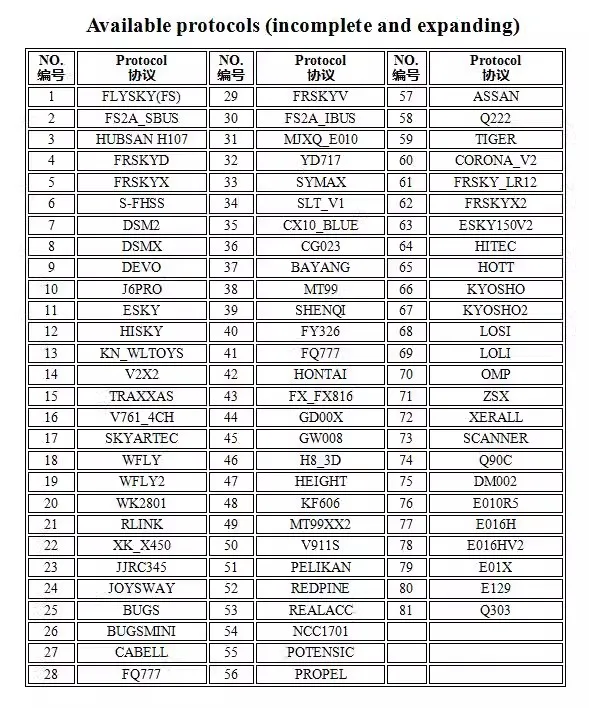
Protocol table in serial port mode:
Free Shipping Over $199
- Standard Shipping: Standard Shipping (12–18 Business Days)
- Express Shipping: Expedited Shipping (5–9 Business Days)
- Free Shipping: Orders over $199 qualify automatically
- Tracking: Full tracking number provided for all orders
30-Day Return Policy
- Returns: 30-day hassle-free return window
- Condition: Items must be unused and in original packaging
- Refund: Full refund processed within 3-5 business days
Why Choose Us?
- Factory Direct: ISO/TS 16949 certified manufacturer
- Quality: 100% electrical continuity tested before shipment
- Experience: 15+ years in automotive connector industry
- Support: Professional technical support available

You may also like
Blog posts
Title
An excerpt of your blog post's content
Title
Date|Author
Subscribe to our emails
Be the first to know about new collections and special offers.