

RC Transmitter Part Irangex irx4 plus 2.4g cc2500 nrf24l01 a7105 Frsky 4 in 1 Multi-protocol Module
For Flysky
$203.04
Sale price
$203.04
Regular price
$0.00
Skip to product information




RC Transmitter Part Irangex irx4 plus 2.4g cc2500 nrf24l01 a7105 Frsky 4 in 1 Multi-protocol Module
$203.04
Sale price
$203.04
Regular price
$0.00
Description
SPECIFICATIONS
Brand Name: NONE
Certification: CE,FCC
For Vehicle Type: Helicopters
Four-wheel Drive Attributes: Shell/Chassis/Wing/Head
High-concerned chemical: none
Is Batteries Included: No
Is Electric: No battery
Is it battery/power supply: N
Is it charger/adapter: N
Material: Plastic
Model Number: Module
Origin: Mainland China
Plastic Type: PC
Quantity: 1 pcs
RC Parts & Accs: Antennas
Recommend Age: 14+y
Remote Control Peripherals/Devices: RECEIVERS
Size: Module
Technical parameters: value 2
Tool Supplies: Assembly Category
Upgrade Parts/Accessories: Wheel Hub
Use: Vehicles & Remote Control Toys
Wheelbase: Bottom Plate
RC Transmitter Part Irangex irx4 plus 2.4g cc2500 nrf24l01 a7105 Frsky 4 in 1 Multi-protocol Module
Product specification:
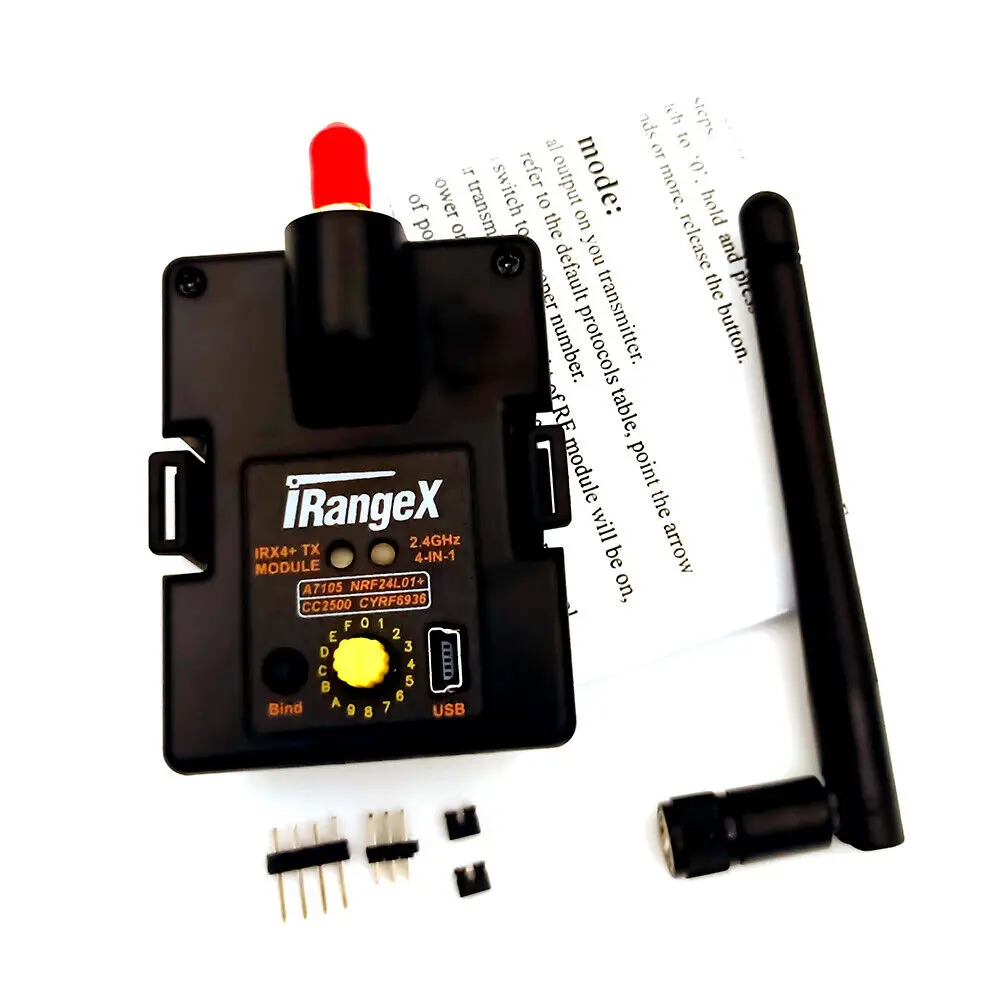
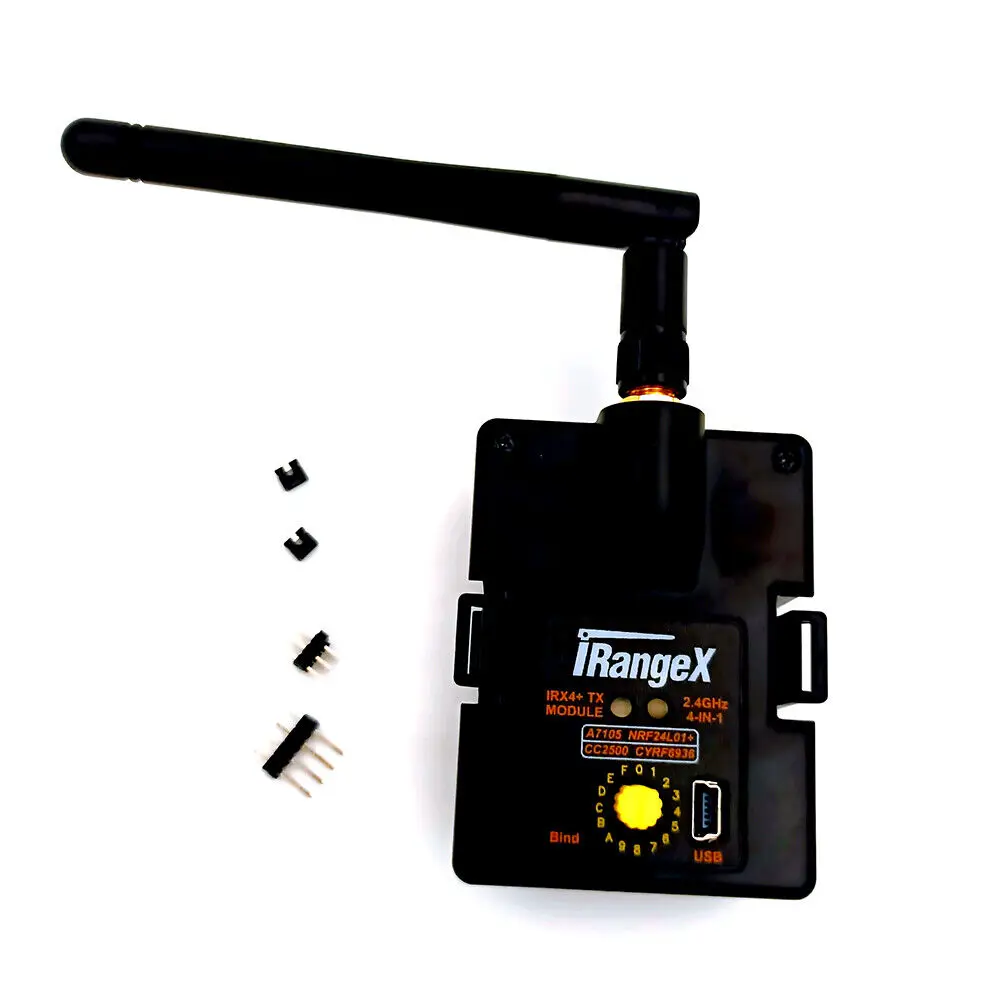
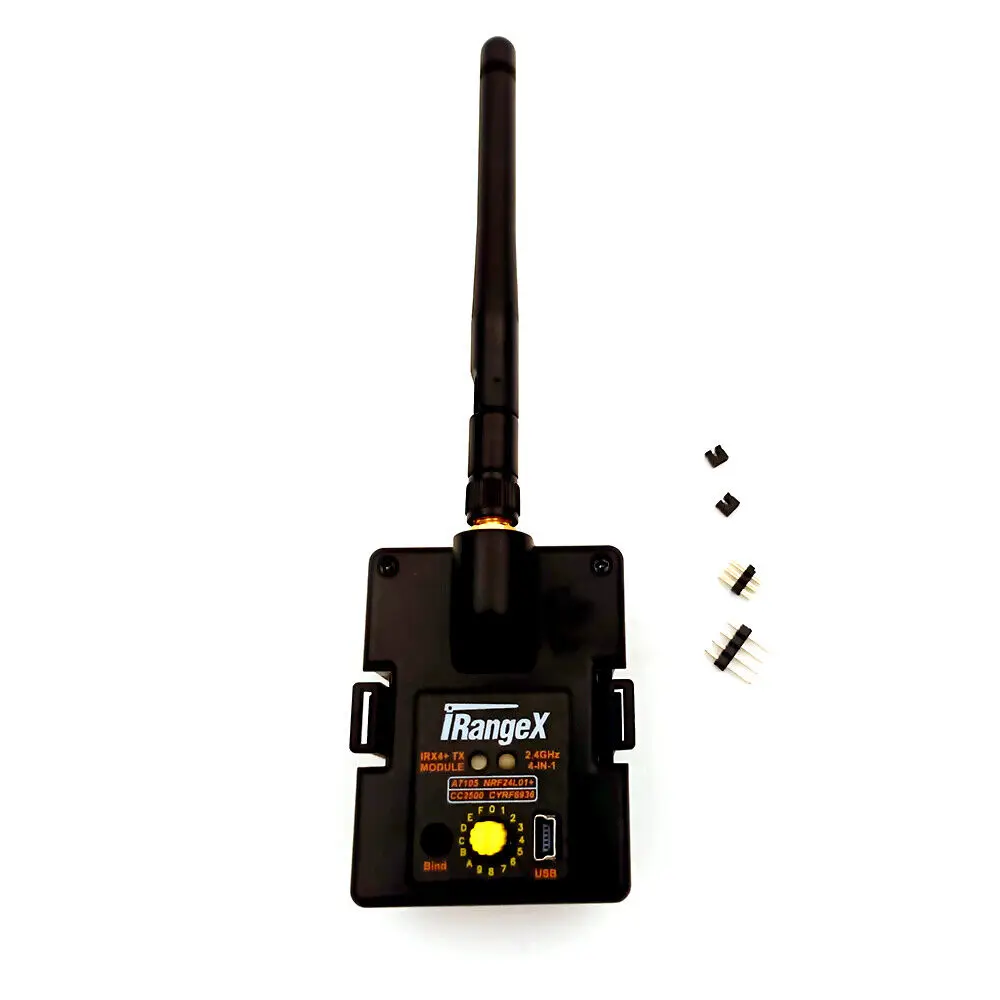
This is a great multi protocol module for your FrSky ACCST or ACCESS transmitter and Turnigy 9XR and 9XR Pro. This one multi protocol module will replace all of the different protocol 2.4Ghz Transmitter modules.
Also works with most transmitters that have a JR module bay and can provide a PPM signal to the module. The PPM firmware can be downloaded from github.
This module has a USB port for easy firmware upgrades. Just download Flash Multi V0.6.1 from github and follow the setup instructions.
These modules have been updated to firmware version V1.3.3.7 AETR or higher for use with OpenTx V2.3.9 or higher in serial mode.
Works best with the latest firmware OpenTx V2.3.12. or higher.
For best results with your Turnigy 9XR Pro you need to upgrade the ersky9x firmware to R223A6. Just go to "erskyTx test versions" to download the firmware. The latest module firmware V1.3.3.7 or higher works great with both of the latest versions of OpenTx and erskyTX.
Manual and data download:
http://pan.baidu.com/s/1bokfOjt
Working parameters:
Working voltage: 5-14 volts Working current: <=100mA
Working frequency: 2.4G ISM band RF power: +22dBm
Main control chip: STM32F103CBT6 (128K ROM, 20K RAM)
Size: 55x41x7mm, without buttons Net weight: 23g, with antenna
The tuner has two working modes: PPM mode and serial port mode.
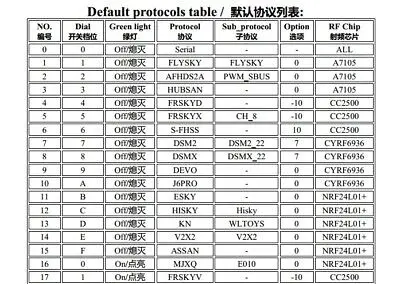
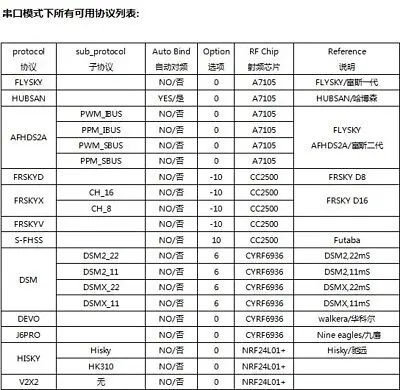
In PPM mode, there are 31 different protocols corresponding to the 16 positions of the rotary coding switch (protocol 0 is reserved for serial port mode). Please refer to the list on the previous page of the manual for the correspondence between the two.
When the green light is off, you can use the knob to select protocols No. 1 to 15, and when the green light is on, you can select protocols No. 16 to 31.
If you need to turn on or turn off the green light, please follow the steps below:
Turn off the remote control, point the rotary coding switch to "0", press and hold the black link button on the tuner, then turn on the remote control, release the button after 3 seconds, and then you can see the green light switch between on and off , The optional protocol will be switched at the same time.
In PPM mode, normal use operation:
1. Fix the tuner, install the antenna, and turn on the PPM signal output on the remote control
2. According to the following default protocol list and your receiver type, point the tuner knob (the end of the handle with the vertical groove) to the corresponding gear.
3. When the linking has been completed, turn on the power switch of the remote control, the red indicator light on the tuner will always be on, and then the tuner will start to work normally, and then turn on your receiver (or airplane).
4. The tuner cannot switch the protocol during normal use. If you need to switch the protocol, please turn off the power first, adjust the knob, select the desired protocol, and then power on again.
5. If there is no valid PPM signal input, the red light will flash slowly.
In PPM mode, linking operation:
1. Turn on your receiver (or airplane) and follow the instructions of the receiver to enter the linking mode.
2. Press and hold the black link button on the tuner, turn on the remote control and wait to enter the system interface. After 3 seconds, release the link button, you can see the red indicator flashes quickly, indicating that the tuner enters the link mode. When the linking is over, the red light is always on.
3. Some protocols (for example: S-FHSS) do not need to operate on the tuner for linking, and for some protocols (for example: hubsan, e010), the tuner will automatically link to the frequency as soon as the tuner is turned on. .
Operation in serial mode:
When the green light is off and the knob on the tuner points to "0", the tuner can enter the serial port mode. In the serial port mode, all existing protocols can be used. The tuner protocol switching and frequency-linking operations can be done through the remote control. The menu is implemented, but only the remote control using er9X/erSky9X or OpenTX open source firmware can use the serial port mode. In addition, your remote control firmware also needs to be upgraded to the latest version.
For related information, see:
https://github.com/pascallanger/DIY-Multiprotocol-TX-Module
About the tuner firmware upgrade:
There are two jumper caps attached, do not short-circuit it in normal use, and short-circuit it according to the situation when upgrading the firmware.
The tuner can upgrade the firmware in two ways, a USB serial cable or a Micro USB cable (that is, a common Android phone data cable). The USB serial port method is relatively simple, so some general users recommend to equip it with a USB serial cable to upgrade.
For related information, see:
https://github.com/pascallanger/DIY-Multiprotocol-TX-Module/blob/master/docs/Compiling_STM32.md
Pacakge Content
1 X multi protocol module
Condition & Terms
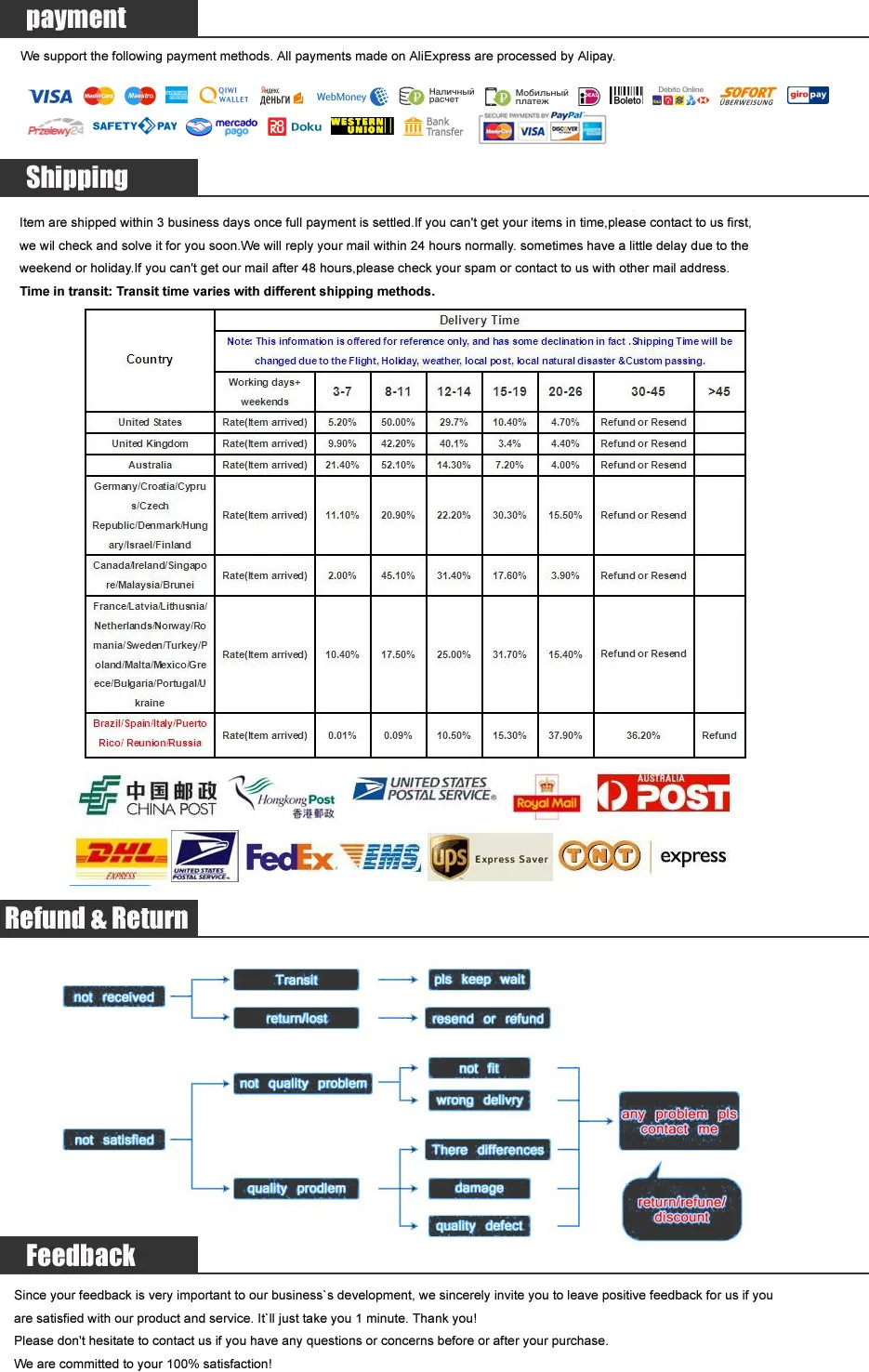
Free Shipping Over $199
- Standard Shipping: Standard Shipping (12–18 Business Days)
- Express Shipping: Expedited Shipping (5–9 Business Days)
- Free Shipping: Orders over $199 qualify automatically
- Tracking: Full tracking number provided for all orders
30-Day Return Policy
- Returns: 30-day hassle-free return window
- Condition: Items must be unused and in original packaging
- Refund: Full refund processed within 3-5 business days
Why Choose Us?
- Factory Direct: ISO/TS 16949 certified manufacturer
- Quality: 100% electrical continuity tested before shipment
- Experience: 15+ years in automotive connector industry
- Support: Professional technical support available

You may also like
Blog posts
Title
An excerpt of your blog post's content
Title
Date|Author
Subscribe to our emails
Be the first to know about new collections and special offers.