

XY-1001W 100W Mono Digital Power Amplifier Board TPA3116D2 Audio Stereo Subwoofer Amplifier Board Bluetooth AUX DC 9-24V
A
$47.25
Sale price
$47.25
Regular price
$0.00
Skip to product information


Features:
1. High power output, supports 100W driver for mono, suitable for various audio devices.
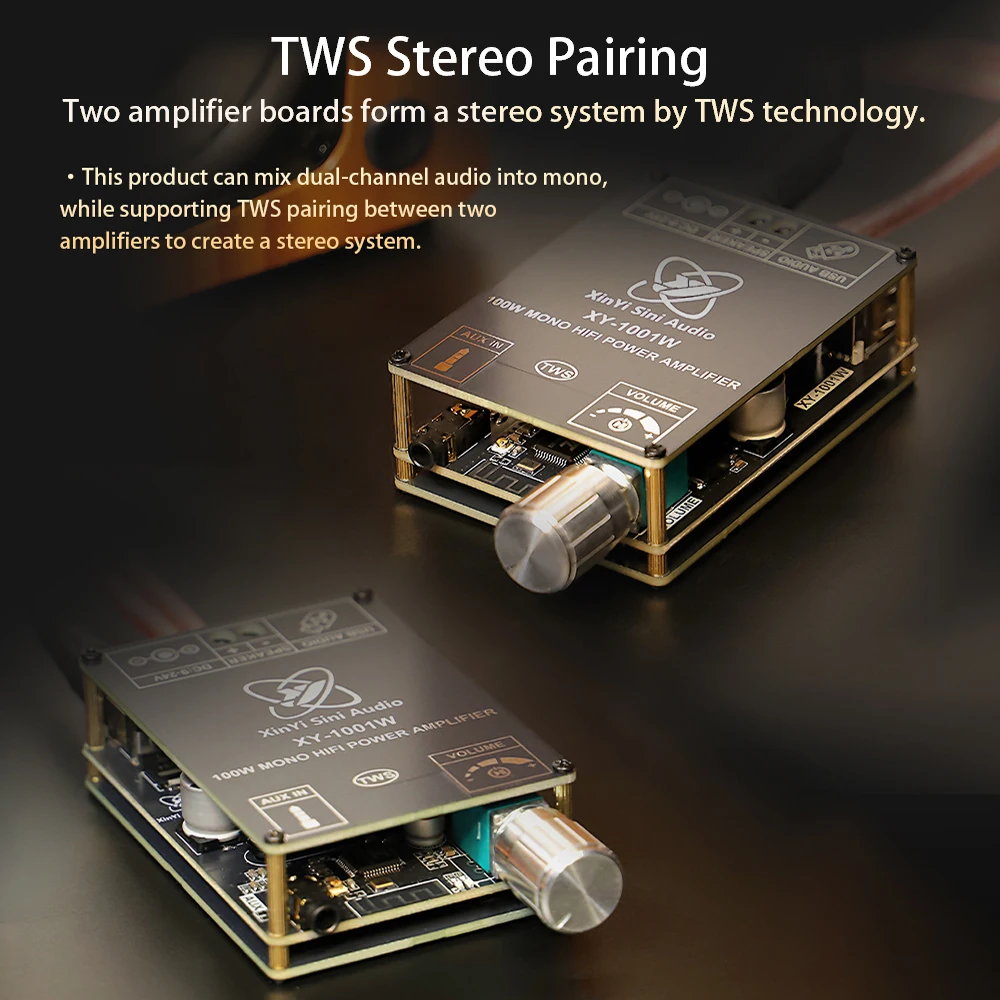
2. Support TWS box technology, achieve stereo effect with two interconnected devices, and improve sound quality.
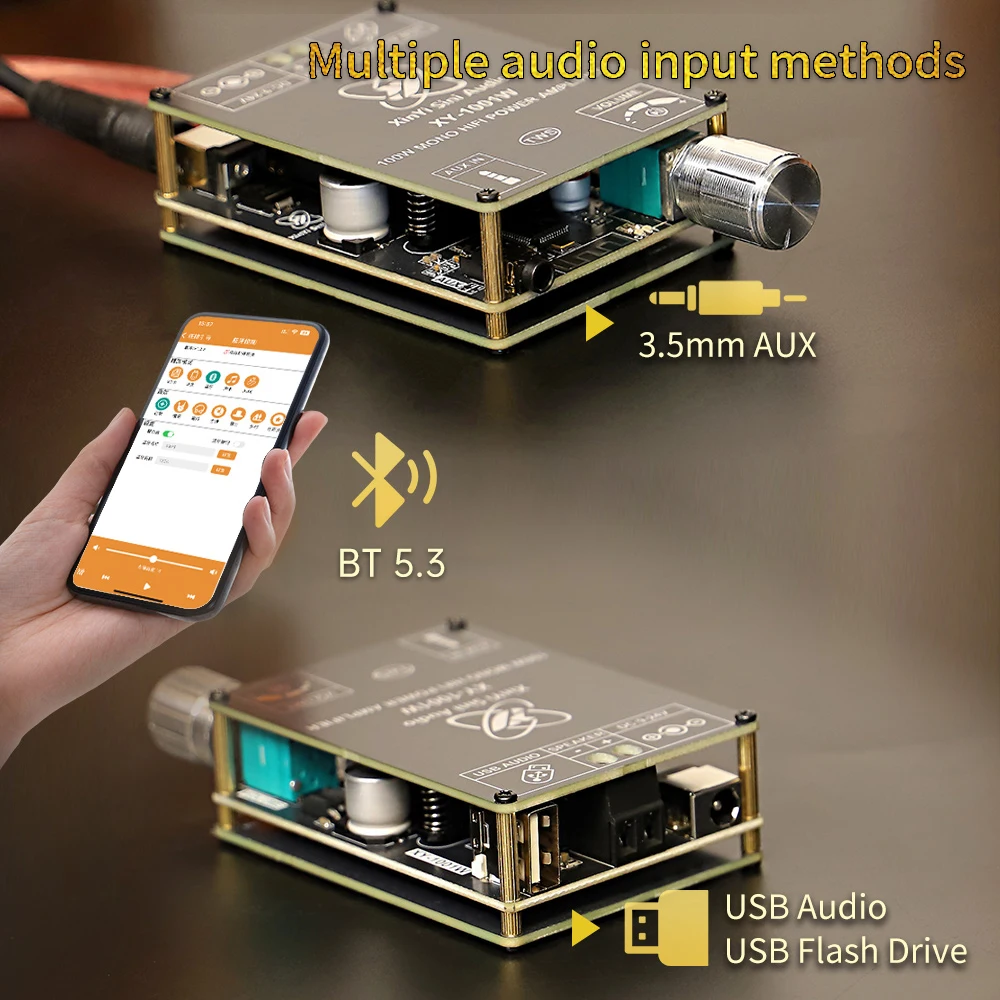
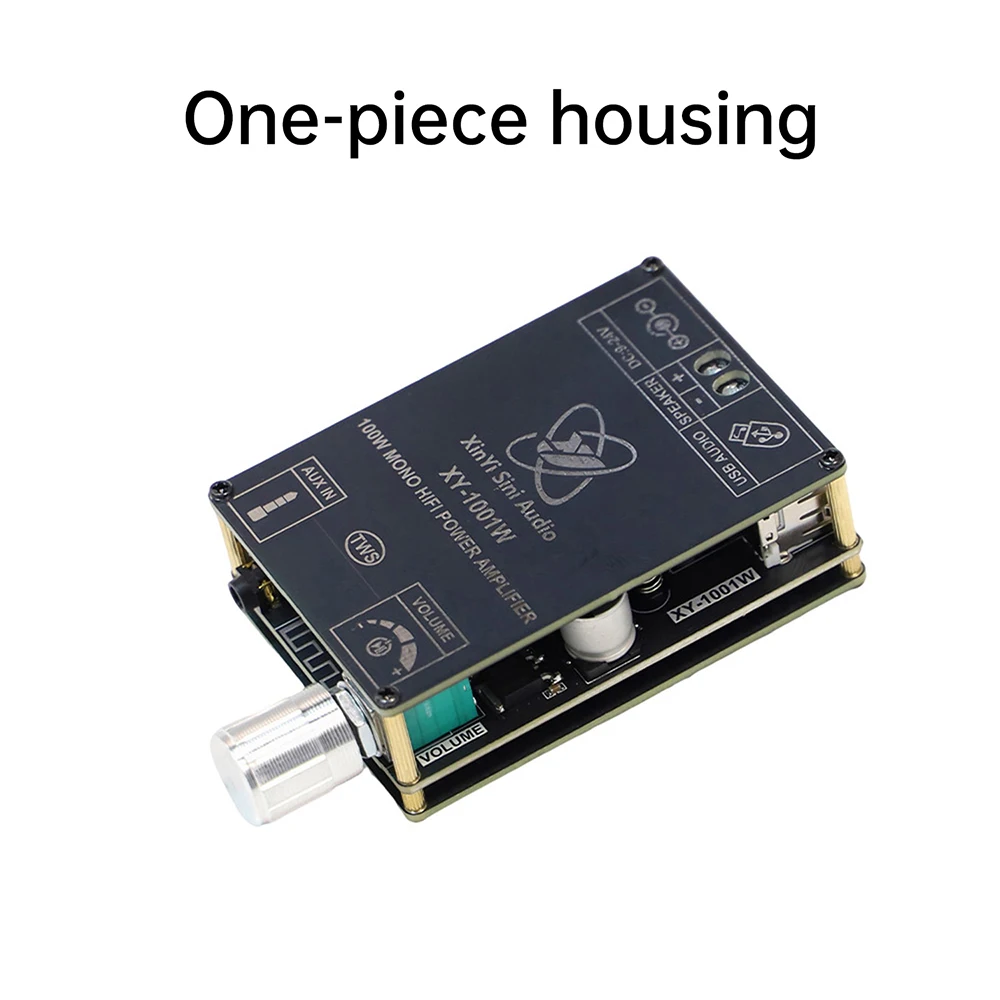
3. Multiple audio input options, including Bluetooth, AUX, and USB flash drive, for flexible use.
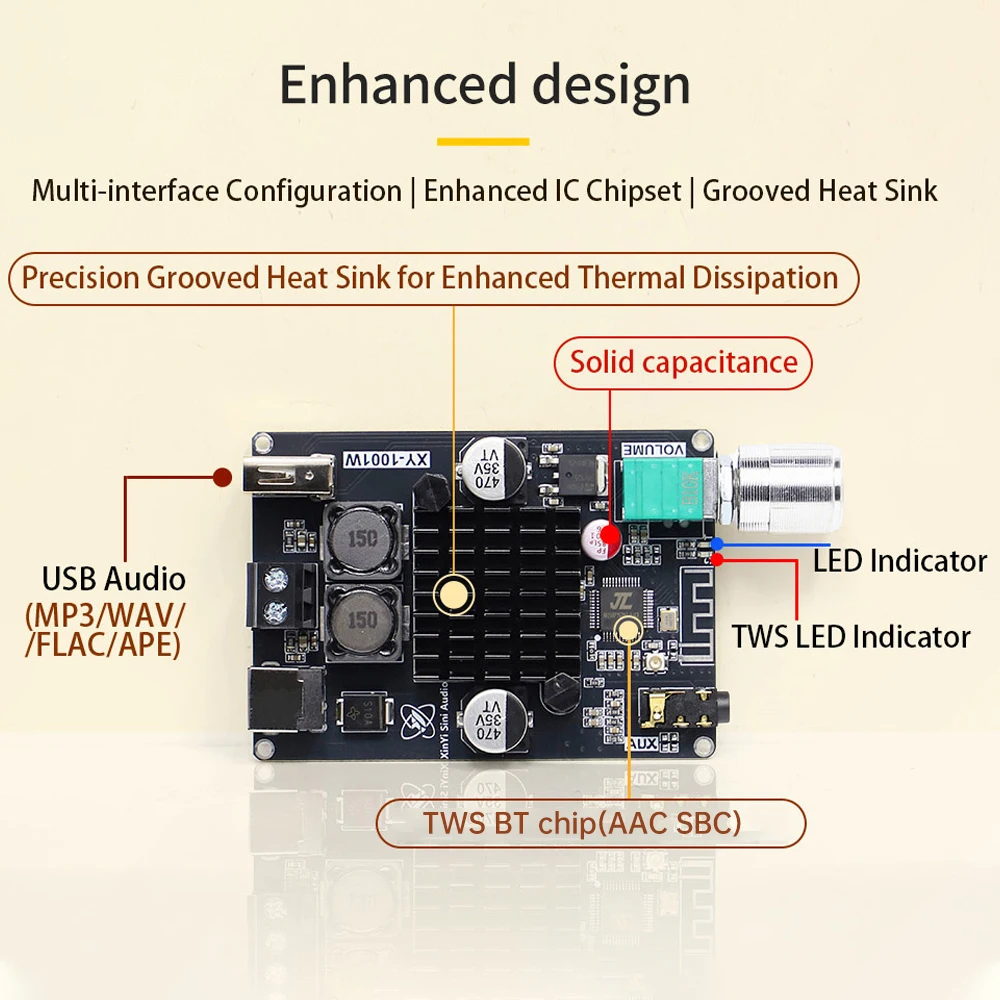
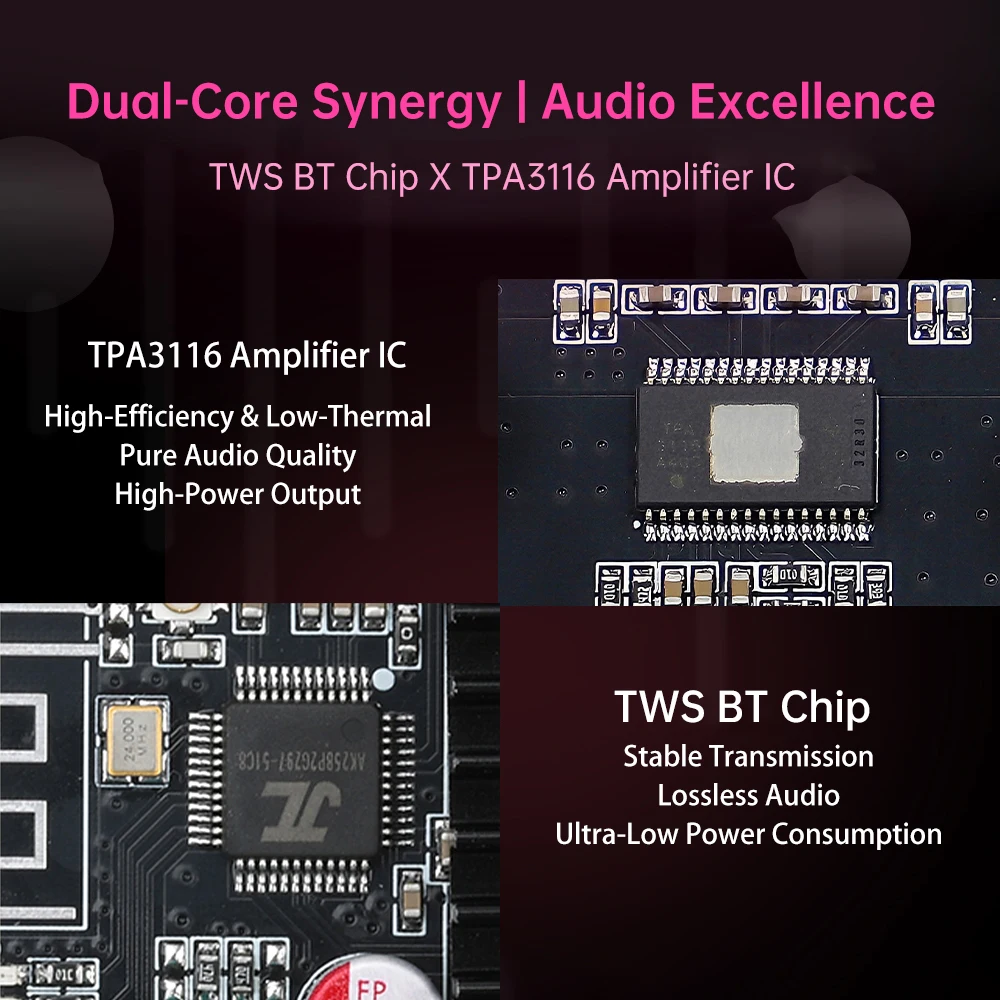
4. Adopting TPA3116D2 chip to ensure high fidelity sound quality performance.
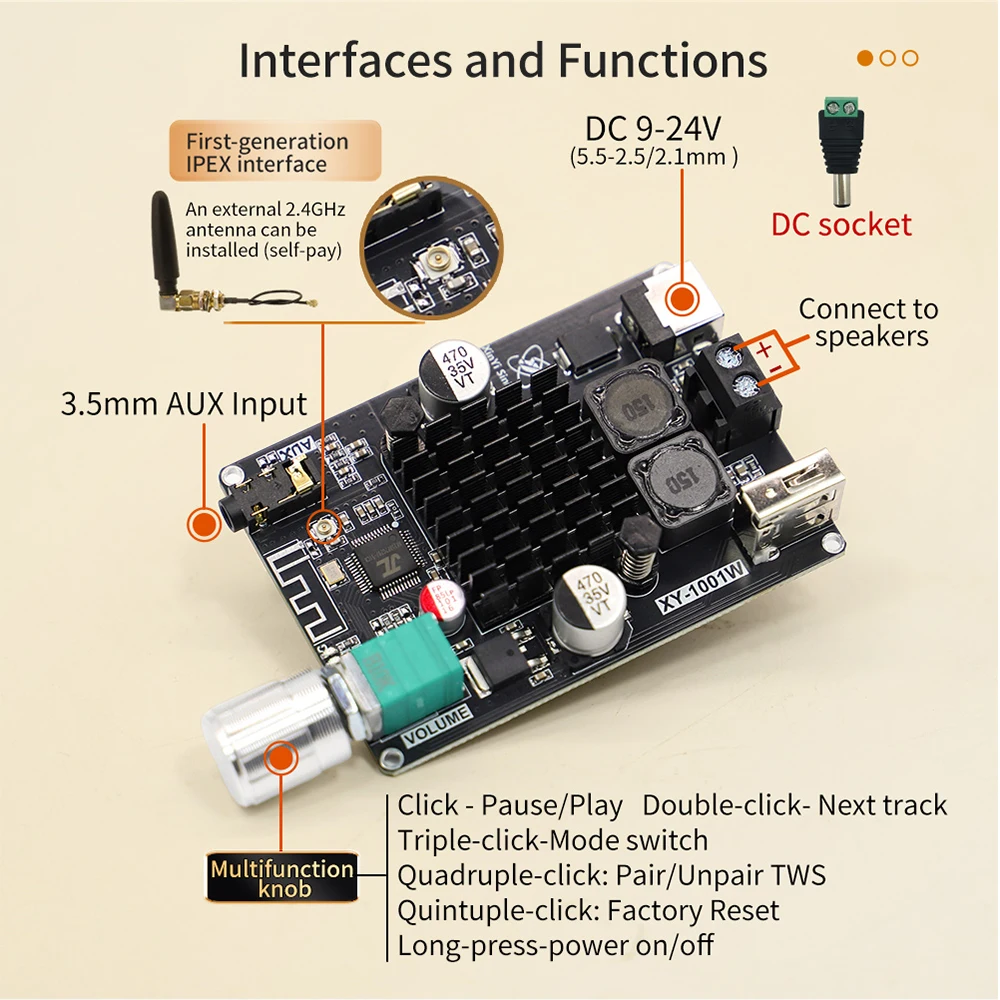
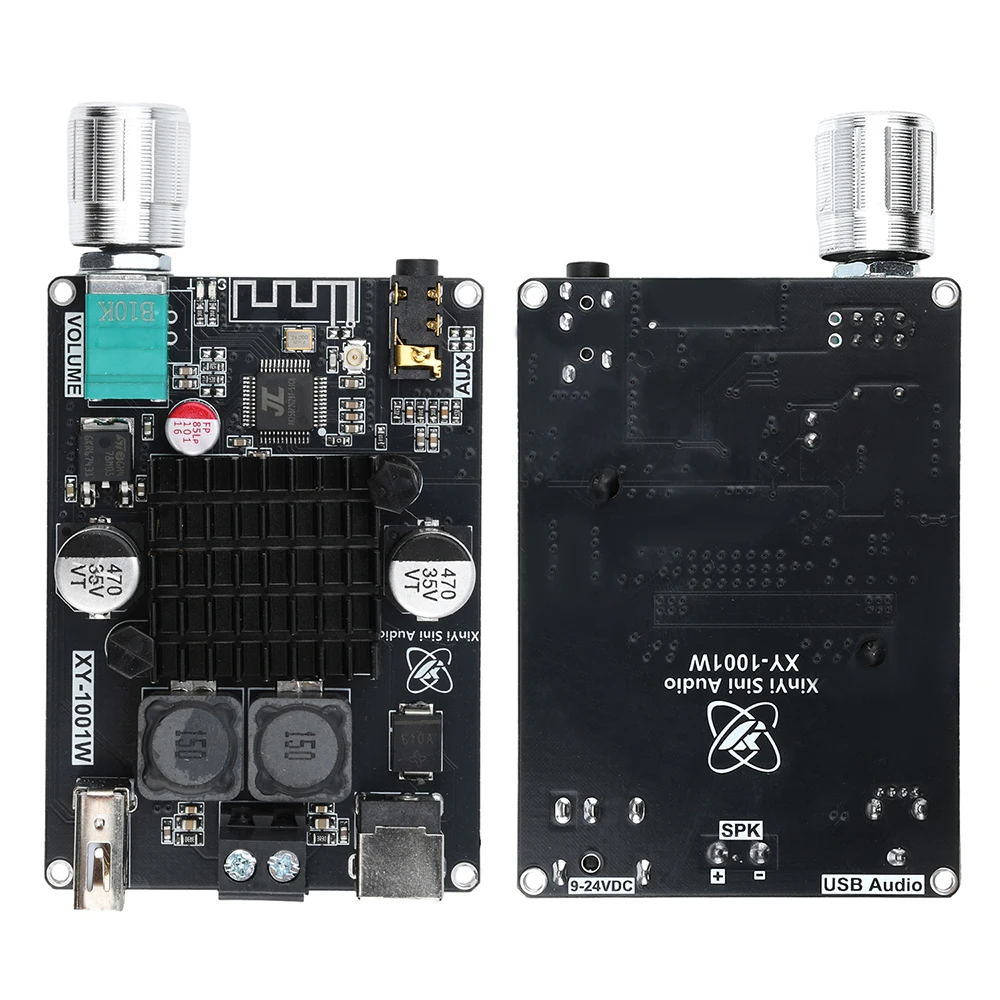
5. The hardware design is fully functional, with multiple interfaces and multifunctional volume adjustment buttons, making operation simple and fast.


XY-1001W 100W Mono Digital Power Amplifier Board TPA3116D2 Audio Stereo Subwoofer Amplifier Board Bluetooth AUX DC 9-24V
$47.25
Sale price
$47.25
Regular price
$0.00
Description
SPECIFICATIONS
Brand Name: occkic
Certification: CE
Channels: 1
Choice: yes
Function 1: Digital Power Amplifier Board
Function 2: Stereo Subwoofer Amplifier Board
Function 3: XY-1001W
Function 4: Bluetooth Amplifier Board
High-concerned chemical: none
Maximum Power Per Channel: 100 W
Model Number: TPA3116D2 Digital Power Amplifier Board
Origin: Mainland China
Package: Yes
Parts: Amplifier board
semi_Choice: yes
Features:
1. High power output, supports 100W driver for mono, suitable for various audio devices.
2. Support TWS box technology, achieve stereo effect with two interconnected devices, and improve sound quality.
3. Multiple audio input options, including Bluetooth, AUX, and USB flash drive, for flexible use.
4. Adopting TPA3116D2 chip to ensure high fidelity sound quality performance.
5. The hardware design is fully functional, with multiple interfaces and multifunctional volume adjustment buttons, making operation simple and fast.
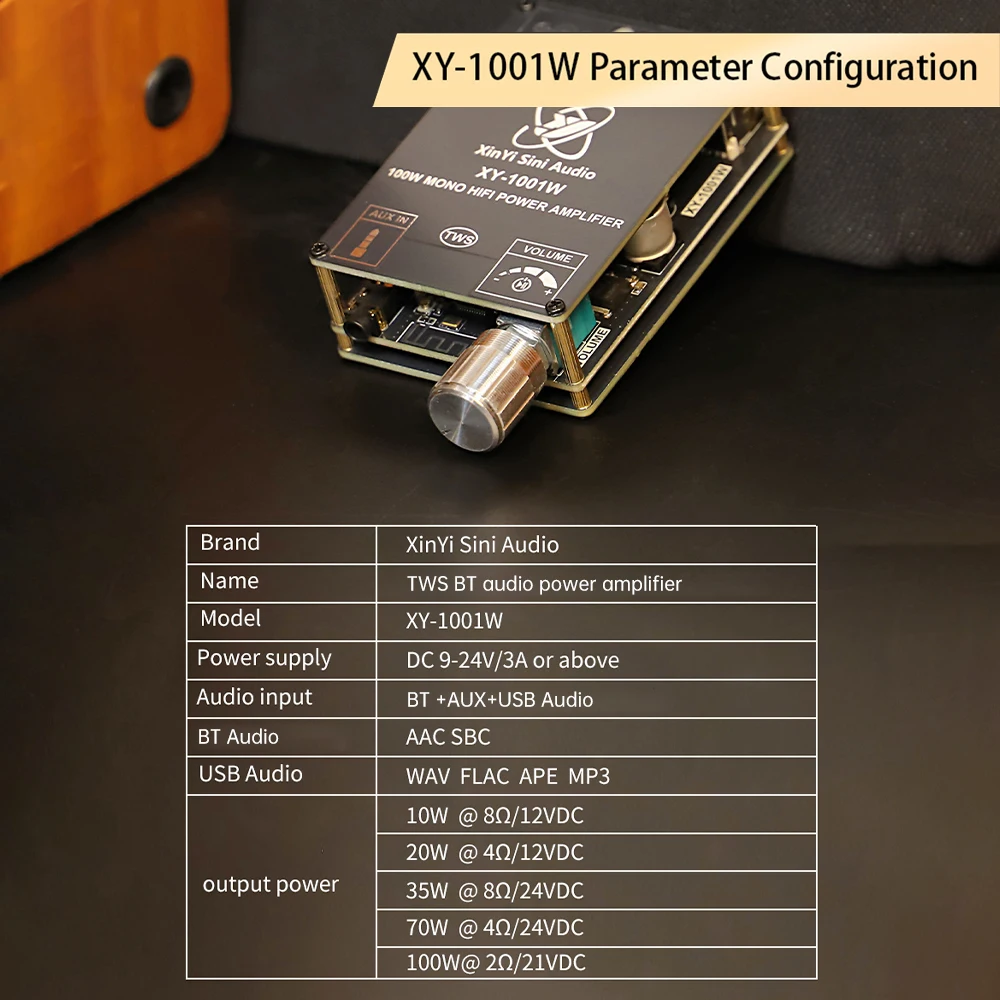
Parameter:
Product Name: TWS Bluetooth Digital Audio Amplifier Board
Product model: 1001W
Power supply: DC9-24V/3A or above
Audio input: Bluetooth/AUX/U drive
Bluetooth audio decoding: AAC SBC
USB lossless decoding: WAV FLAC APE MP3
Output power:
10W @8Ω/12VDC
20W @4Ω/12VDC
35W @8Ω/24VDC
70W @4Ω/24VDC
100W @2Ω/21VDC
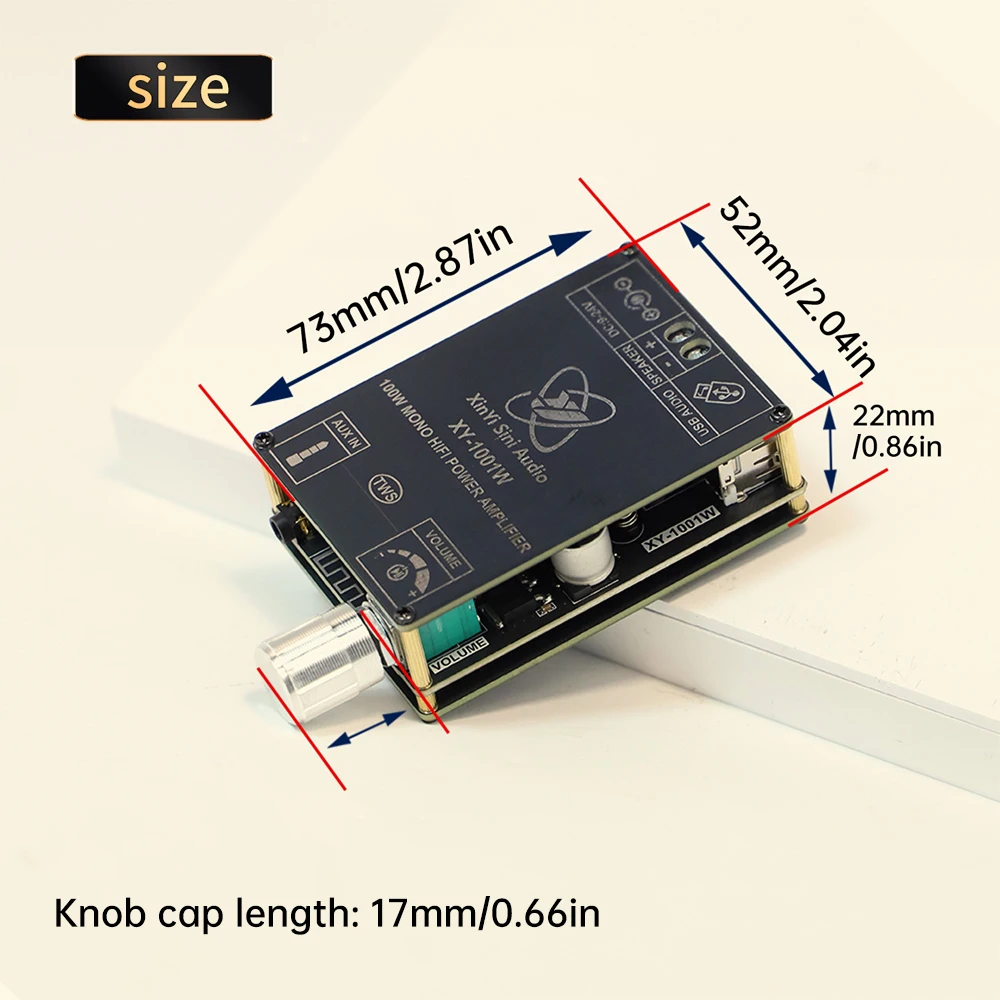
Size: 73mm * 52mm * 22mm
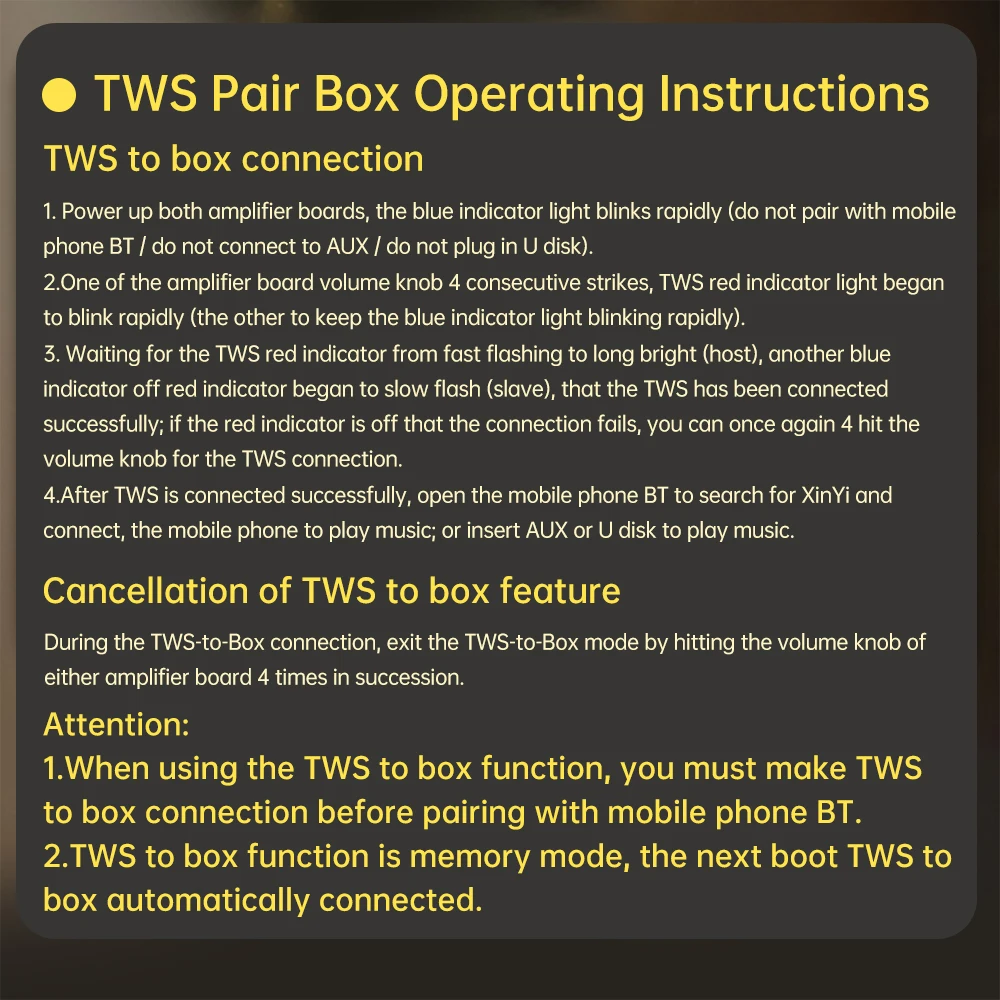
TWS box operation instructions:
1. TWS box connection
1. Two power amplifier boards are powered on, and the blue indicator light flashes rapidly (do not pair with Bluetooth phones/do not connect AUX)
/Do not insert a USB flash drive.
2. Press the volume knob of one of the amplifier boards for 4 consecutive times, and the TWS red indicator light will start flashing rapidly (the other one will keep the blue indicator light flashing rapidly).
3. Wait for the TWS red indicator light to change from fast flashing to long on (host), the other blue indicator light to turn off, and the red indicator light to start flashing slowly (slave), indicating that the TWS has been successfully connected; If the red indicator light goes out, it means the connection has failed. You can press the volume knob again 4 times to connect to TWS.
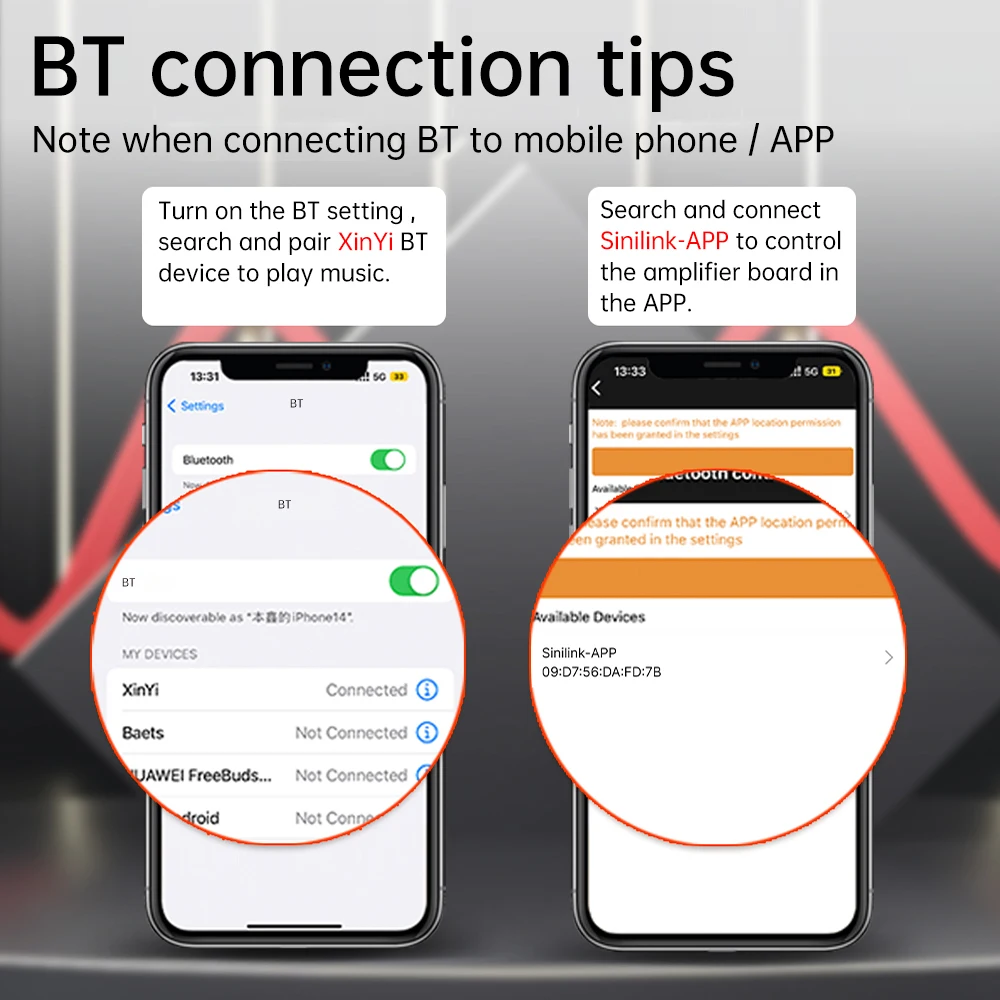
After the TWS connection is successful, open your phone's Bluetooth to search for XinYi and connect, and your phone will play music; Or insert an AUX or USB drive to play music.
2. Cancel TWS pairing function: During the TWS pairing process, press the volume knob of any amplifier board continuously for 4 clicks to exit the TWS pairing mode.
be careful:
When using the TWS box function, it is necessary to first connect the TWS box and then pair it with the phone's Bluetooth.
The TWS box function is in memory mode, and it will automatically connect to the box the next time it is turned on.
Package Include:
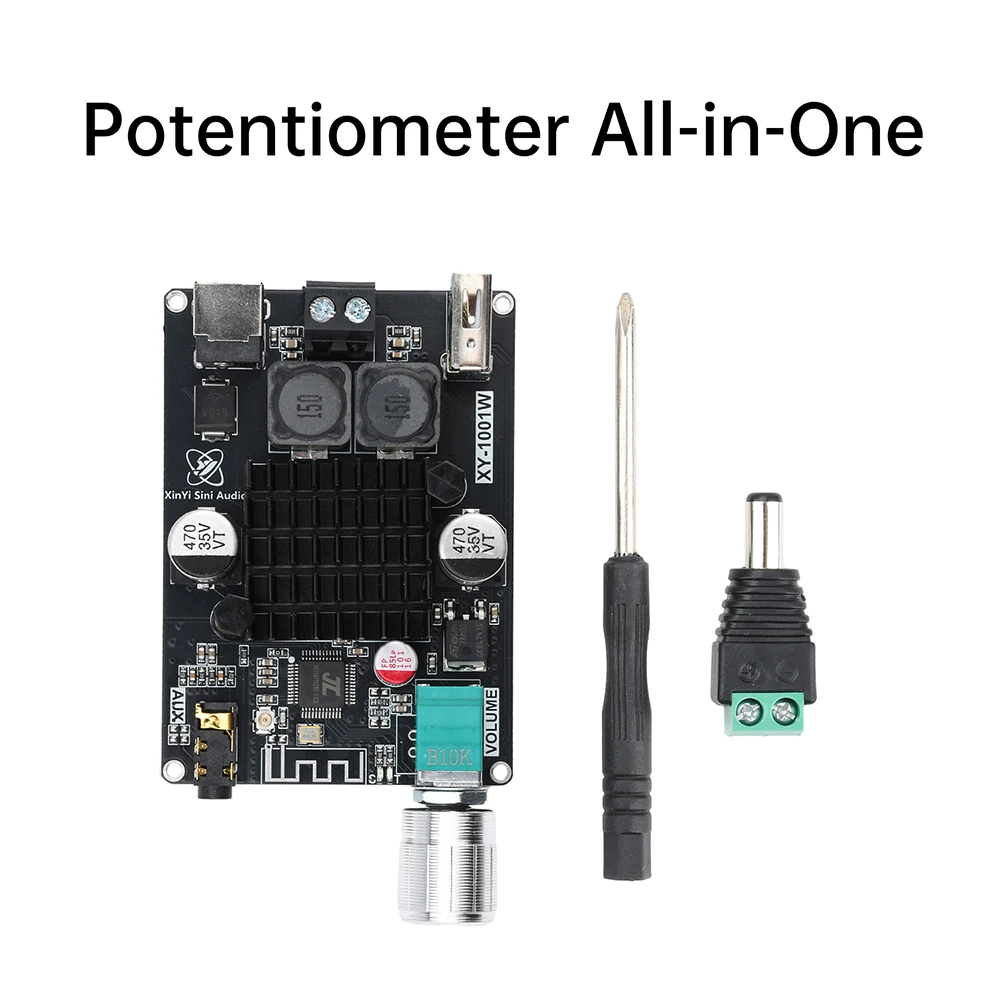
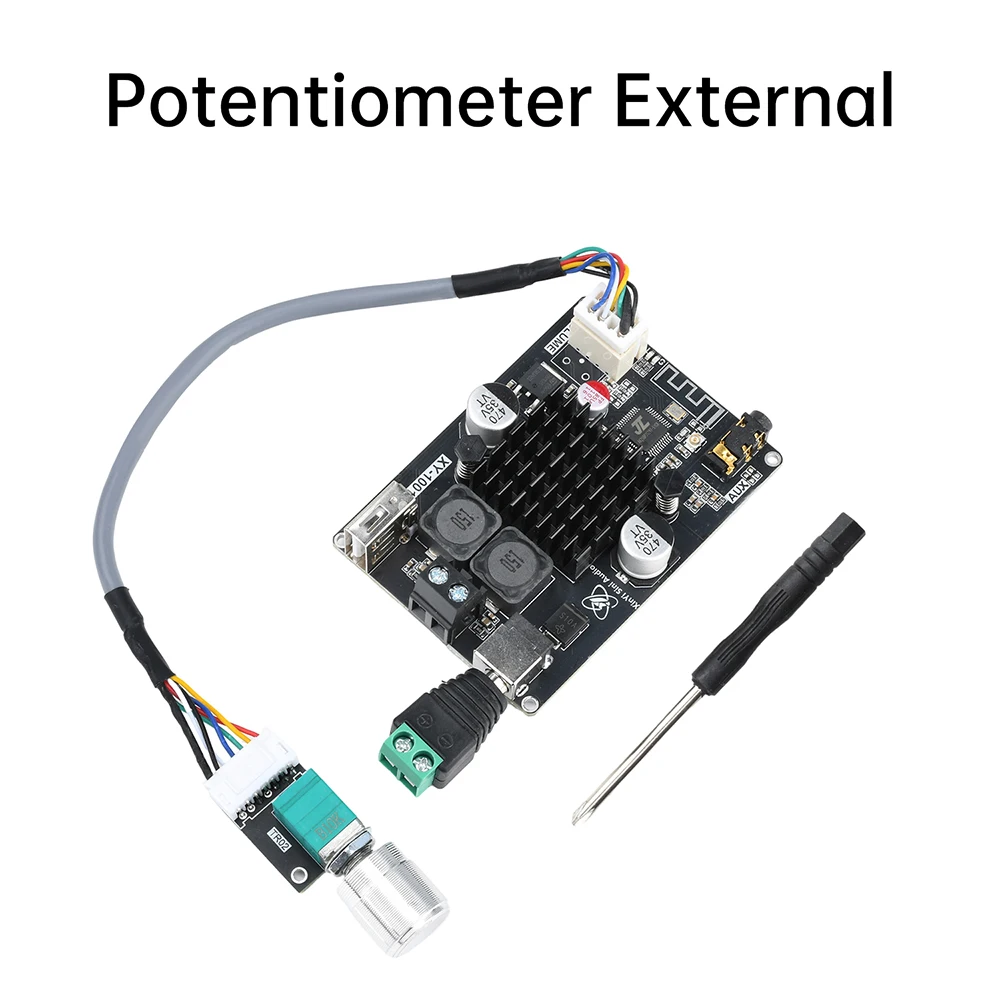
1X power amplifier board
1XDC adapter
1X screwdriver
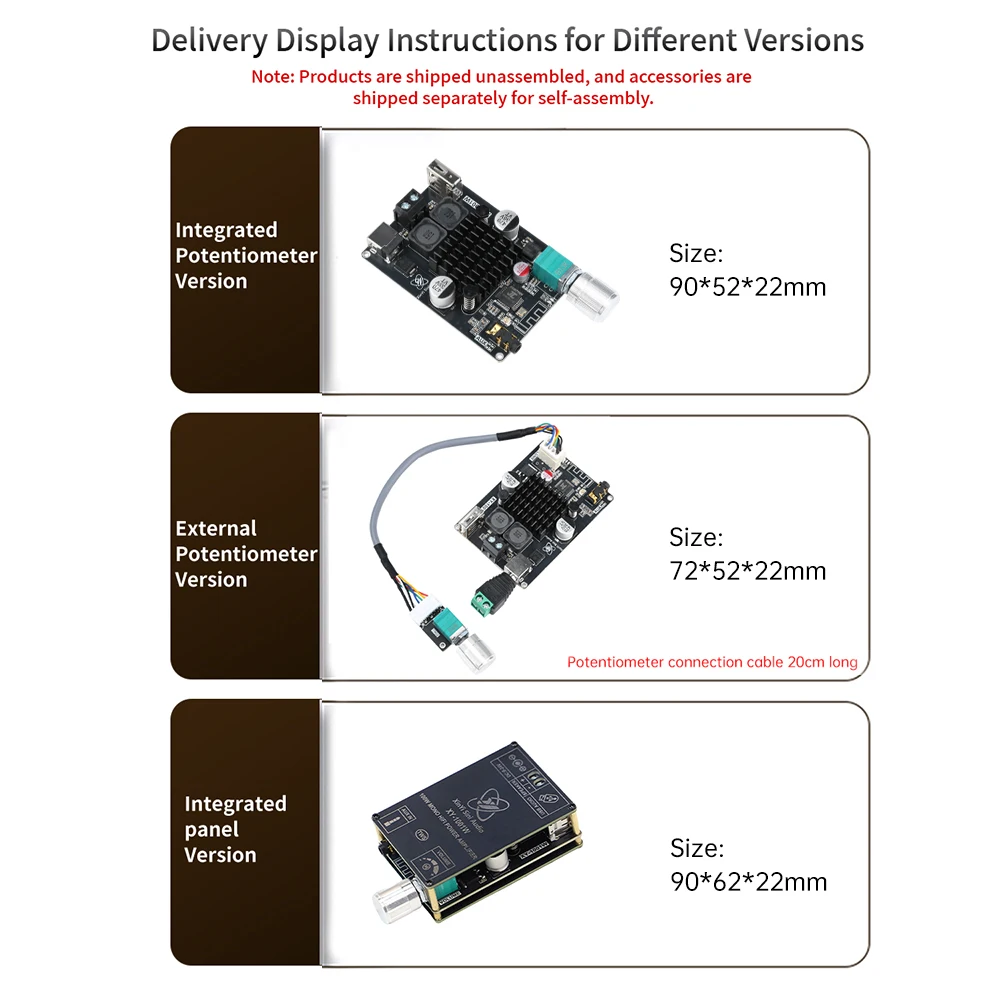
Note: The product is shipped without assembly, and the accessories need to be assembled by oneself when shipped separately. A screwdriver is included as a gift.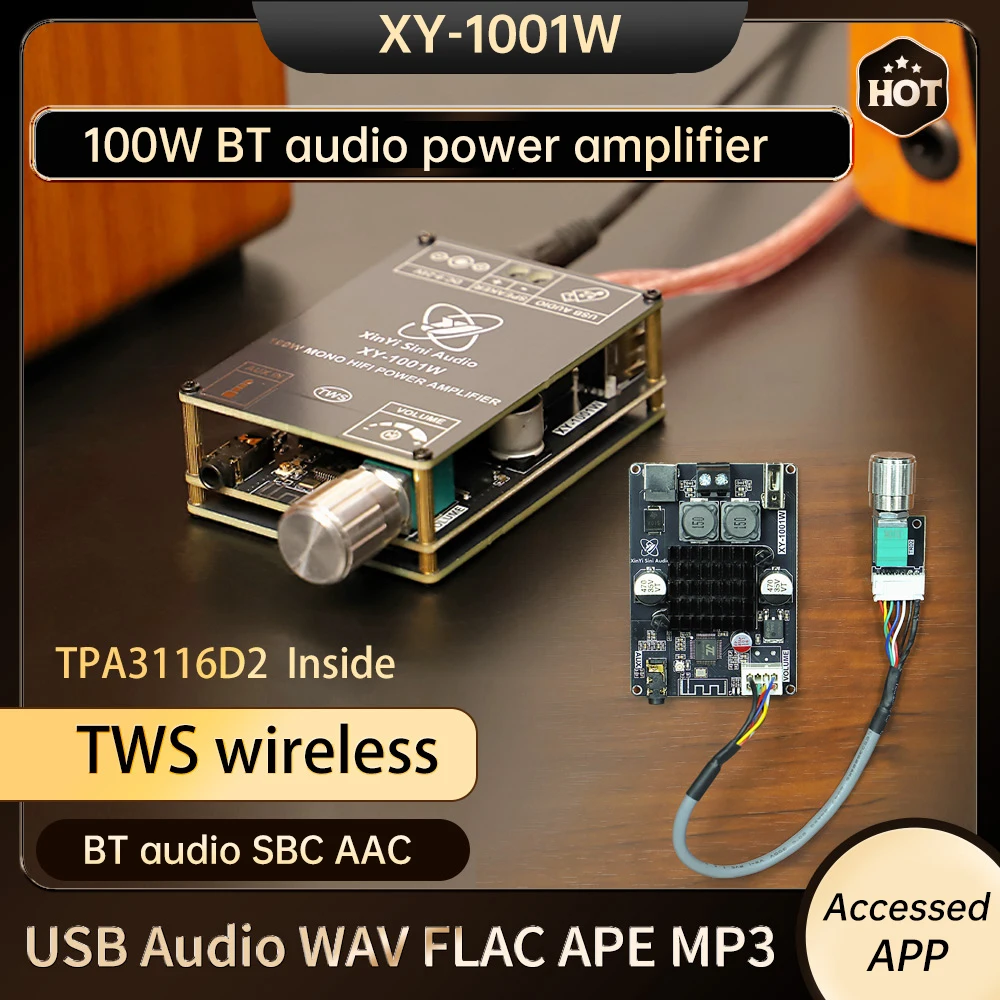
Free Shipping Over $199
- Standard Shipping: Standard Shipping (12–18 Business Days)
- Express Shipping: Expedited Shipping (5–9 Business Days)
- Free Shipping: Orders over $199 qualify automatically
- Tracking: Full tracking number provided for all orders
30-Day Return Policy
- Returns: 30-day hassle-free return window
- Condition: Items must be unused and in original packaging
- Refund: Full refund processed within 3-5 business days
Why Choose Us?
- Factory Direct: ISO/TS 16949 certified manufacturer
- Quality: 100% electrical continuity tested before shipment
- Experience: 15+ years in automotive connector industry
- Support: Professional technical support available

You may also like
Blog posts
Title
An excerpt of your blog post's content
Title
Date|Author
Subscribe to our emails
Be the first to know about new collections and special offers.